Printing Issues

Some how our regular printer got linked to bartender and now we cant seem to print labels as it thinks we need another printer license. Is there a way to remove a printer so we can continue on with label printing?
0
-
You will need to contact Seagull's Technical Support team directly about this, to see if they can help remove the incorrect printer (it will drop off after 7 days of not been used automatically).
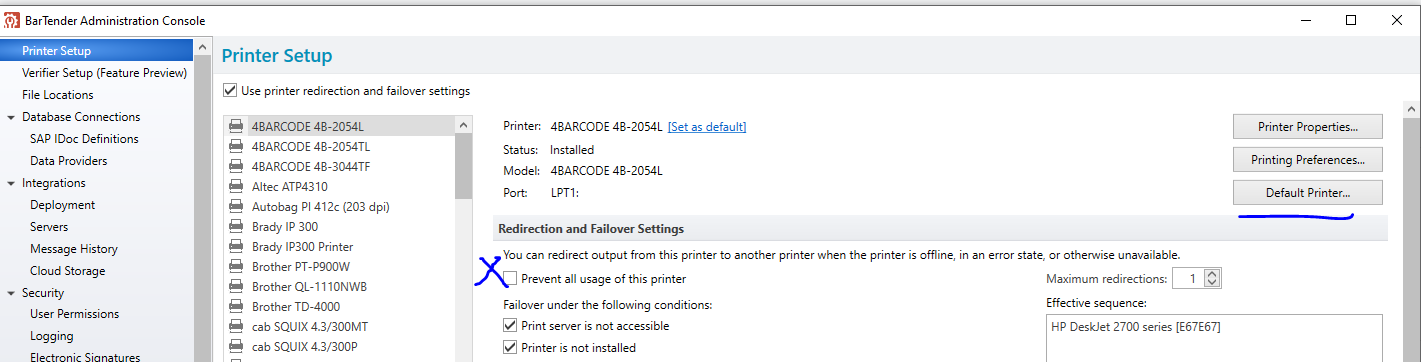
To prevent this form occurring again, if you open Administration Console and go to the Printer Setup you can both set a specific printer for BarTender to use as its default, which can be different to your Windows default and Prevent BarTender from using any other printers by adjusting the settings highlighted below
 0
0

請登入寫評論。
評論
1 條評論