Bartender 2016 Corrupted

Hi,
I have one client pc on a domain running windows 10 version 20H2 where we installed our 2016 R9 version of Bartender and every time we try to open bartender or Print Station it says "BarTender is not installed, or the installation has been corrupted. please re-install."
Re-installing does nothing and it affects all users on the pc. I have gone down the road of .NET framework and 3.5 and version 4.8 are installed.
The weird thing is if i run BarTender "as Administrator" by right clicking on it it works, however this is not an option for us as the users on our domain do not have Administrator rights on their pc's.
How can i fix this issue?
-
Hello Tim,
Thank you for sharing this issue with the Community.
This behavior might be caused by lingering BarTender files. We would recommend a full manual removal of BarTender 2016 R9, this way these unwanted files will be removed.
Please, follow the below steps in order:REMOVAL OF BARTENDER 2016:
Stop and Remove Services
a) Open a Command prompt as Administrator. (right mouse on Windows flag->Command Prompt Admin)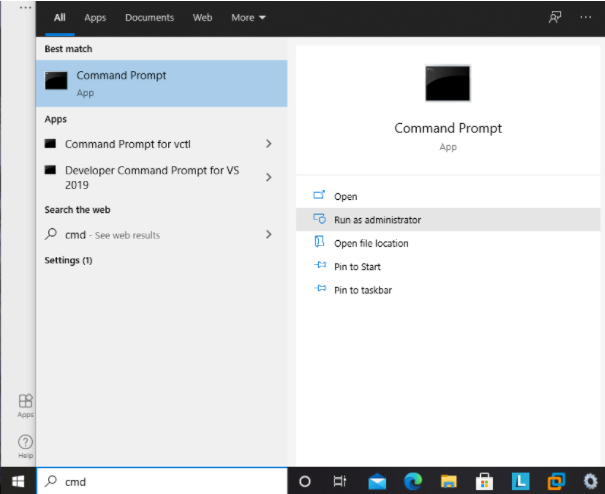
b) Stop all services installed by BarTender. This can be done from the command line as follows:
sc stop "BarTender System Service"
sc stop "Commander Service"
sc stop "Seagull License Server"
sc stop Maestro
sc stop "BarTender Integration Service"
sc stop "Print Scheduler"
c) Change to the BarTender Installation folder on your command prompt.
(C:\Program Files\Seagull\BarTender Suite ->for 64BIT)
(C:\Program Files (x86)\Seagull\BarTender Suite ->for 32BIT)
d) Delete all services installed by BarTender. This can be done from the command line as follows:
BtSystem.Service.exe /uninstall
sc delete "Commander Service"
sc delete "Seagull License Server"
sc delete Maestro
Integration.Service.exe /uninstall
PrintScheduler.Service.exe /uninstall
Installation Cleanup
e) After all services are removed, reboot the system.
f) Use the "Program Install and Uninstall Trouble Shooter" to remove the BarTender package.
You can find it at: http://support.microsoft.com/mats/Program_Install_and_Uninstall
g) Manually remove or delete the following folders:
C:\Program Files\Seagull (or wherever you've installed BarTender v2016)
C:\ProgramData\Seagull
h) Remove the following registry keys from the Registry Editor:
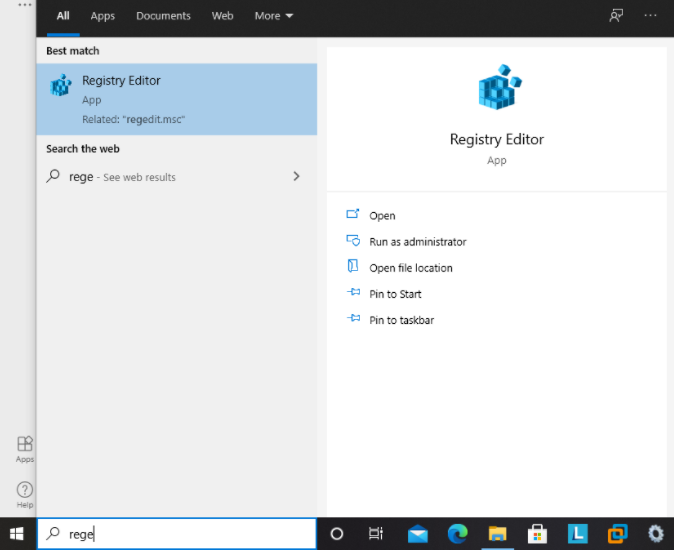
HKEY_CURRENT_USER\Software\Seagull Scientific
HKEY_LOCAL_MACHINE\SOFTWARE\Seagull Scientific
HKEY_LOCAL_MACHINE\SOFTWARE\Wow6432Node\Seagull Scientific
Restart the machine in order for these steps to take effect.- Turn off Antivirus.
- Reinstall BarTender 2016 R9 using our installer found here.
-----------------------------------------------------------------------
Let us know how it goes and whether this helped!0 - Turn off Antivirus.

请先登录再写评论。
评论
1 条评论