GS1-128 Conditional Printing

I have 3 scenarios and I'm hoping to take care of them with the same template. There is a GS1-128 barcode present with 3 AI elements (GTIN, LOT, EXP).
- Scenario 1: All 3 elements present on the item. This is working great.
- Scenario 2: The item has a GTIN, LOT, but not necessarily an expiration. The label prints, and the barcode prints, but the unnecessary AI prints with nothing after it. Can this AI (17) be left totally off the barcode in this scenario?
- Scenario 3: The item does not need this GS1-128 barcode (for UDI purposes and should be left off or not visible). No data is sent for any of the AI fields. Right now Bartender is giving warnings and printing no label.
0
-
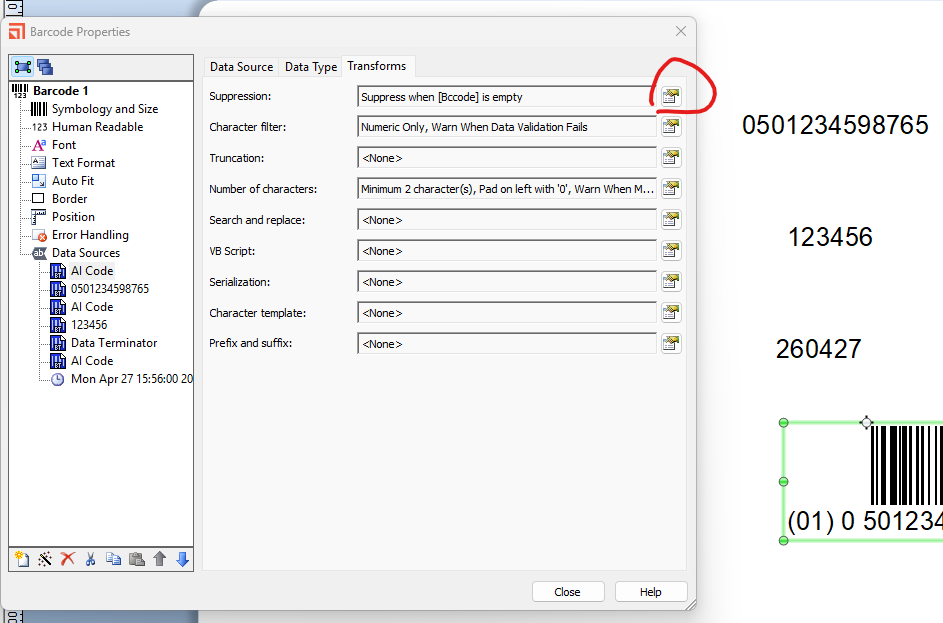
You will need to add suppression to AI barcode objects
Scenario2 - suppress the 17 if the date is not present and also do the same for the Data Terminator object as that is only needed if the Lot (AI 10) is not at the end of the barcode (as AI 10 have a variable not fixed length
Scenario3 - same as above for the AI 01
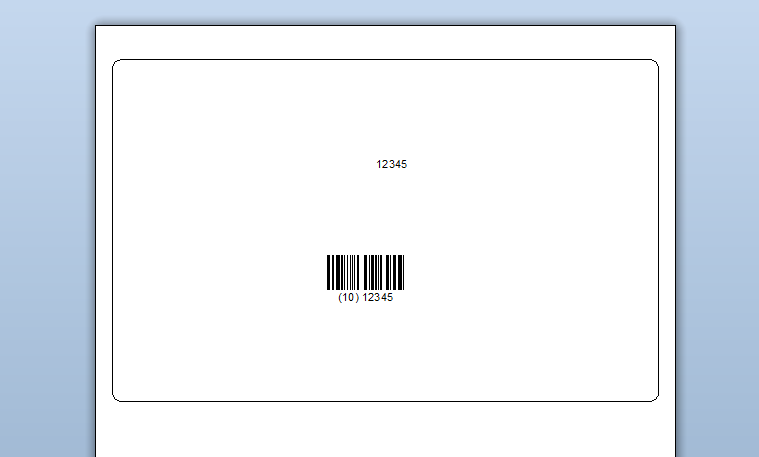
It used prompted fields and if I live both the barcode and date blank this is what I get
 0
0

Vous devez vous connecter pour laisser un commentaire.
Commentaires
1 commentaire