Date Entry

I am trying to put a manufacture date on my label. I have figured out how to physicially put the date on there. But I would like the date to reflect the present day ever. So far I have to go into text box and adjust the date myself. My end goal is to lock down the labels so my employees can’t edit them, but also have the date corrected.
0
-
If you add a date field on to a label (usually as a Clock Data Source) then that should pick up changes of date automatically, taking the date from the clock of the PC.
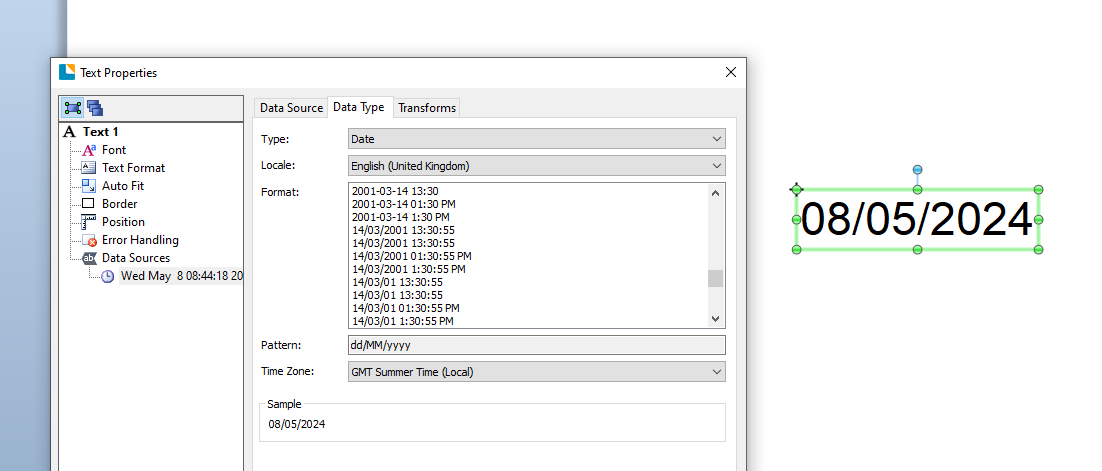
However, if you have linked the date field to a Data Entry form entry then it will display the date that was in use when the label was saved. To make this show the correct (today's) date then you need to tick the appropriate option in the Data Entry (Date Picker or Month Calendar) box:
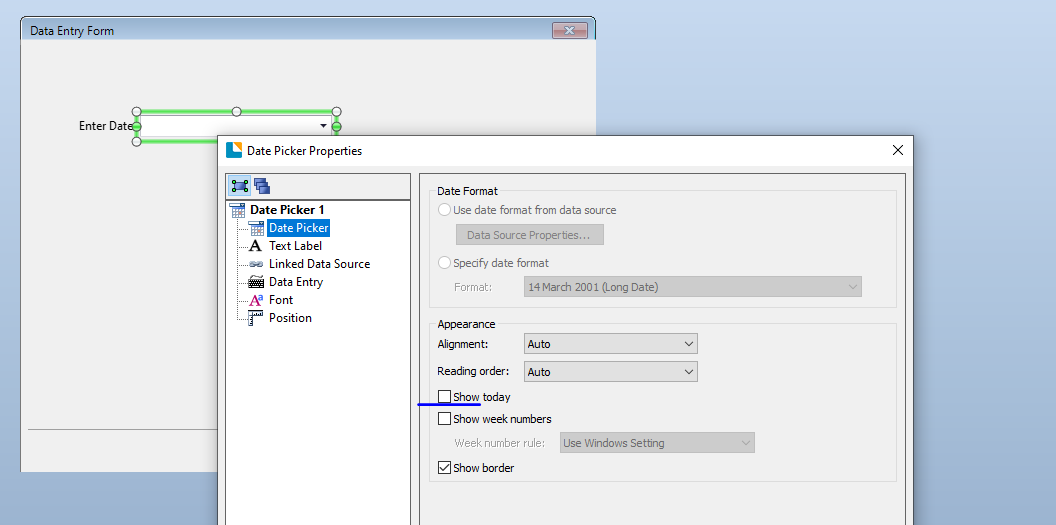 0
0

Vous devez vous connecter pour laisser un commentaire.
Commentaires
1 commentaire