Driver settings ignored when printing via "SYSTEM" user on Windows Server 2019

Hello BarTender community,
I am facing an issue when printing labels over an integration running on a windows server (Windows Server 2019 Standard).
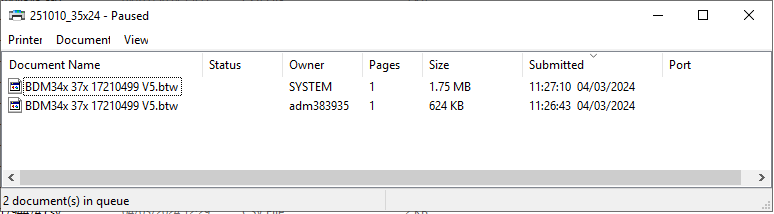
I have set up the label correctly via BarTender Designer 2021 R8 . If i print directly via the print dialog to a Toshiba TEC B-SA4T (300 dpi) printer, the label is printed with the correct print settings (for example print speed 50.8mm/sec). This would be the print job with the owner "adm383935" (see screenshot). I am connected to the server via the windows app Remotedesktop.
However, when i start a print job over our Integration (a csv with the necessary information is placed inside a folder which is then detected by the integration), the print job appears in the printer queue with the owner "SYSTEM". In this case the printer prints the label with a much higher print speed (152.4mm/sec) as if it is not using the settings defined in the document settings. Not only does this result in a lower print quality, it also seems to be ignoring the sensor settings because the print is misaligned after a few labels.
Does anyone have an idea what might cause this issue that the SYSTEM user is ignoring the driver/document settings?
Thanks in advance for any help!
-
My guess would be permissions. The Integration will be running use the rights of the account that is set to run the BarTender Print Scheduler Windows service and by default this will be the Local System account and that may not have sufficient rights to access all the driver settings and so will be using the defaults for the printer. Try running this service using an account will full permissions and see what that does.
0

Vous devez vous connecter pour laisser un commentaire.
Commentaires
1 commentaire