Warehouse Slot Label Printing Vertical, each letter positioned vertical also. Using font Arial Narrow Font

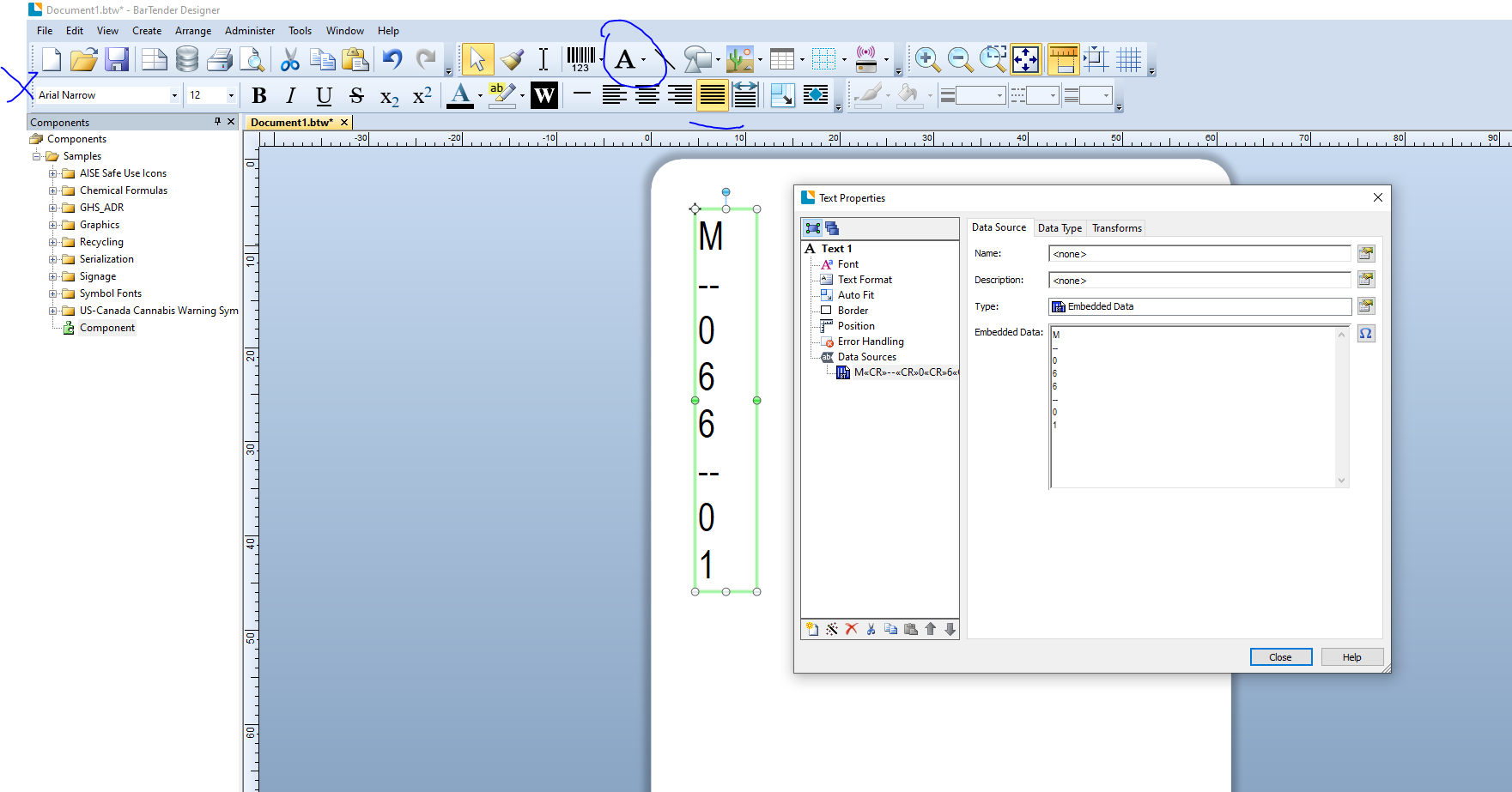
New to Bartender. We had a production run created and we missed a few slots. Looking to print a vertical slot label printed vertical. Similar to a post "How to create vertical Kanji characters and alphabetical letters in a text object" but that post seemed to be used with symbols and font with the @ sign before the fonts name. I've got most of it completed but can't seem to get the individual characters to align horizontal to appear as below.
M
--
0
6
6
--
0
1
0
-
- Add a Text object, either a Normal (if you want to add each item individually) or Normal Wrapped onto your label.
- Change the font in the top left to Arial Narrow. Note: If added as a Normal text item any more you add after this should default to use this font for now too
- Go into the Properties of the field and type in the value in embedded data box.
- Repeat this process for each Normal text object whilst for Normal Wrapped press the enter key after each part and this will move the cursor down onto a new line as in the image below.
 0
0

Iniciar sesión para dejar un comentario.
Comentarios
1 comentario