Date Format based on Database Field

I have some products that require their Best Before date to be in the format DD-MM-YY and others that are MM/YYYY.
Currently we handle this by using two different label templates, but occasionally operators use the wrong template.
I am testing the concept of using a single template and using a DB field to indicate the required date format.
I have worked out the VBscript to set the label for the human readable date field as
IF Field("Combined Label Data.Small.BBEFormat") = "MMYYYY" Then Value="BBE (MMYYYY)" Else Value="BB (DD-MM-YY)" End If
I am now trying to use the same logic to set the custom date format to the date field itself.
In pseudeocode (against the actual date field) it is something like:
If Combined Label Data.Small.BBEFormat is MMYYYY
Then apply the Custom Format "MM/YYYY"
Otherwise apply the Custom Format "dd-MM-yy"
How do I set the field format in VBScript?
Thanks
Stuart
-
No need for VB, you could just use Suppression.
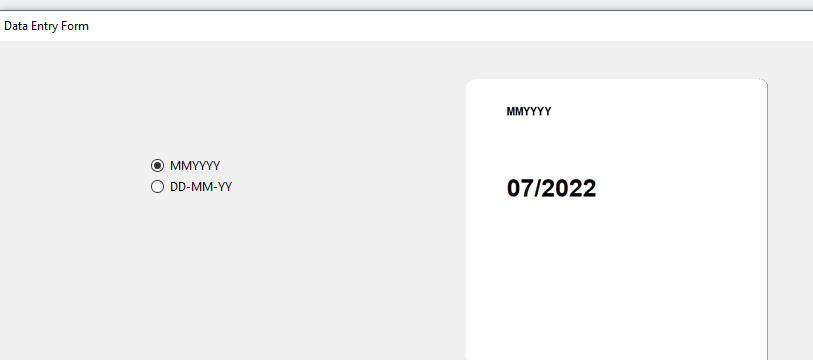
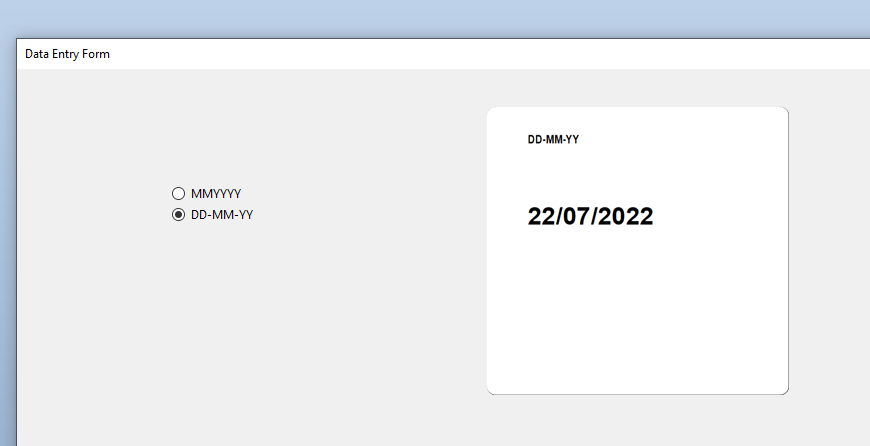
Add either two text fields and place them one on top of the other, or else create a single field with two substrings and set the suppression to look at the content of your database field. In my sample below I have actually linked the two strings to the top text field and named it DF1 and then connected this to a List Box with the two formats on a Data Entry Screen.
Each string has a different Date Type > Format set and a different Suppression set.
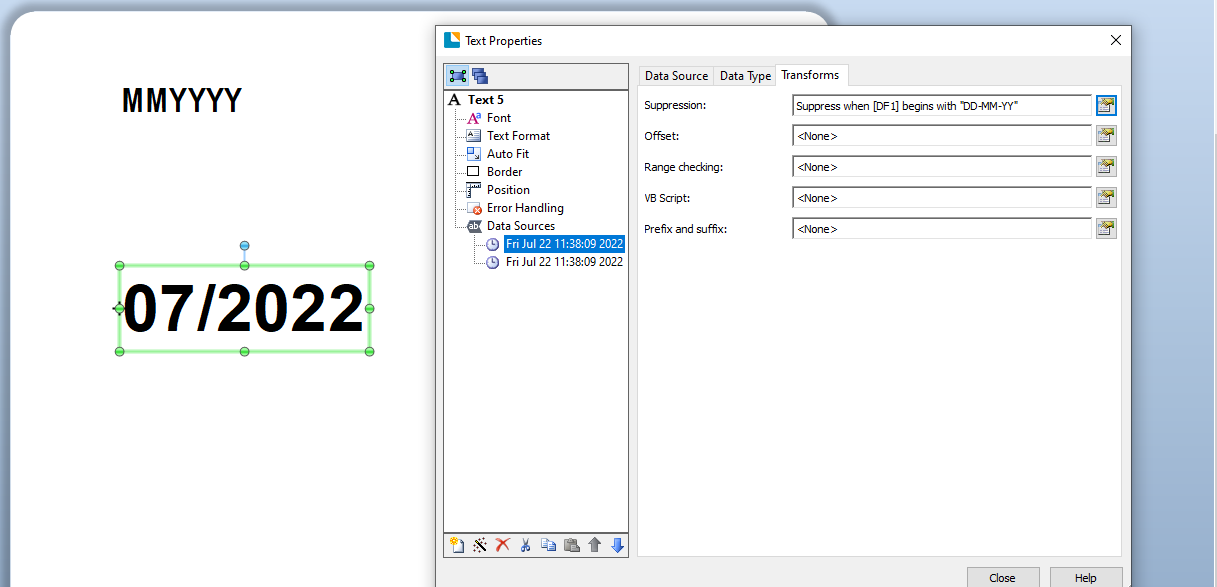
and at print time (on the Data Entry Screen)
 0
0 -
Hello,
You can make two objects and set when it has which one to print .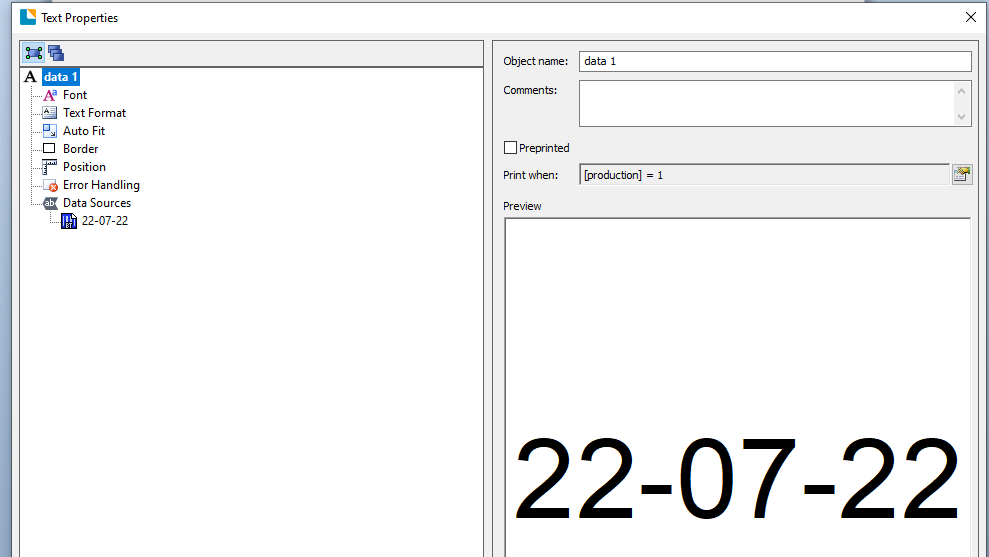
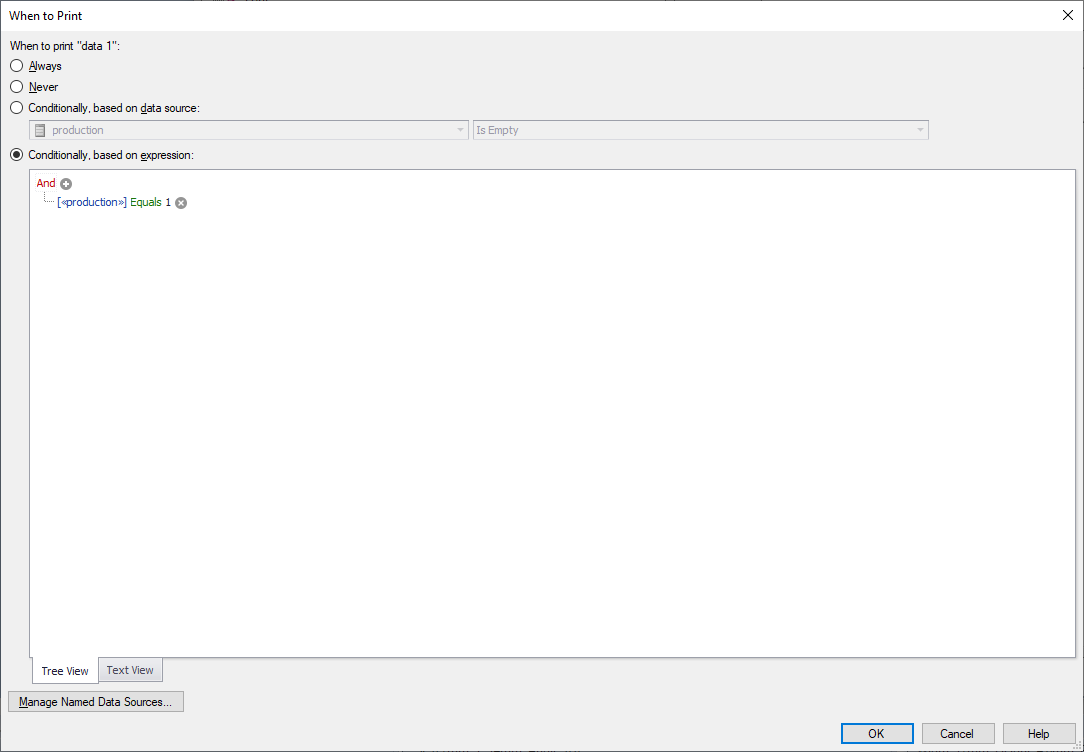
For the second object you set similarly.
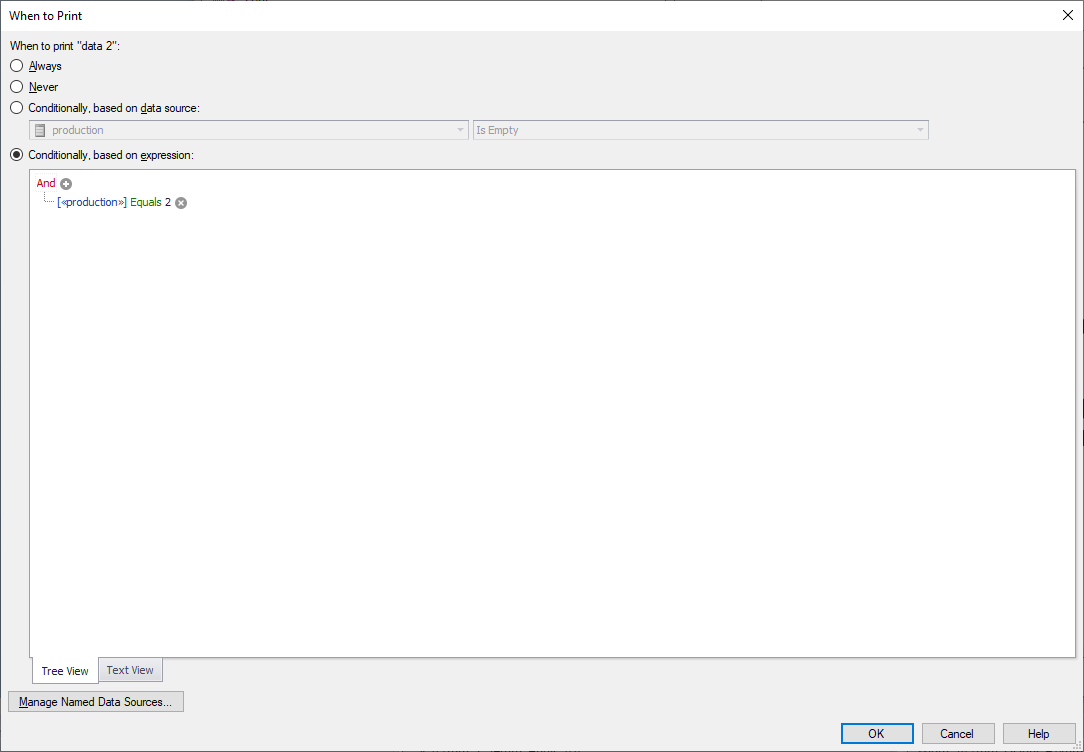
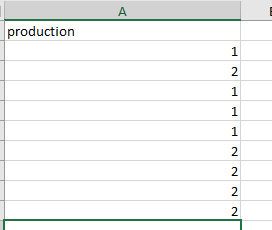
Base content example.
print preview
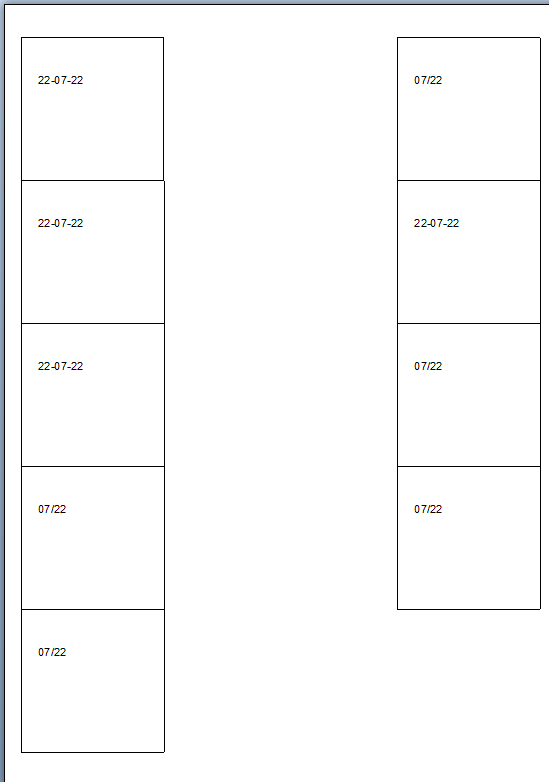
Maybe this is what you need for what you are asking.
0 -
That's perfect. Just what I needed.
Thanks both :)
0


Please sign in to leave a comment.
Comments
3 comments