Applying printing settings to multiple label files

Is there any way to apply the same printing properties to all existing files in a few steps, without changing it individually to each created label? An example: I have created dozens of label files, each with the same printing settings. After some time a need for an adjustment to the printer settings appeared. Now I would like to update all label files to be printed with those new properties without having to do it manually in each case. Is it doable from the file explorer or should I create a new printing profile and apply it to all label files individually? I am using the free version of BarTender 2022 and don't know if such an option is available with paid software.
-
I depends how your labels are setup/saved.
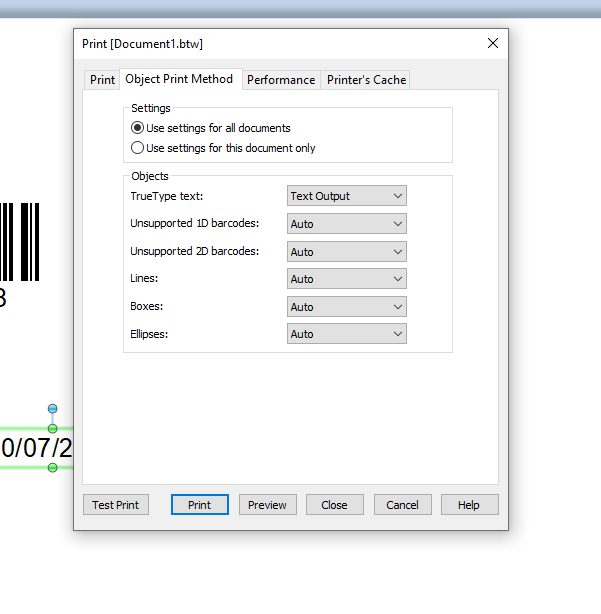
Try adjusting one and make sure the All Documents setting is enabled on the File>Print>Object Print Method on the label before you save it and see what that does
 0
0

Please sign in to leave a comment.
Comments
1 comment