Pull Data From another file / database when select an item in the Listbox

Hello all,
I'm trying to achieve a label printing workflow using bartender form. I’m struggling in one last step.
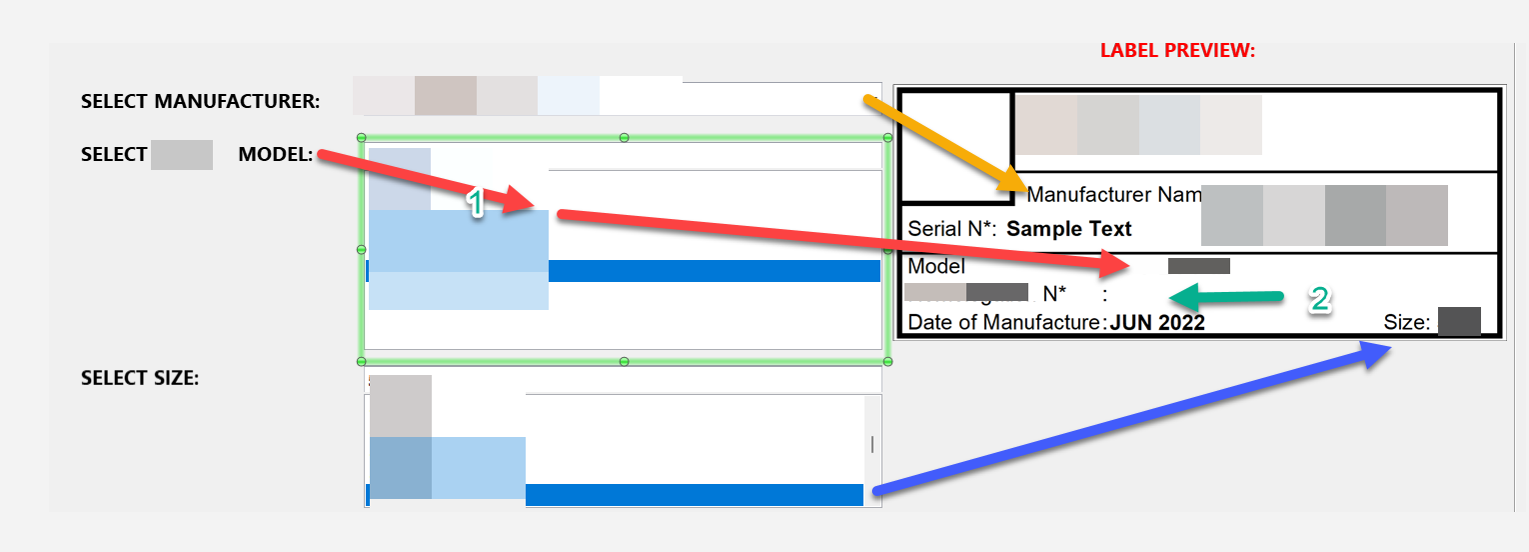
I have multiple list-boxes which adds text on the label based on the user selection as showing in the blow screenshot. I’m struggling in one step, where, when "Select *** Model" is selected it shows that model in the Model: XXXX as shown in the label preview, this is correct.
Now the hard part is, I want to a Model Number to be listed in the below text label (The one marked in GREEN) based on what I selected from the first step.
If the model I select = TESLA then Model: TESLA, the same time I need Model N*: "TESLAXX0011" should appear in the below text box.
Is there any easy way to achieve this?
Thanks, a lot.
-
Hi NCS,
Welcome to the BarTender Community!
If I understand correctly then, this Model N* field on the label would be composed of a database field you've selected in a form at print time (which in this example would be "TESLA"), and an ID number of sorts (in this case "XX0011").
I believe we should be able to achieve this by having multiple data sources in the Text Properties screen in the template: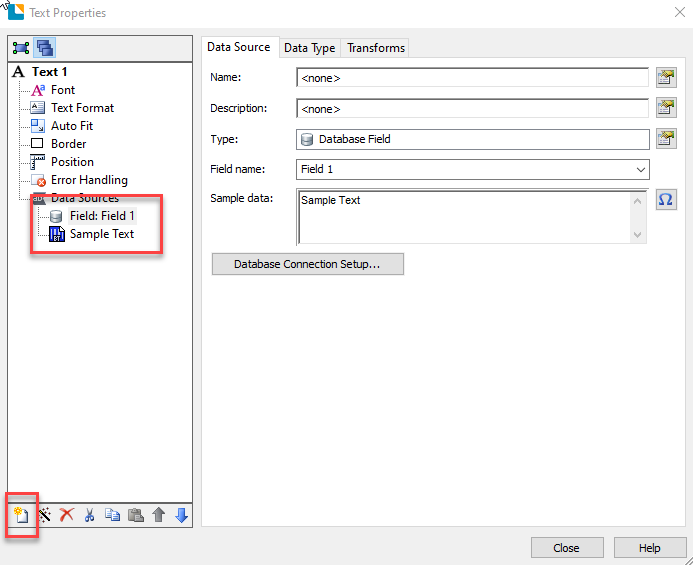
This way we should be able to create a wrapped text object comprised of multiple data sources. We have a video on the subject that we would recommend reviewing.
Hopefully, this information will be of help, if not, please feel free to reach us again!0

Please sign in to leave a comment.
Comments
1 comment