VB question

Okay, I am looking to be able to create a date based on the current date of the day and have it go 18 months forward for an expiration date. I am familiar with VB script but its a little confusing in BarTender as I normally only us VB in excel. Any assistance would be helpful! Thank you!
-
You should not VB to achieve this.
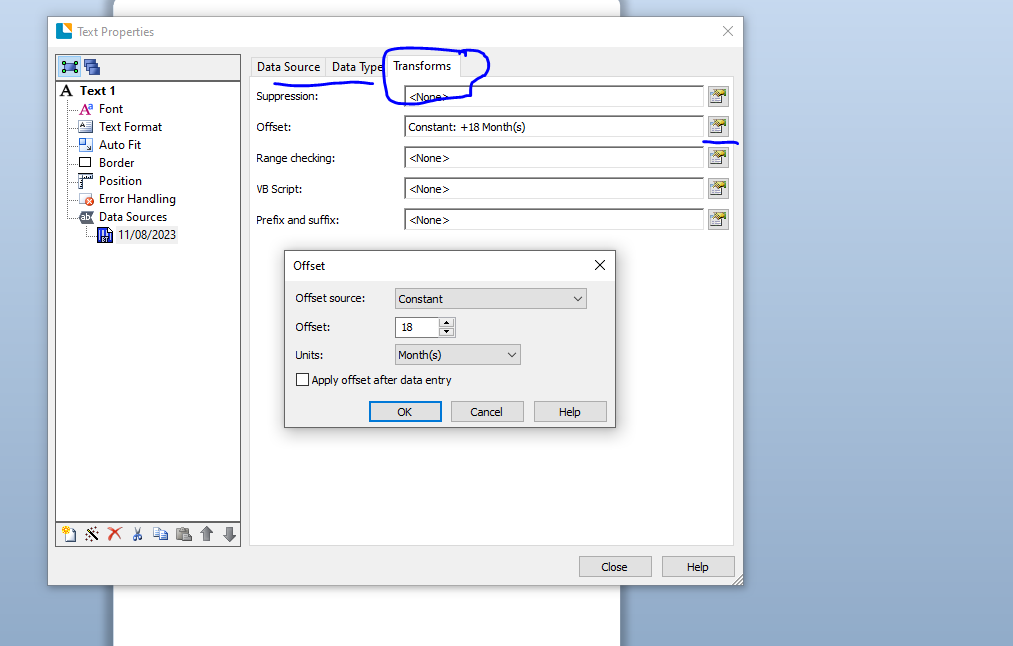
As long as the field on your label is set to Date then on the Transforms tab offset option will appear and so you can set up your 18 month expiry from here.
In the image below I have set it t o a Constant 18 month offset from the date of printing but this value can come from different sources, such as database that, for example, has a value in a cell for each product that differs for their best before period. The only restriction is that units for the offset must be the same for all items ie all months or all days etc.
 0
0 -
First off, thank you for your assistance. Now this part kinda works, I am in need to making this work a little differently.
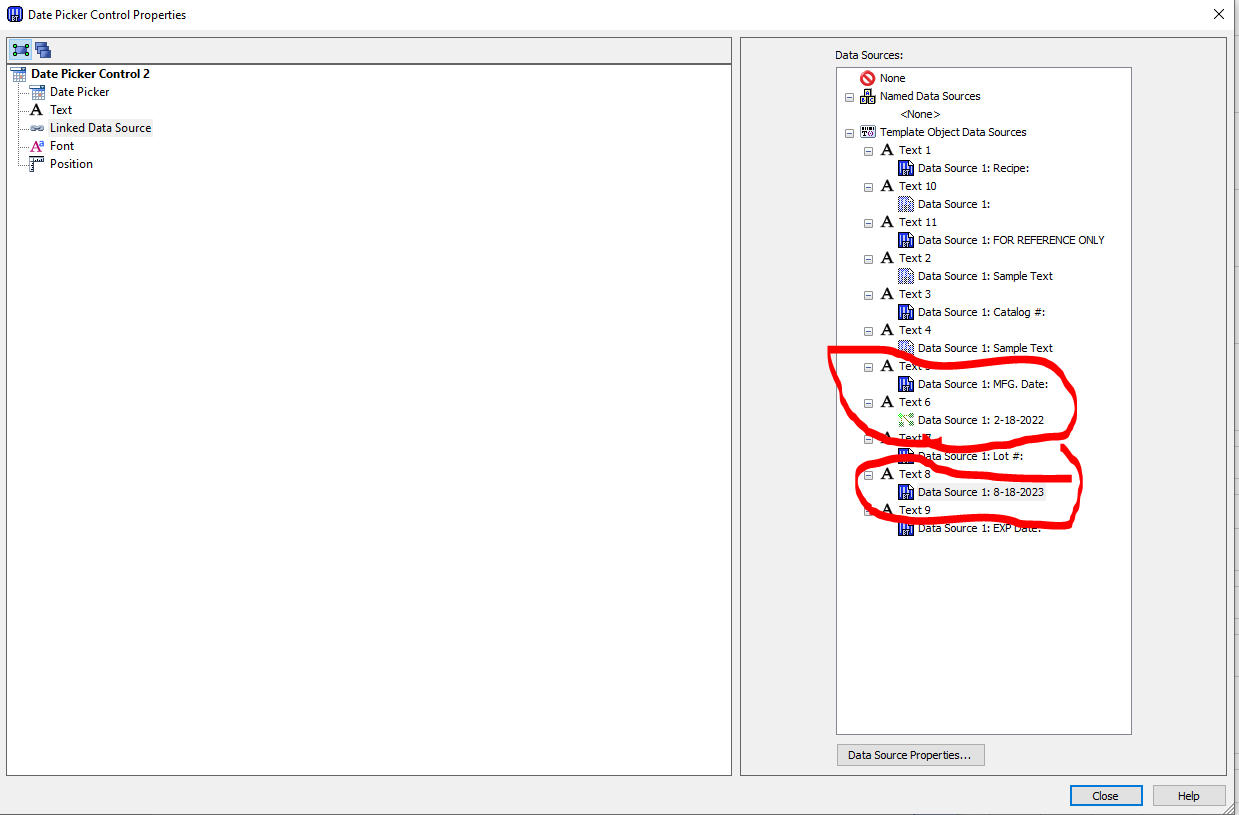
Text 6 is fed by a VB script to populate with the current date.
I am looking to get text 8 to see that same date and add 18 months to the date in text 6.
I have a feeling I am overthinking this but any assistance will be helpful.
Thanks again!
 0
0 -
You could just copy text 6 as text 8 and then add to the end of the VB a command to add 18 months on to it, which would be something like
Value = DateAdd("m",18,Value)
If the date comes from VB what is the Date Picker for?
0

Please sign in to leave a comment.
Comments
3 comments