Inbuilt PDF Printer Driver filename based on database field name issues

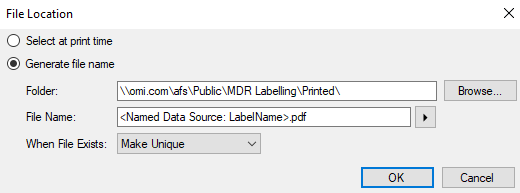
I am trying to automate generation of PDF labels by providing the output filename within one of the database fields. I have selected the PDF printer and within File Location specified the destination folder and the filename based on a Database Field Name.
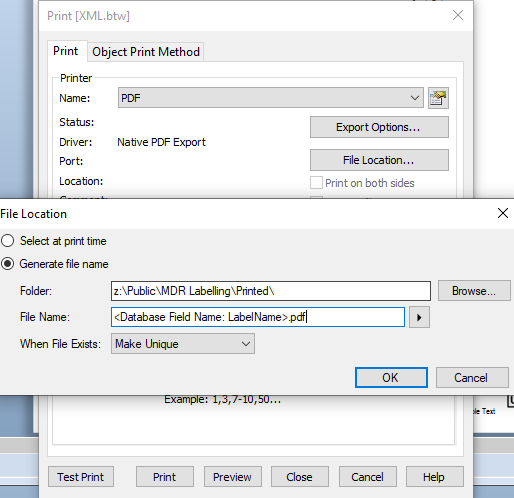
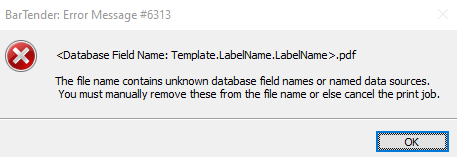
However, when I print I get the following error. The error doesn't match the entry I specified in the filename option, it seems to have added Template.LabelName.LabelName instead. This same error occurs no matter what database field I select (even though all fields are in the database).
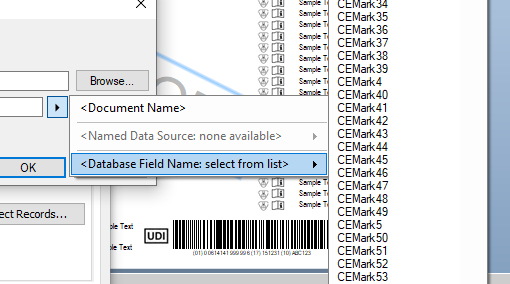
Also, minor bug but if you use the right arrow to select the database field from a list and you have a lot of fields it doesn't work correctly. You have no option to scroll up and down between the large list of fields.
-
please help how to download native pdf driver
0 -
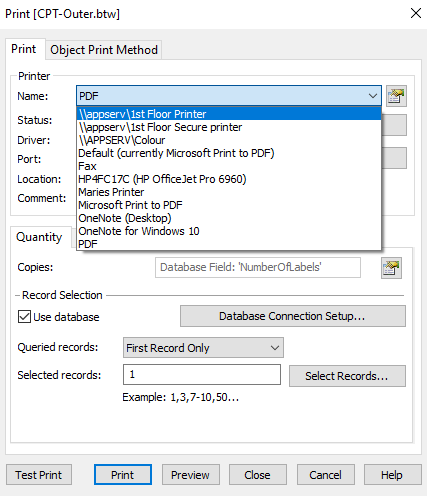
Not sure what you are asking, but Bartender comes with a Native PDF Export option. There is no driver required to be downloaded or installed.
 0
0 -
As a work around to this issue, I have managed to achieve what was required by populating a hidden field on the label linked to the database field and making it a Named Data Source. You can then use the named data source in the File Name dialog instead of trying to get the database field options working.
 0
0

Please sign in to leave a comment.
Comments
3 comments