Windows Permissions Error when creating folders in Documents during Install

When installing Bartender 2021 on a fresh new Windows Server 2019, I ran into an issue mid-setup where I received an error noting that the setup file did not have permission to create folders in the Documents folder.
This was weird, but I did solve it: The issue was Controlled Folder access, a useful feature that prevents unauthorized access to User folders.
If you run into this issue, check your Notifications pane in Windows. You will need to click the Security Center notification there (or navigate to Security and then Controlled Folder Access in Settings), and exclude System32\MSIExec.exe from this security measure.
The installation proceeds as-expected from here on out! This access control may be enabled if your enterprise has leveraged security hardening and attack surface reduction rules in your datacenter or client environment (which is highly recommended).
-
Hi Aaron!
Welcome to the BarTender Community and thank you for sharing this solution with the rest of the userbase here :).
Enjoy the weekend!0 -
Any answer to this question? I have the same problem om Windows 11 and Bartende 11.8 installer. According to the setting in Windows most apps shall be allowed setting page looks like this. The Seagull support said they could not do anything, I accepted even though I thought it was strange not trying to fix this. An now I ran into this info that it is a Microsoft Whitlist, it should be good for the Bartender software to be on that list, right? More happy customer = more sold software.
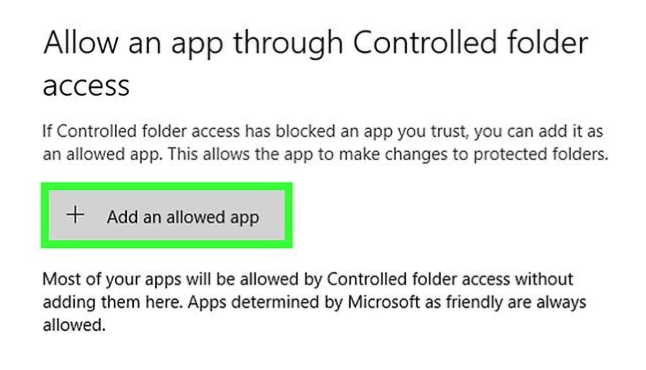 0
0 -
I see now that there was a solution, but in my case the policies does not allow for me to allow installer app to Controlled folder access. But my questions it Bartender doing anything to get theri installer info the friendly white list that microsoft has?
0


Please sign in to leave a comment.
Comments
3 comments