unknown symbol

Hi all.
How to configure barcode, to contain these characters?
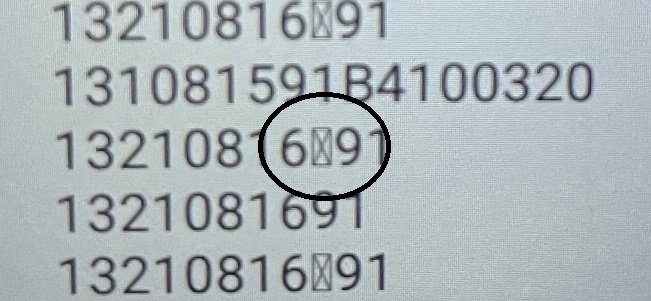
-
Hello Jan,
Welcome to the BarTender Community Forums!
There are a couple of ways we can get the ballot box with an X on our labels.- We could simply get the icon from the source (you can find it here); copy it and then paste it on the embedded texts it needs to be replaced on:
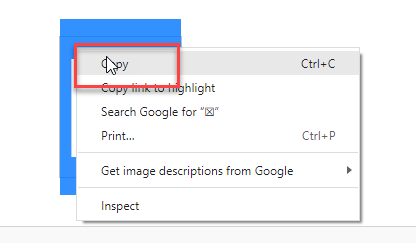
- We can search for it by accessing the Text Properties tab and searching for it by clicking on the special characters tab:
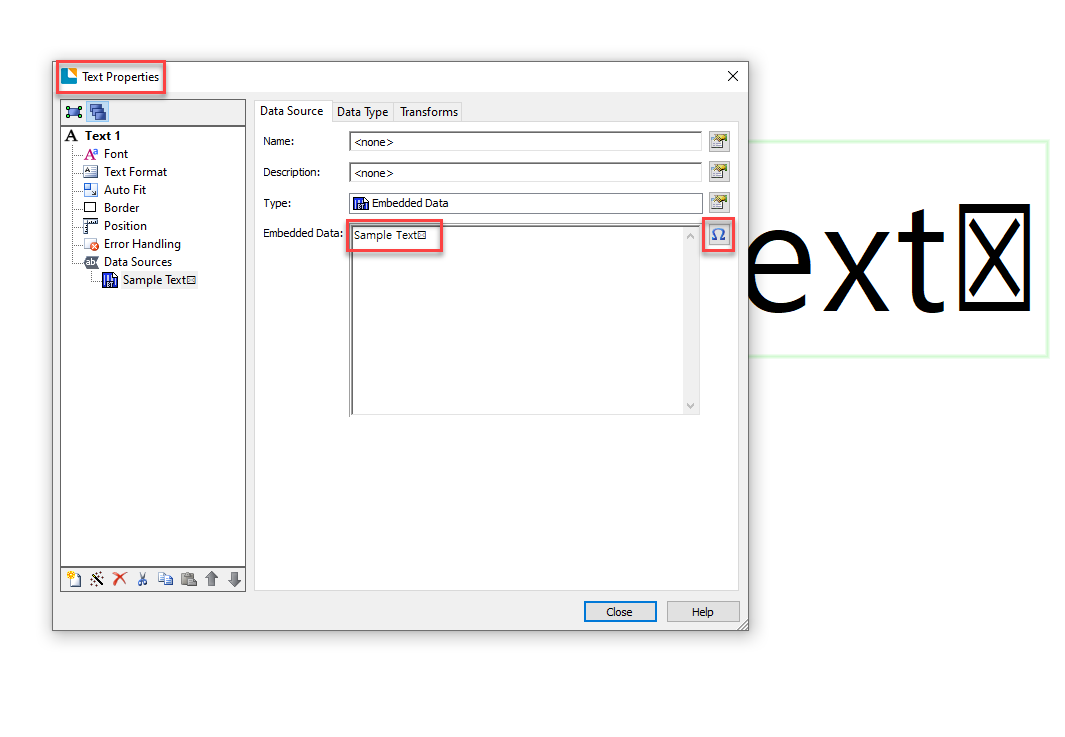 Hopefully, this helps, if you need anything else, please feel free to reply!0
 -
Hello Xabier,
thank you, but this symbol is a little different.
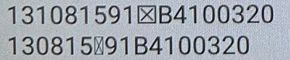
What if it's not a symbol but something else? Funkcion or space?
Thank you
Regards
Jan
0 -
That is a possibility Jan. Perhaps there is a symbol that is meant to appear in place of the rectangle with an X. Have you tried playing around with the font and checking if any of them make the missing character reappear?
Perhaps it's an accented letter or the like and the font you are using does not support it.
Another possibility would be some kind of corruption or loss of data when bringing this data over to BarTender. Are you pulling this data from a database? If so, do you have access to it and can you check what the correct records should be?
Thanks!0

Please sign in to leave a comment.
Comments
3 comments