Can I make the data fit in the field rather than the other way round?

Hi everyone,
I made a new template that is connected to a database (excel). The template includes various fields that are drawn from the database. For example the product name, product code and the barcode (= same as product code, only shows as 128 BC). Sometimes the name of the product or the product code are longer than their designated fields. Bartender 'solves' this by just stretching the width of the field, but by doing this the data overlaps other fields and in some cases will even go out of the label bounds. Instead of this, I would like the fields to have a fixed width and have Bartender adjust the size of the entry accordingly. Is this possible and if so, how do I configure this? I use BT 2019.
-
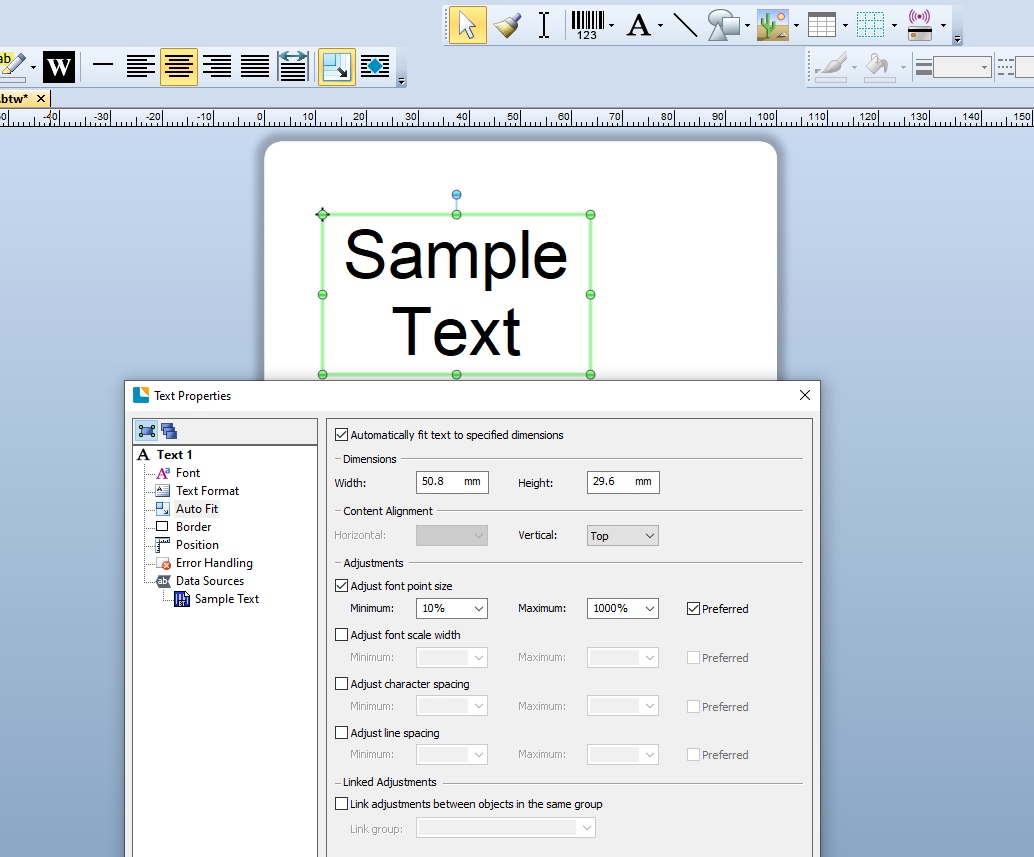
You need to use the Auto fit settings and once enabled you can stretch the size of the box that the text will fit in:
 0
0 -
Thanks! This works perfectly for the text-fields. Any way to do this for the barcode-boxes too?
0 -
There is this function but to be honest I would try and avoid using it as it could mean the barcode created is out of spec for the symbology.
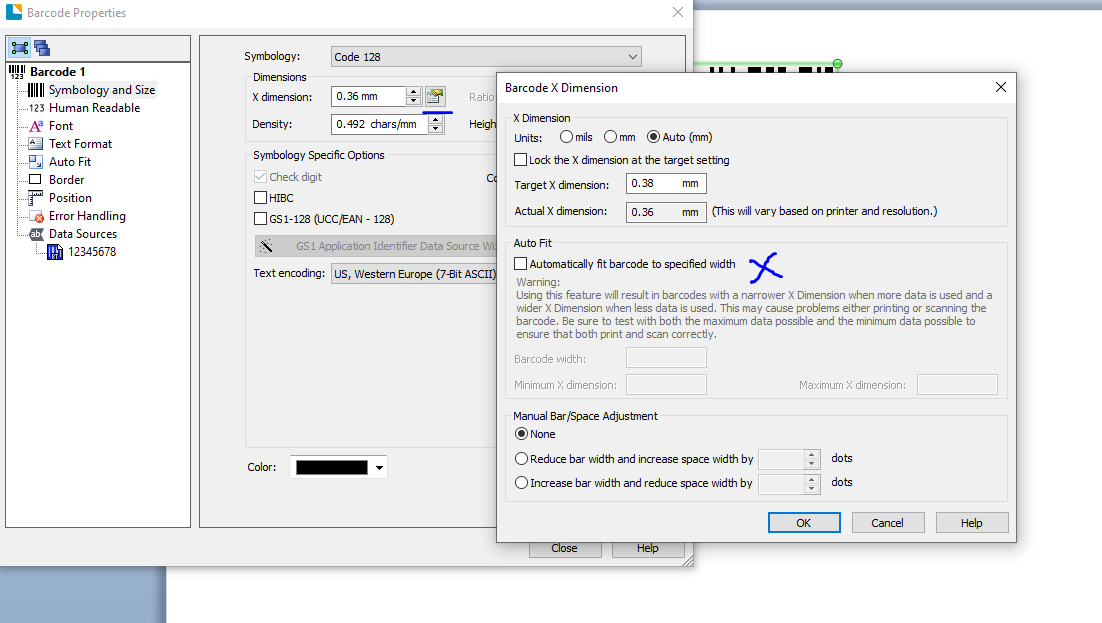
The way I would set this up is create a barcode on the label that is the maximum possible size for the data you want to print. For example if you are printing your product codes and they have variable lengths, then I would look for the longest possible and set the barcode up with this this code. This should also take into consideration alpha and numeric characters as if you are using Code128 and a 20 character numeric only code, this will be shorter than a 20 digit alphanumeric barcode due to the way the Code128 subsets work.
0 -
...sorry posted this when hadn't finished adding to it (phone call distracted me)
Once I know the max number of characters in the barcode I would then adjust the X dimension/density so that barcode fits on the label correctly without it overlapping any other fields, including allowing for the Quiet Zones at the ends of the barcodes. At print if less characters are encoded the size of the code will change but this should not effect the quality of the barcode object.
0

Please sign in to leave a comment.
Comments
4 comments