Printing different copies of labels on the same sheet

Hi,
I am trying to print a sheet of 1in labels using seven different templates and want to print different amounts of them on the same sheet (label #1 six times, #2 three times, etc.) I know the trick to make copies of the template, but then I'd have over 40 templates for one designer. Is there a way to change the number of labels that print per sheet? Can I use a database to do so by referencing a "# of copies" cell and if so, how? Any help would be appreciated
-
Hi Russell,
Welcome to the BarTender Community Forums!
I understand you opened a support ticket with us shortly after creating this post, and due to the nature of your query, were redirected to our Professional Services department. Have you had the chance to discuss this matter with one of our technical experts? If so, we hope they provided you with a solution to your query and we welcome you to share it with the Community if you'd like.That being said, if it turned out we were not able to help you with this issue, we would appreciate it if you could provide us with more information regarding your setup; such as BarTender version, edition, service release, and the application you are using in order to print these templates from. In case you haven't, I would suggest going through our documentation on BarTender's Integration Platform, as our integration functionalities most likely can help you achieve what you described in your post.
As an introduction to the subject, I would recommend watching the following YouTube video:
Have a great day!0 -
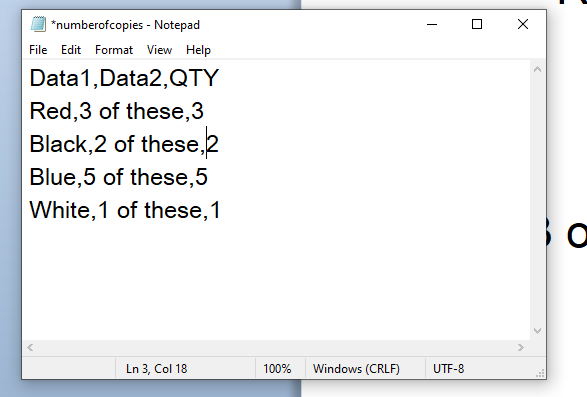
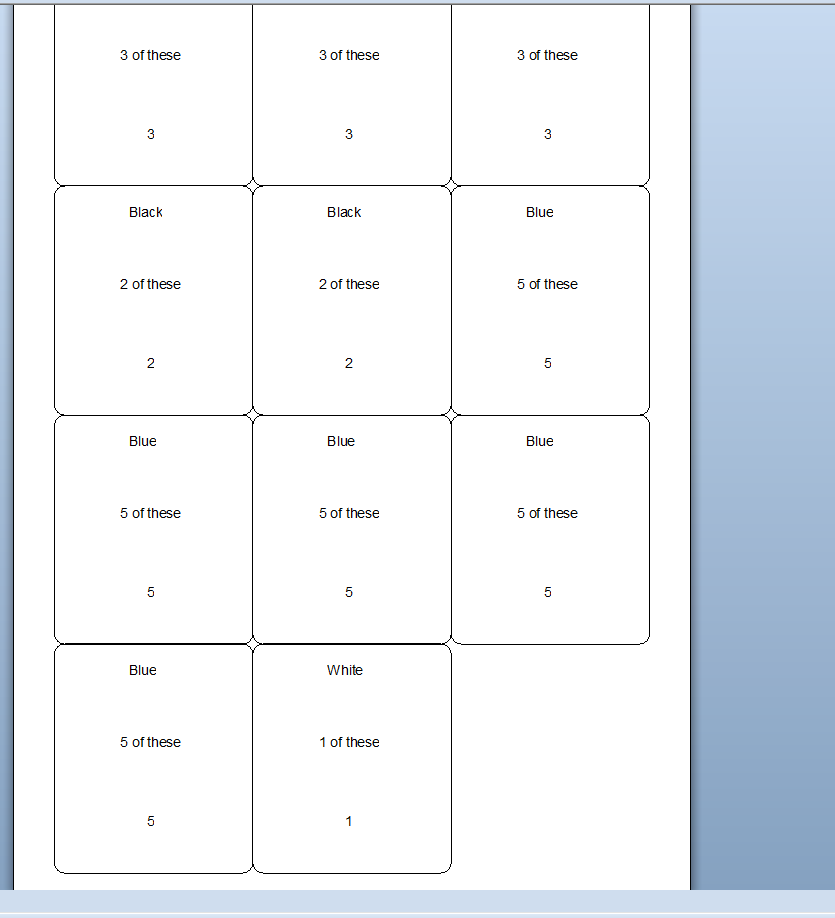
Quick question, is this a different layout of each template or is it just different data in which case this can be acheived very simply by using some for of database. For example, I used this simple data file and linked the number of copies to print to the QTY field of the database and the results was as shown below:
 0
0


Please sign in to leave a comment.
Comments
2 comments