How do you use Integration Builder (2019 R7) to send a ZPLII file to Printer?

I use Integration Builder for btw files to print all the time. However this new project only gives me PNG, PDF, or ZPLII files, I initially tried to have a btw file with a PNG file overlay that is updated when a new one is saved, but failed QC for distortions.
Typically the folder determines the Printer and the extension determines the btw file, usually the command line appears as: /AF="{Template Location}\{Template}.btw" /PRN="{Printer}" /P /D="%FilePath%"
Co-pilot suggested: cmd /c copy /b "%FilePath%" "\\{Server}\{Printer}"
However that fails and then suggests have Integration Builder call an exe with the suggested line above. To try to avoid AI insanity, I am reaching out to the community if they have a better answer.
Is there a way to get Integration Builder to send the ZPLII file to the printer or a way to overlay a btw file with the ZPLII file
-
Have you tried changing the Data Input type to this as it sounds like you are tyring to send a Command Line script
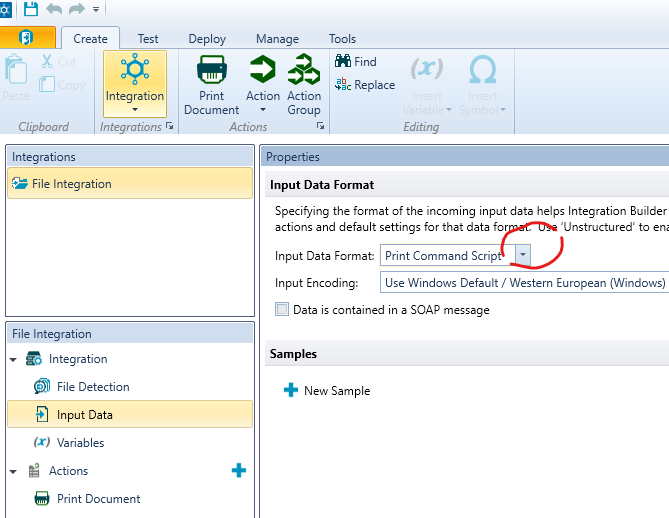 0
0

Please sign in to leave a comment.
Comments
1 comment