Bartender not printing to printer specified in xml file integration trigger file

Hello,
I have a file drop integration set up where i am trying to print to a printer that is specified in the request file. However, the integration just keeps printing to the default printer in my xml database, and won't print to the printer in the xml file.
I have this option selected in the bartender designer to print to the printer database field:
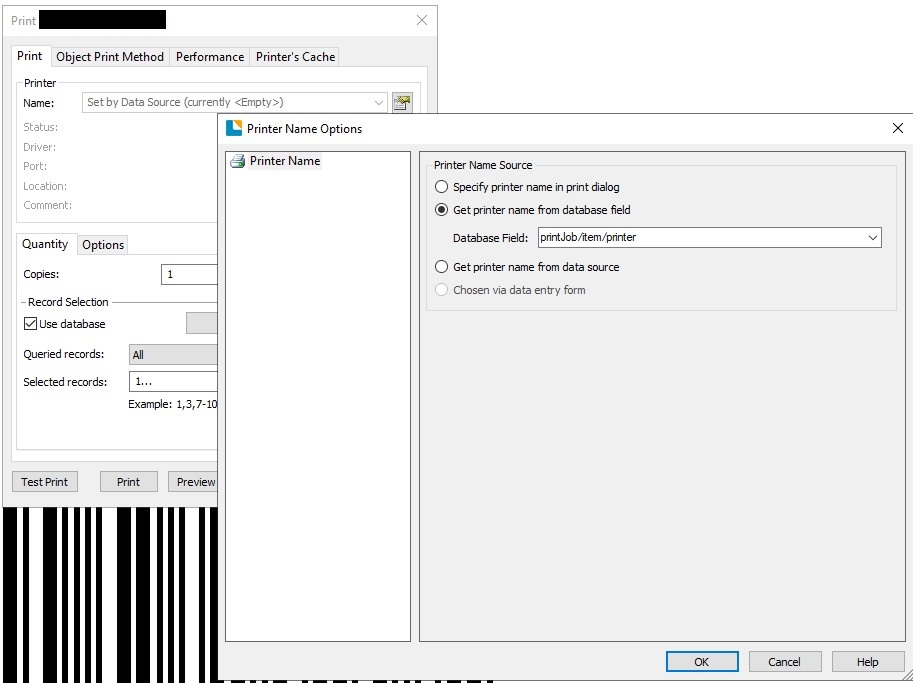
And then, in the integration builder, I have created a database override:
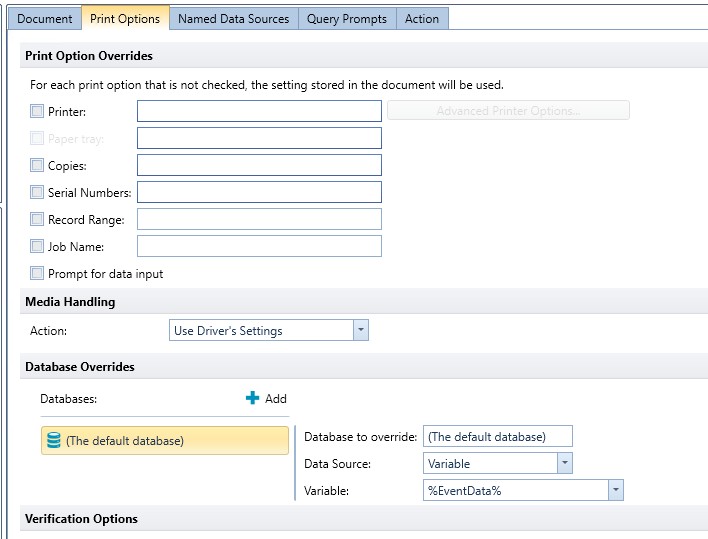
Strangely enough, my integration is replacing all the other values in the print with values from the file, but NOT the printer. It always just prints to the original printer in the xml database file, and NEVER to the one specified in the request file. Is there something else I need to do?
Thanks
-
I have never used the option to get the printer name for the database, but I wonder if it is the name of the printer on in the file that is not matching exact the name and path etc that the integration “user” account is looking for. I usually use the Printer Print Overrides option and tell BarTender to get the print name from the specified field that way.
You may also want to check the user account running the BarTender Print Scheduler service has sufficient rights to access network devices (by default it is the local System account and often than not doesn't have these rights)
0

Please sign in to leave a comment.
Comments
1 comment