Disable BT Cloud feature in Print Station

Hello,
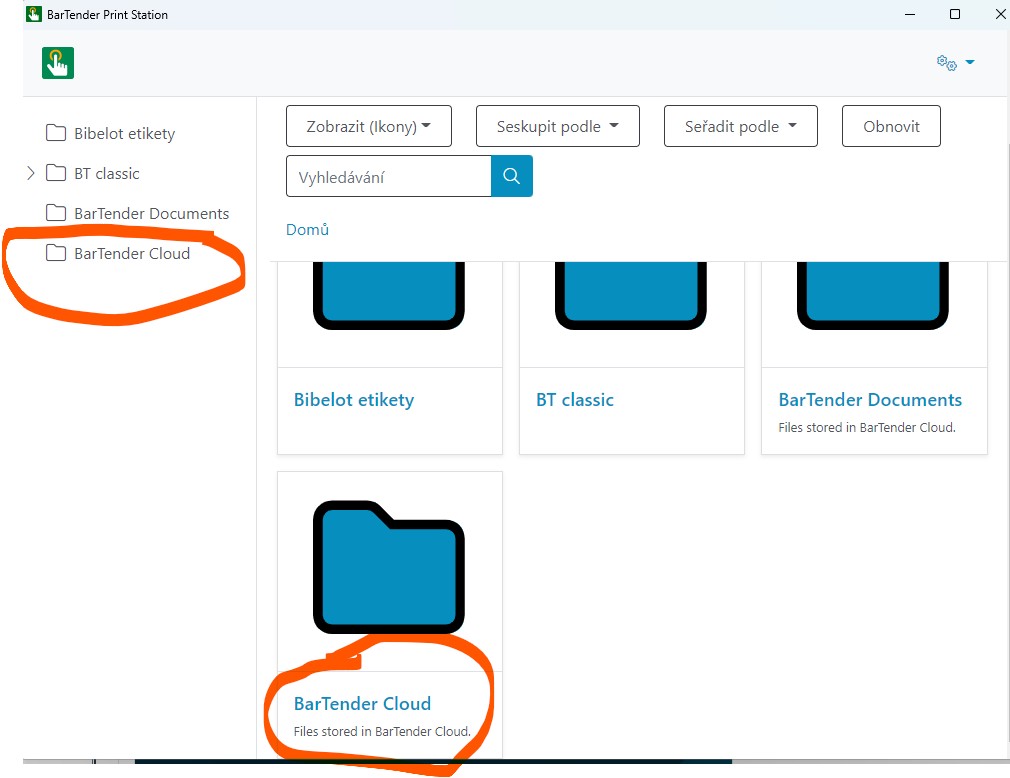
How can I disable this feature? Anytime I open Print Station (12.0.0 version) I see this in tree and there is no way to disable.
0
-
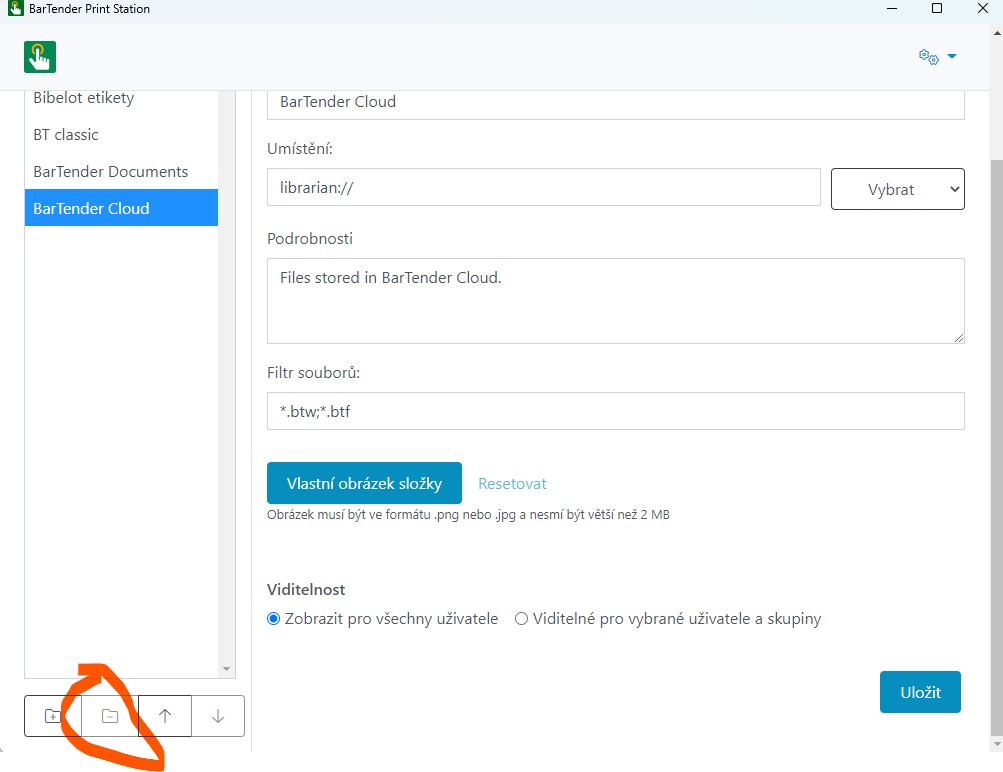
Repoint it to select the files from a different folder and that will change the default name of the object and you can then delete it and save the changes
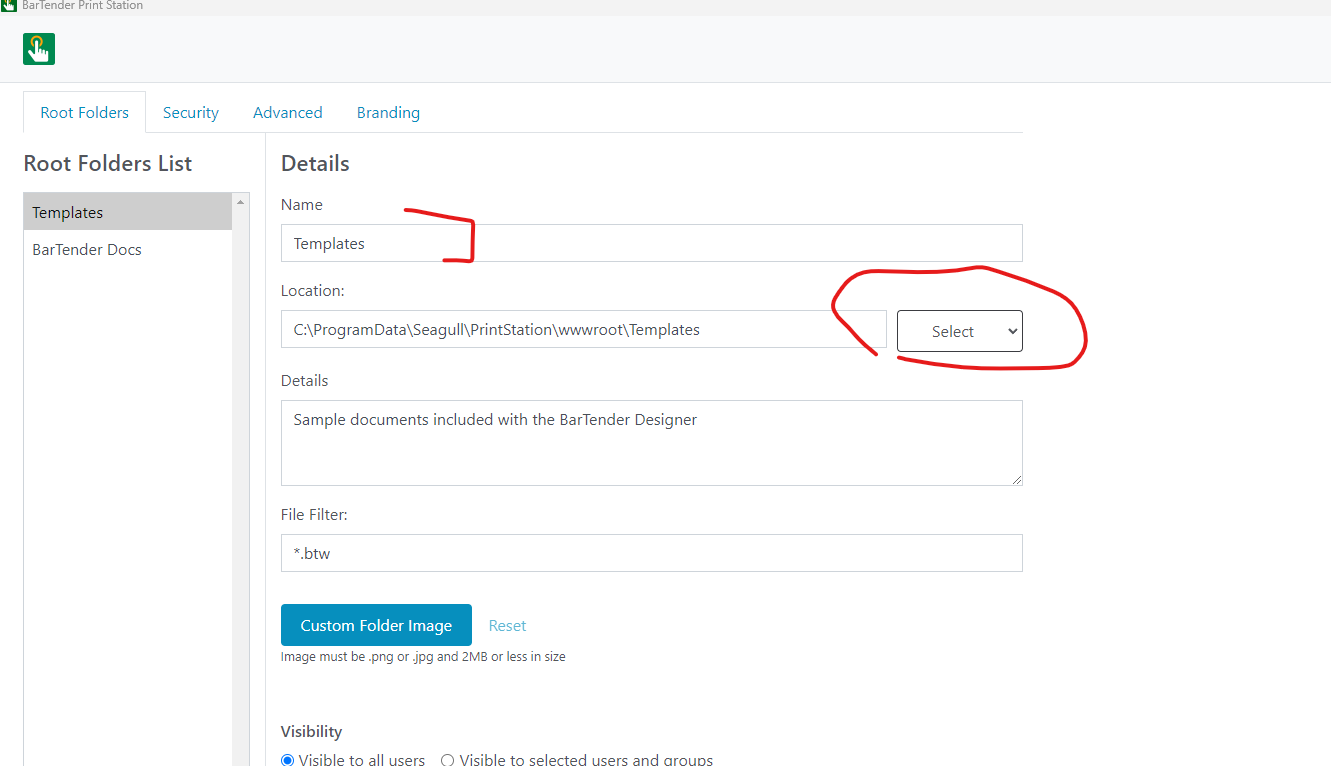
I had to click on a different folder in the list after the name change and then the delete option became available to use for the ex Cloud option
0 -
Thanks for a reply, I tried it, but after close and open Print Staion, I can see Cloud again :-) It is a bug by default :-)
0

Please sign in to leave a comment.
Comments
2 comments