Print complete series of Labels of boxes

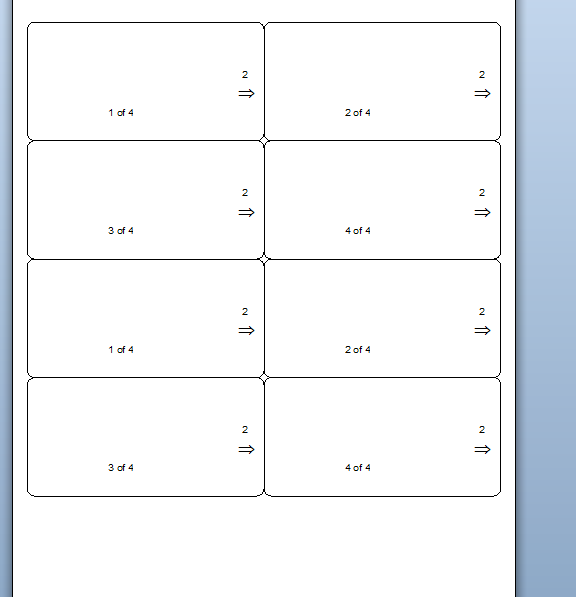
We have a template to print labesl of number the boxes example if we have 5 boxes we need labels to print 1 of 5, 2 of 5, 3 of 5 etc. but I we want a 2 or more copies of that serie, for example, it prints 1 of 5, 1 of 5, 1 of 5, 1 of 5, 1 of 5, 2 of 5, 2 of 5, 2 of 5, 2 of 5, 2 of 5 and so on. I want to print 5 complete series from 1 of 5 to 5 of 5. Any idea?
0
-
This is what you could do
- Add your X of Y field as normal as three separate substrings
- Add an additional text field off to the side of the label (ie outside the printed area) and make this a Named field. I called min NoOfSets
-
Go into the Properties of X oy Y field and make the Y field another Named Data Source (I called mine ResetNumber
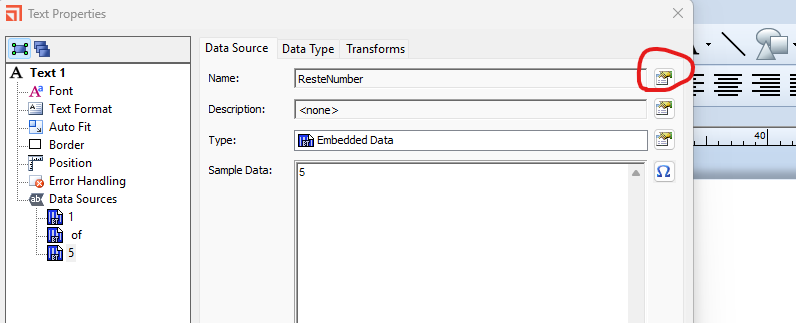
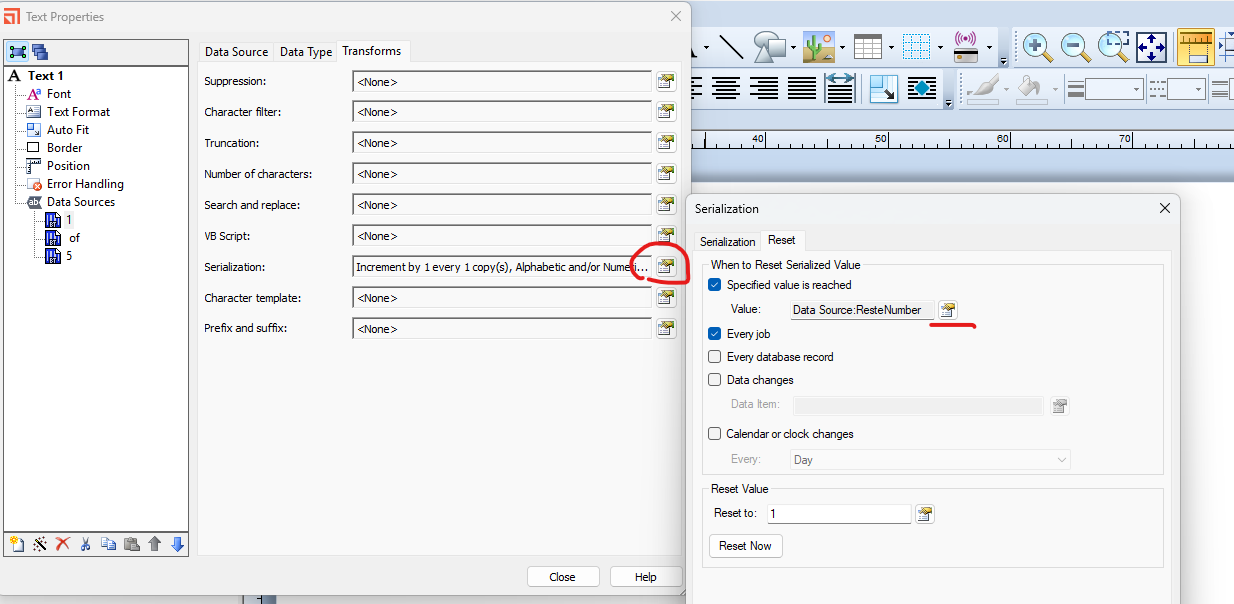
- Next click on X part and set this to Increment and Reset when the value reaches the value of the ResetNumber
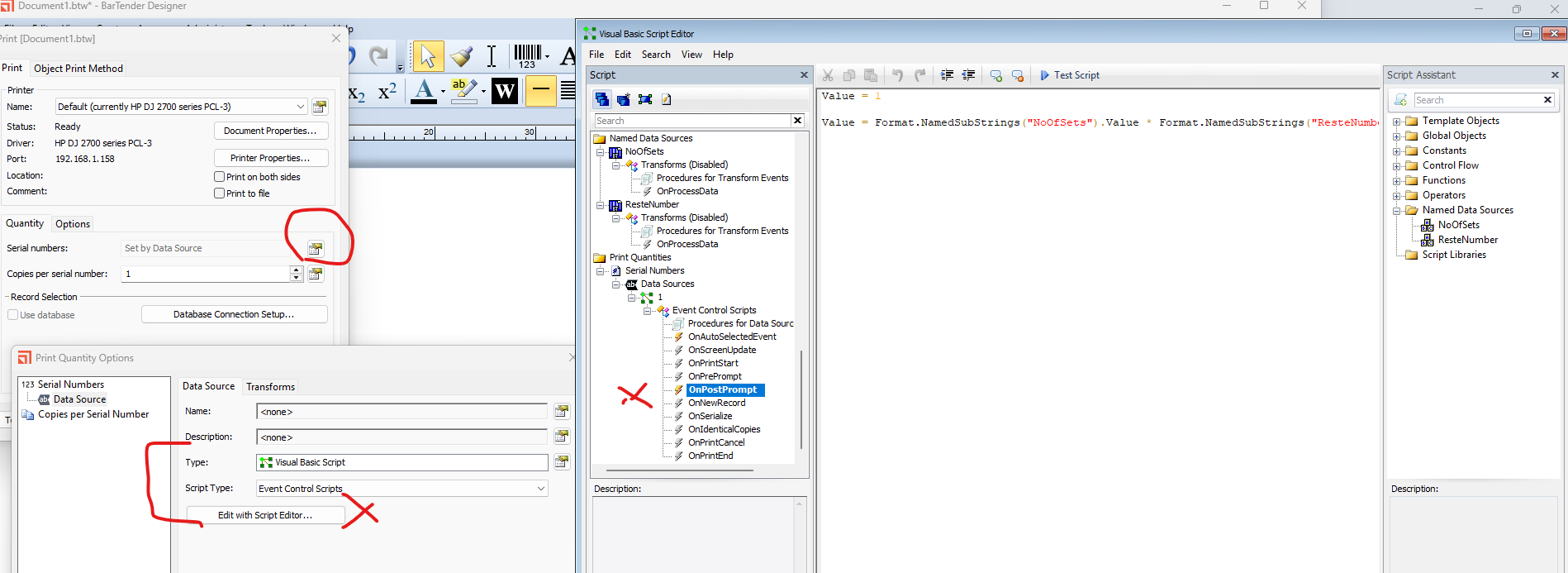
- Next on the File > Print Screen click on the button next to the Serial Numbers box and adjust this to get the value from a Data Source. Click on the Data Source and make this a VB Script > Event Controlled Script set to be actioned OnPostPrompt
- In the VB box to the right of this type in “Value = 1” then hit the Enter key and on a New line type “Value = ” and then from the column on the right click on the NoOfSets Named Data Source and then type “ * ” and now select the ResetNumber named source and click Close and Ok and then test the label.
You should now get something like this
 0
0 -
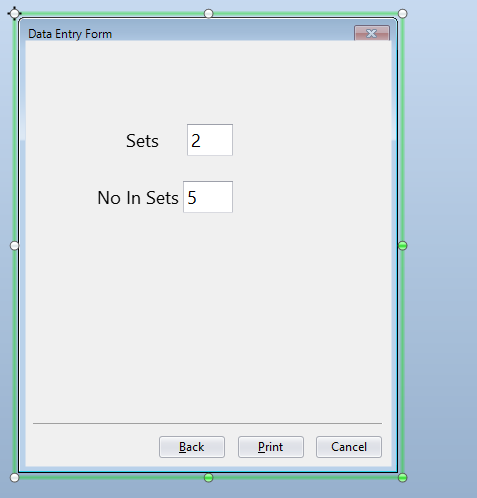
I should have added I had linked the two named fields to Data Entry fields to get the values
 0
0

Please sign in to leave a comment.
Comments
2 comments