How to set up 6 labels with different fields but print together

I'm new to the design aspect of bartender and need to make some changes to one of our labels for our products. Right now this particular label has the following:
[Product description] edit each time
[Product number] edit each time
[Date] changes automatically
[Instructions, Hardware, Accessories, etc] edit sequentially
Right now, for this file, I edit the product description & number and then change the last field according to what is needed for that product box. I usually need 5-6 labels per product so I type " Instructions" and print label #1, then type "Hardware and print label #2, then type Accessories and print label #3, etc. There has to be a better way!
What I want to do is have 1 file with 6 labels where I edit the product description & number and it changes all 6 labels and then have the last field be fixed:
Label #1 Instructions
Label #2 Hardware
Label #3 Accessories
Is there a way to do this? Thanks in advance!
Oh, I have the 2022 version.
-
ou could add multiple templates to the same label and link the fields (either Named or Object Values) across the different templates
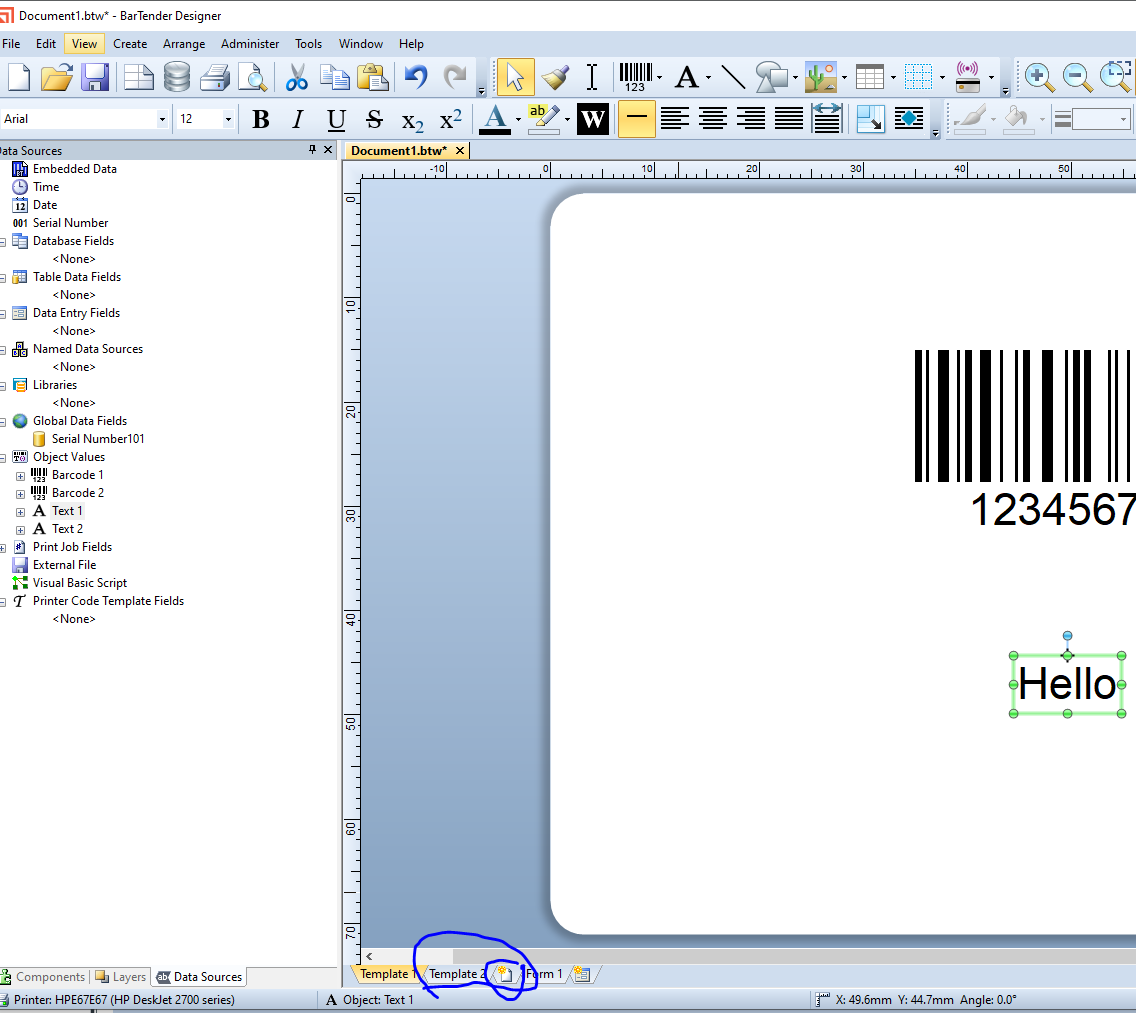
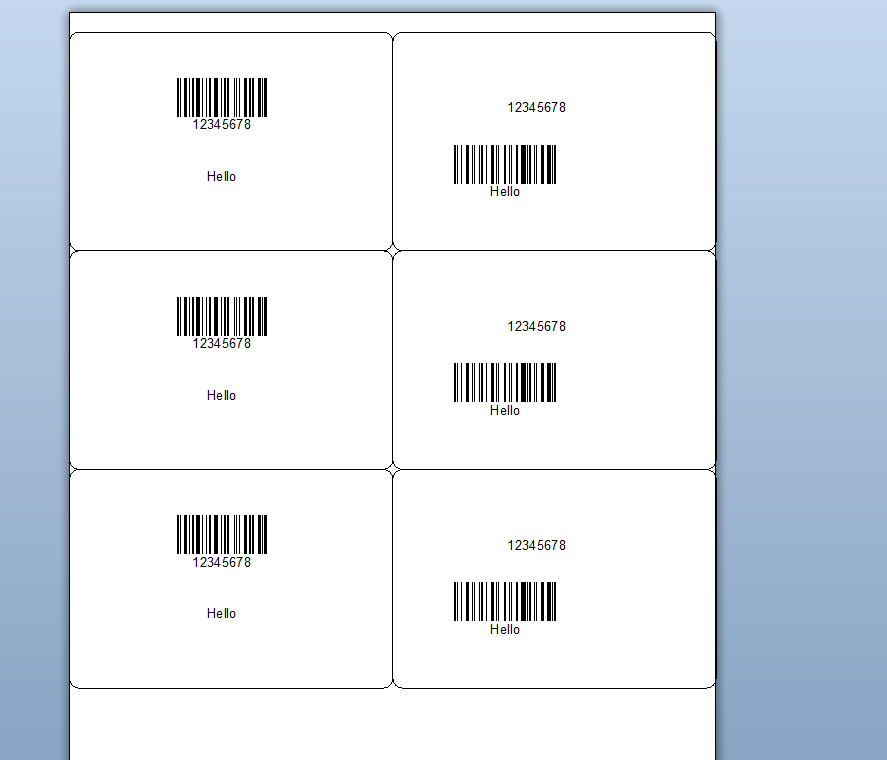
Each template would print one after the other upto the quantity selected as per the image above. If you needed to print x of one then y of of the second etc then that would need a different more complex approach probably with Actions
0 -
Thank you Peter for your help! I really appreciate it!
0

Please sign in to leave a comment.
Comments
2 comments