Printing from SAP xml integration and also pulling data from CSV

We normally print labels from SAP xml output and use the xml file as a trigger and use the SAP All to BTXML action to transform the data and eventually print the BTXML. All of the data to print the label would come from SAP.
Now we have one site that would like to keep two pieces of data in their own system and output it as a CSV. So we would have two sources of data, SAP and CSV. I tried just simply linking the template to the CSV file and mapping just those two template fields to the CSV while keeping all of the other fields mapped to the XML field names, but that is not working. I am getting this Integration error:
"An error condition was ignored while running action 'Print BTXML Script'. Details: 'Failed to run action 'Print BTXML Script'. Details: An error occurred during BTXML Script processing:
Record set "Text File 1" with type "TextFile" is not found. Please check your document's database connections.'"
I suspect that I would need to do something with my Integration to bring that CSV data in. Has anyone done something similar?
-
I have done something similar for a customer some time ago, linking an XML and a CSV to the same label using the Database Connection setup. Once the join was setup correctly I did not have an issue so you should be able achieve this. The CSV was a static file however and not created at the same time as the XML and so it could be the integration is triggering before the file exists perhaps.
0 -
Hi Peter,
Thanks for the reply. The CSV I am using is a static file. I had set up the CSV with a database connection in the template. The XML is generated from SAP and is the trigger for integration to execute the actions to create folders, move the xml file, convert SAP All to BTXML, Write BTXML, and Print BTXML.
From that, I am still getting the error:
"An error condition was ignored while running action 'Print BTXML Script'. Details: 'Failed to run action 'Print BTXML Script'. Details: An error occurred during BTXML Script processing:
Record set "Text File 1" with type "TextFile" is not found. Please check your document's database connections.'"
How did you join the XML with the CSV? I tried to just use a field with the same db field name “Material_Name” that is on both the CSV and XML.
0 -
I had a dummy XML and dummy CSV file to use and used the usual Database Connection Setup and Join processes to link them
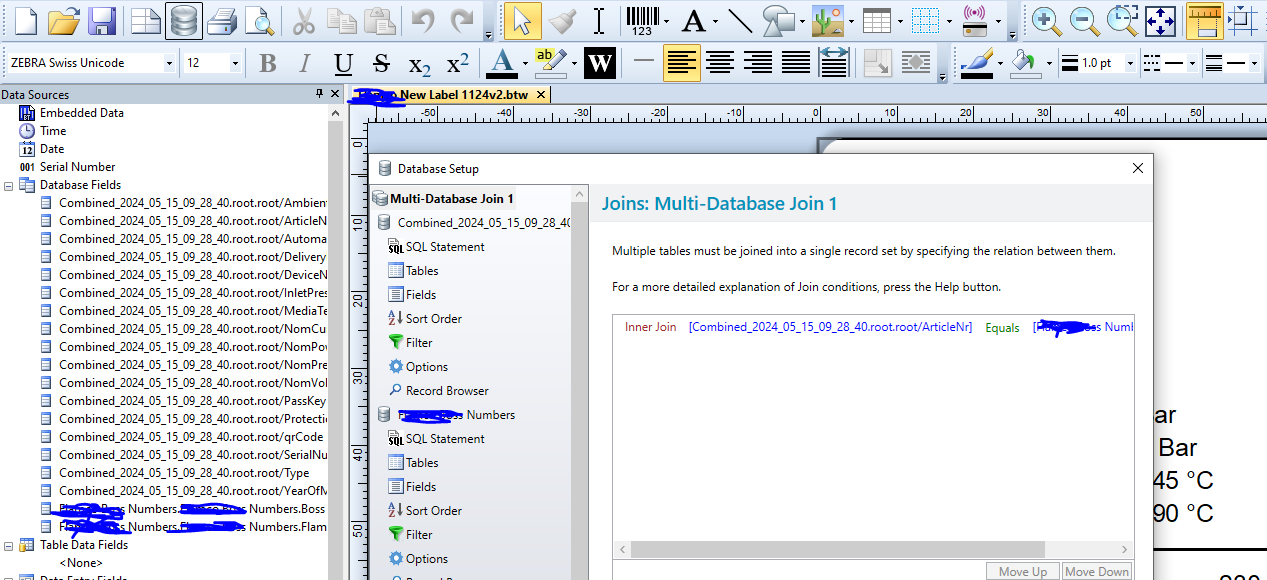 0
0 -
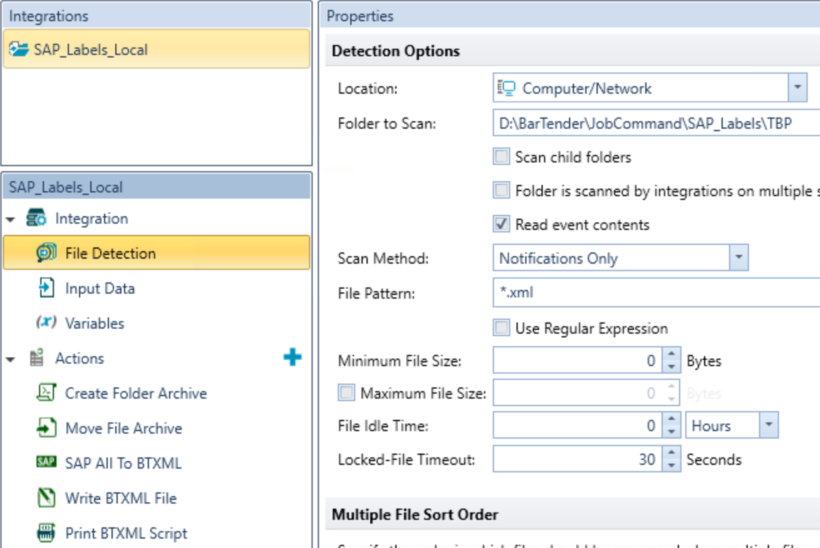
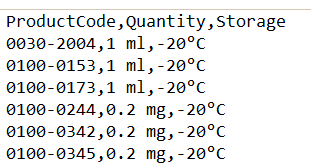
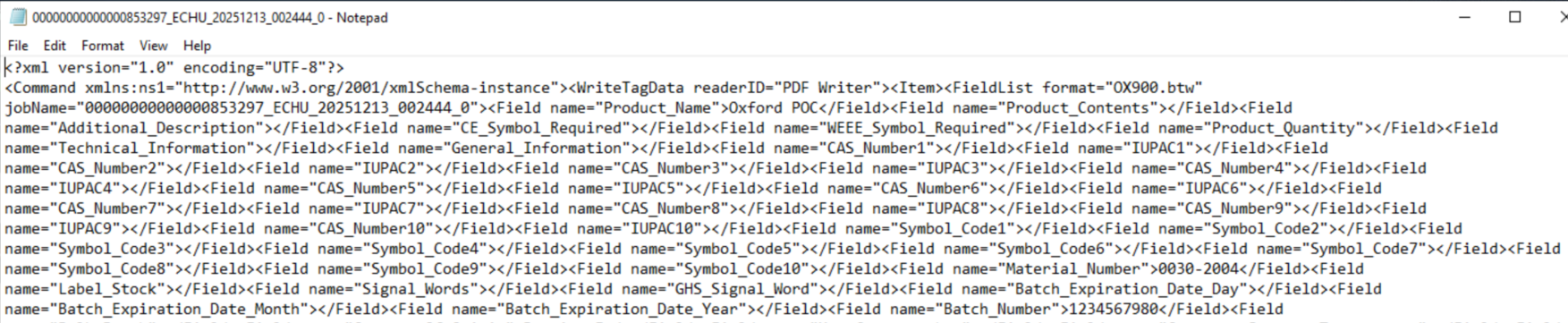
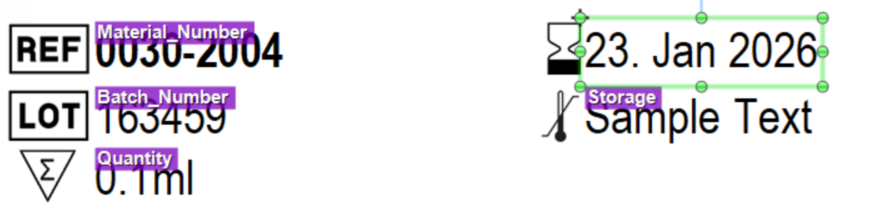
In my situation, I have one CSV that we can connect to the template as a database but we have our main datasource as a SAP generated XML which we do not connect as a database. The SAP XML is the trigger to run the Bartender integration to print the label. The XMLs all have different filenames so we cannot connect them as a database so a multi database join would not work in this case. We would need to join the ProductCode field from the CSV to the Material_Number field of the XML.
CSV:
XML:
Template:
 0
0 -
Make the fields linked to the XML fields Named Data Sources and configure the link to each field in the Integration similar to the below:
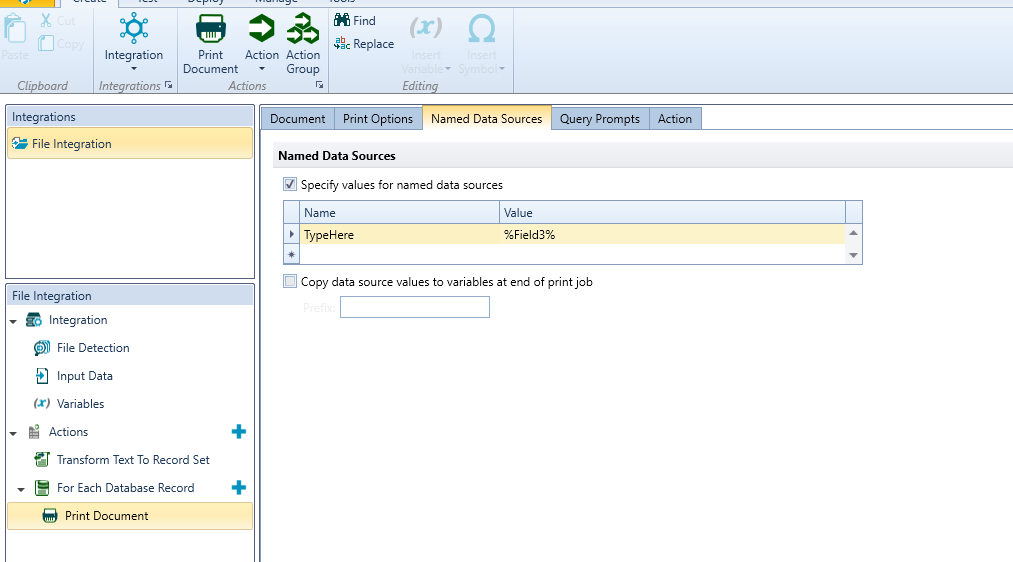
In the Database Setup Connection for the CSV configure a filter/query to look up Product Code and then in the Integration configure the Query Prompt to gets its value from the Material Number field in the XML.
0

Please sign in to leave a comment.
Comments
5 comments