Using Different Fonts per Data Source in One Object

I have a single Text Object that contains two Data Sources:
-
Data Source #1 – Embedded Text
- Should appear in Bold
- Example: “Ingredient:”
-
Data Source #2 – Embedded Text
- Should appear in Regular font
- Example: INCI ingredient text (multi-line)
Both Data Sources are configured inside the same Text Object through the standard “Data Sources” panel.
Expected Behavior
- Each Data Source should preserve its own font style.
- The first Data Source (“Ingredient:”) should appear Bold.
- The second Data Source (INCI text) should appear Regular.
- The object should display both styles correctly in Print Preview and when printed.
- Line wrapping or multi-line text should not merge the fonts or remove formatting.
Actual Behavior
When multiple Data Sources are combined inside the same Text Object:
- BarTender does not preserve the individual font styles.
- The Text Object forces one unified font style (usually the last one set).
- Bold formatting is ignored or flattened into the same Regular style.
- If Auto Fit, Wrap to Fit Width, or Automatic Height options are enabled:
- The bold prefix disappears or becomes regular.
- Spacing is compressed, and the text layout becomes inconsistent.
- Multi-line output does not respect the formatting defined for each Data Source.
Request
Please confirm:
- Does BarTender 2022 support mixed font styles inside a single Text Object with multiple Data Sources?
- If supported, what is the correct configuration to maintain mixed formatting (Bold + Regular) without layout issues?
- If not supported, what is the recommended design approach to display:
Bold prefix + regular multi-line text
inside a single area without losing formatting?
i am working with sdk bartender with c#
1
-
Yes BarTender can handle that kind of setup. You may want to check the then the substitute best matching printer font is not enabled for your True Type font strings as that could be part of the issue.
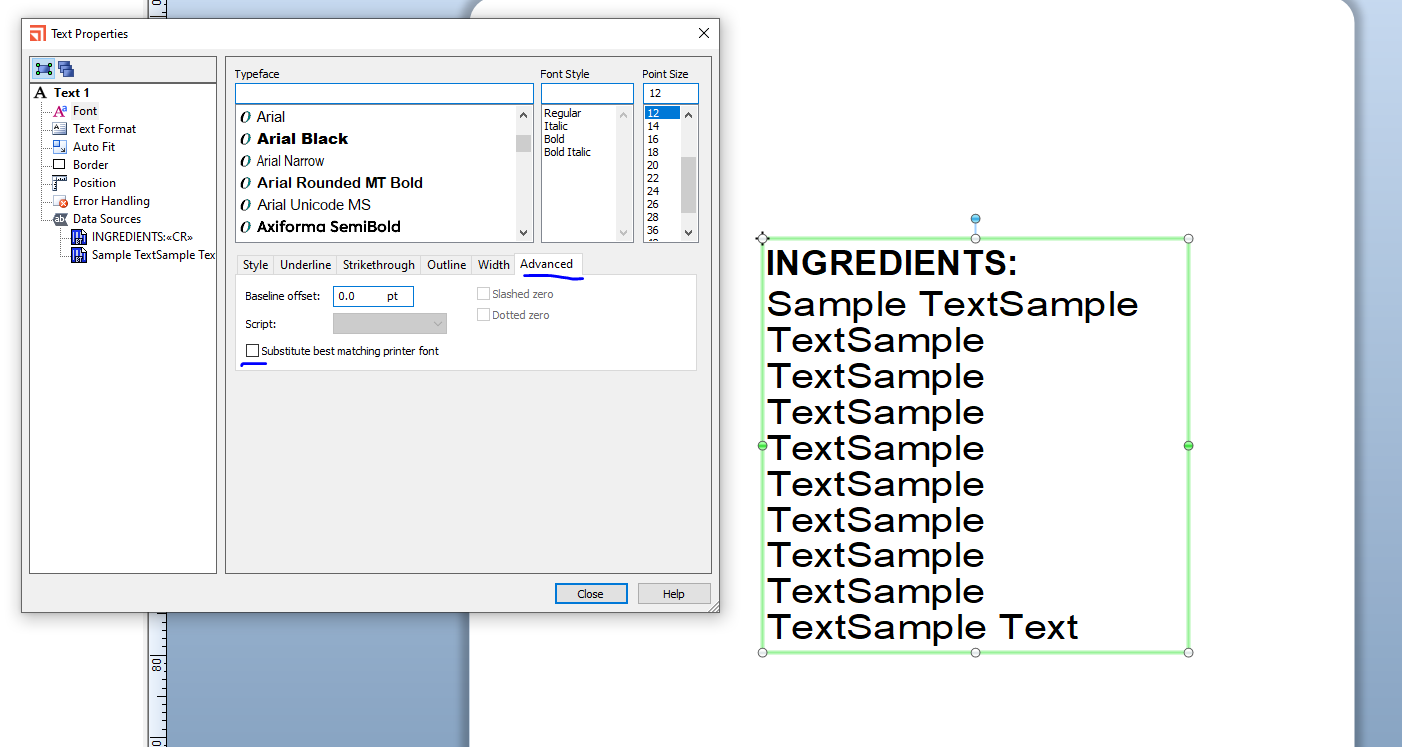
Also on the file>Print>Performance screen switch off the True Type warning.
0

Please sign in to leave a comment.
Comments
1 comment