Print job not sent correctly after "search & replace"

I am using BarTender 2022 Enterprise and use a Search & Replace action (Document Options) to manipulate a proprietary date format on an ICE/VideoJet printer in the print output.
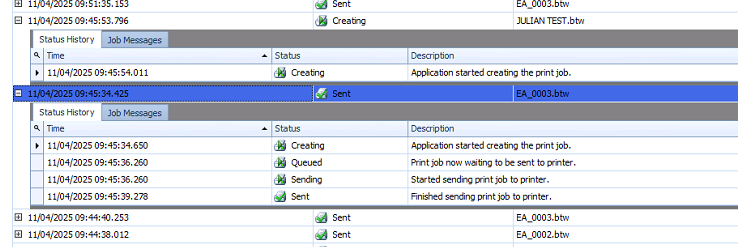
It works fine as long as I output to file, but when I send it to the printer, it does not arrive. Checking in History Explorer, I can see that the print job starts on the printer, but stops at or after the “Creating” stage.
The print jobs before and after are being processed normally, the one named “JULIAN TEST” stops after “Creating”
Any and all comments are welcome!
-
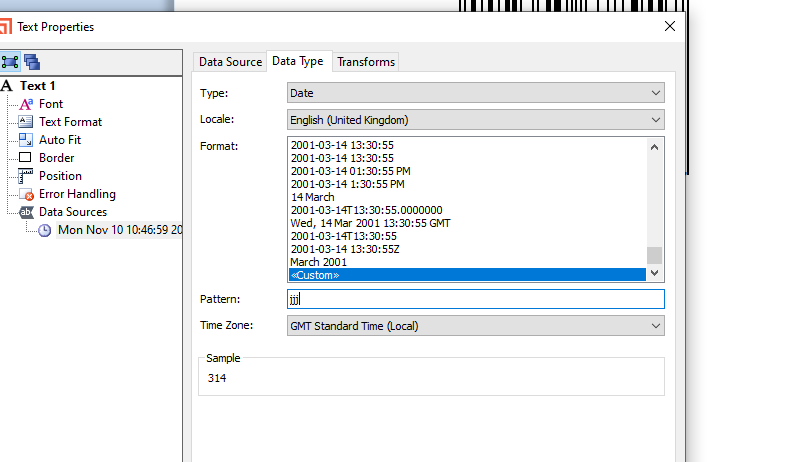
Not sure what is going on there, but instead of using the search and replace option, have you looked at using the Custom date format, jjj will give the julian date
 0
0 -
Good morning, Peter Thane , the date should be geenrated by the printer clock and change at midnight, therefore I can only use predefined date formats that the printer supports. And this “special” Julian date (where 29th February is represented as 366) is not part of those predefined formats. I have also raised a support ticket asking to add that built-in format, but in the meantime I am looking for a workaround. I still have time until 2028, but then it MUST work :-)
0 -
I have had something similar on a customer's site with these type of devices too and was restricted by what the printer can actually deal with itself with its internal fonts and date formats/commands.
I cant remember but think we just ditched the internal date stuff and sent the fields down as text objects in the end. As well as the 29/02 = 366 we also had 25/12 = 24/12 and 01/01 = 365 the year before too! Oh what fun that was. They later ditched the skip Xmas and New Years Day part.
0 -
Hi Peter Thane , it seems the printer manufacturers and firmware programmers made it their mission to support all sorts of date calculations and manipulations. Unfortunately, these bits never made it into the BarTender drivers. But I'll keep pushing :-)
0

Please sign in to leave a comment.
Comments
4 comments