licensing wizard won't come up

I have downloaded and uninstalled bartender several times but cannot get the licensing wizard to come up.
-
There is an option on the Help menu to manually open the Licencing Wizard so you may want to try that . Also if you are using 2019 open Administration Console and the Licencing section and see if it has picked up a licence from elsewhere.
Open these with elevated permissions/admin rights maybe needed.
It may also be worthwhile checking the Services on your PC to see if the BarTender Licencing Service is running and if not try to start this.
0 -
I am using 2016.
Can you advise on how I can deactive license?
0 -
Have you tried the Help> Activation Wizard (I think it was called) in BarTender itself?
0 -
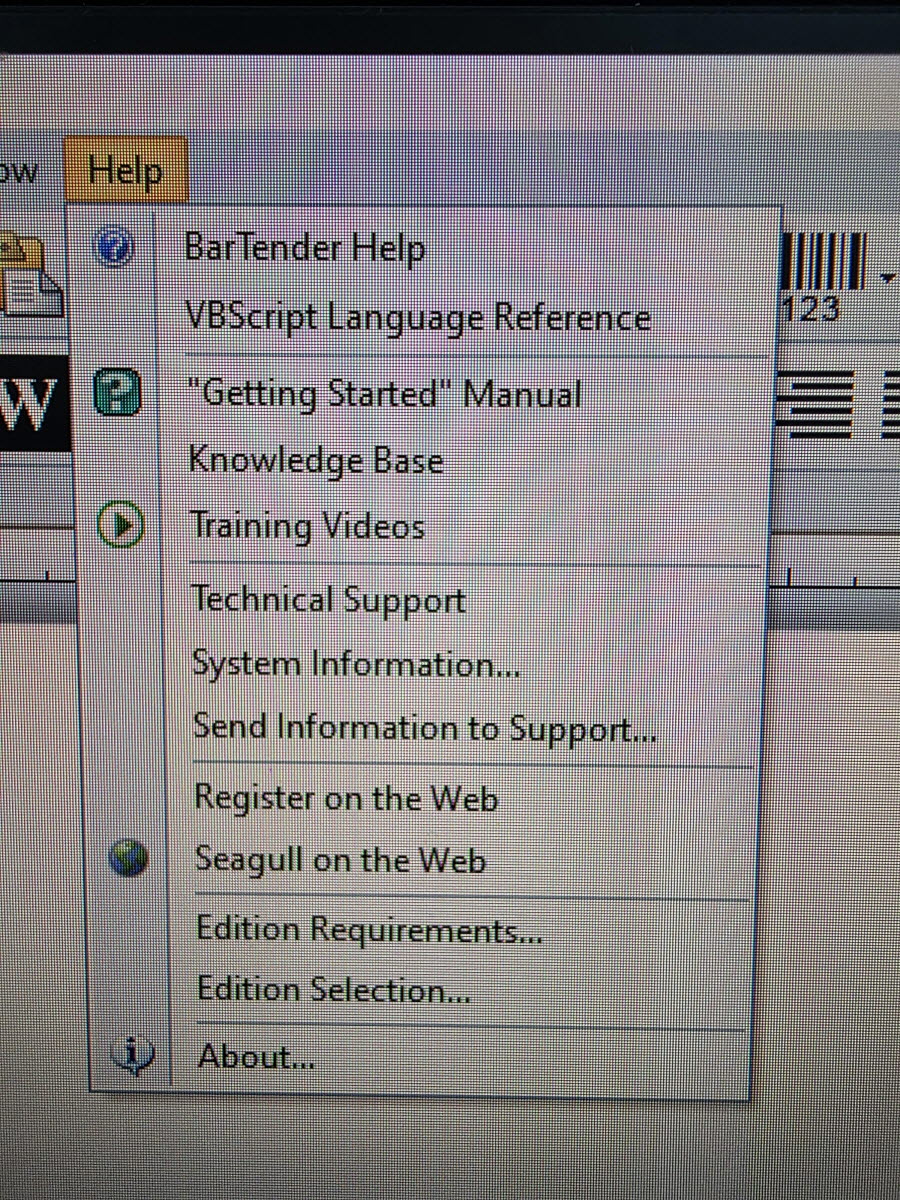
This is Bartender 2016.
I do not see “Activation Wizard”
Can you provide further assistance?
0


Please sign in to leave a comment.
Comments
4 comments