Making certain words bold within a text box

Hi i'm designing labels for a bakery on Bartender. I'm creating a textbox for the ingredients of particular products and I need to be able to make certain words bold to indicate allergens. However if I click on the 'B' button it makes the entire paragraph bold. Is there a way to achieve this?
-
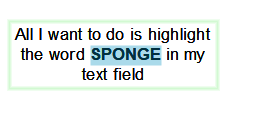
If the data is fixed on the label (ie not a database field or manual entry) then, in BarTender 2019, after you have added the text field on to your label just select the word of words you wish to make bold and whilst they are selected clcik on the B for Bold button (or press CTRL+B). As per the image below:
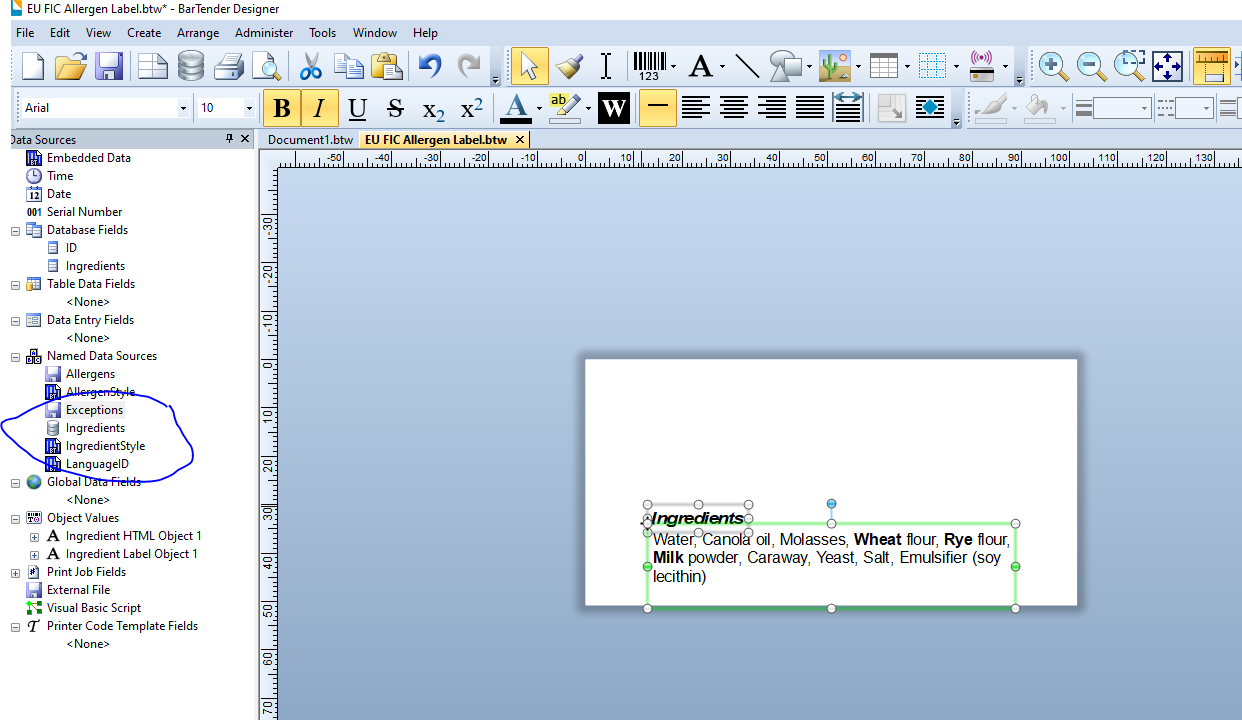
If the text is dynamic then I would recommend opening the EU FIC Allergen label that can be installed when you leave the option to install sample labels ticked when you install BarTender. You maybe able manipulate that to suit (it is quite a complex), but as a tip for your ingredients adjust the Named Data Source Ingredients and not field on the label when you are linking it to a database:
 . 0
. 0 -
Hello,
Would it be possible to get a sample file for this, as I am not quite sure I understand the instructions to set this up.
Thank you for your help.
0 -
Checkout the EU FIC label that can be found at
C:\Program Files\Seagull\BarTender 20XX\Templates\Food
where the XX is the version you have installed (2019, 2021 or 2022)
0


Please sign in to leave a comment.
Comments
3 comments