Calculation from two Data Entry Fields

Hello,
need a simple solution as seen in the picture. Does somebody has any idea? Thanks for Help"
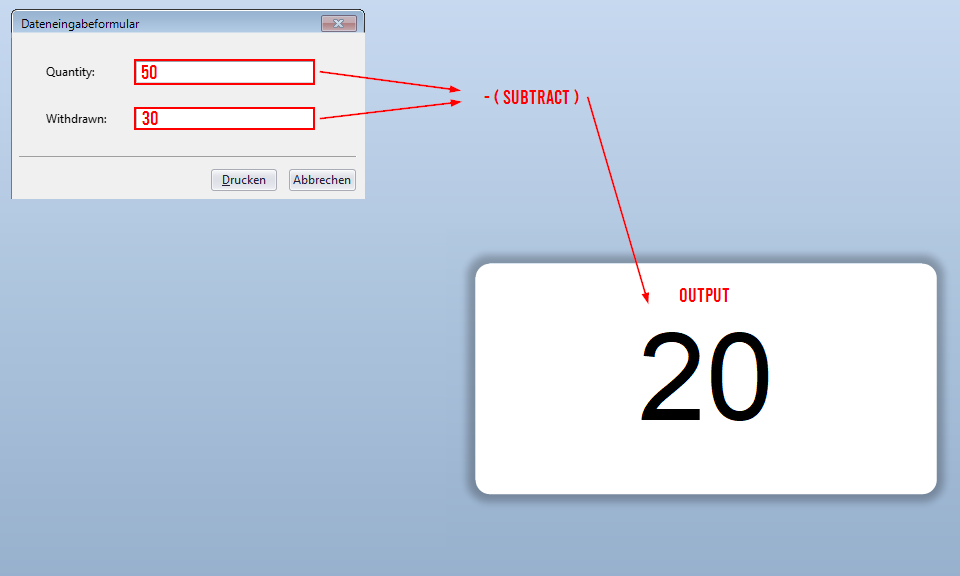
-
The simplest way I can think of would be to add two extra fields onto the label template, but off the side of the label and give them both a Name from the Change Data Source Name button (as ringed on the image below), For example StartQty and Withdrawn
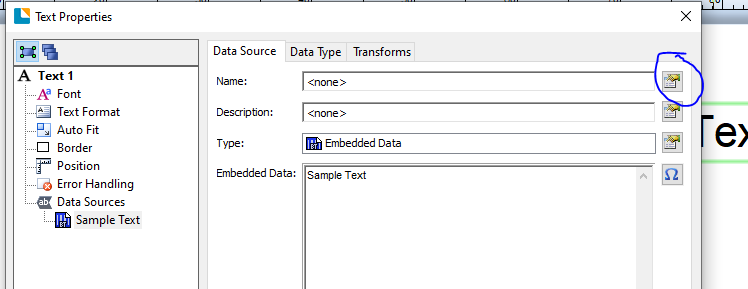
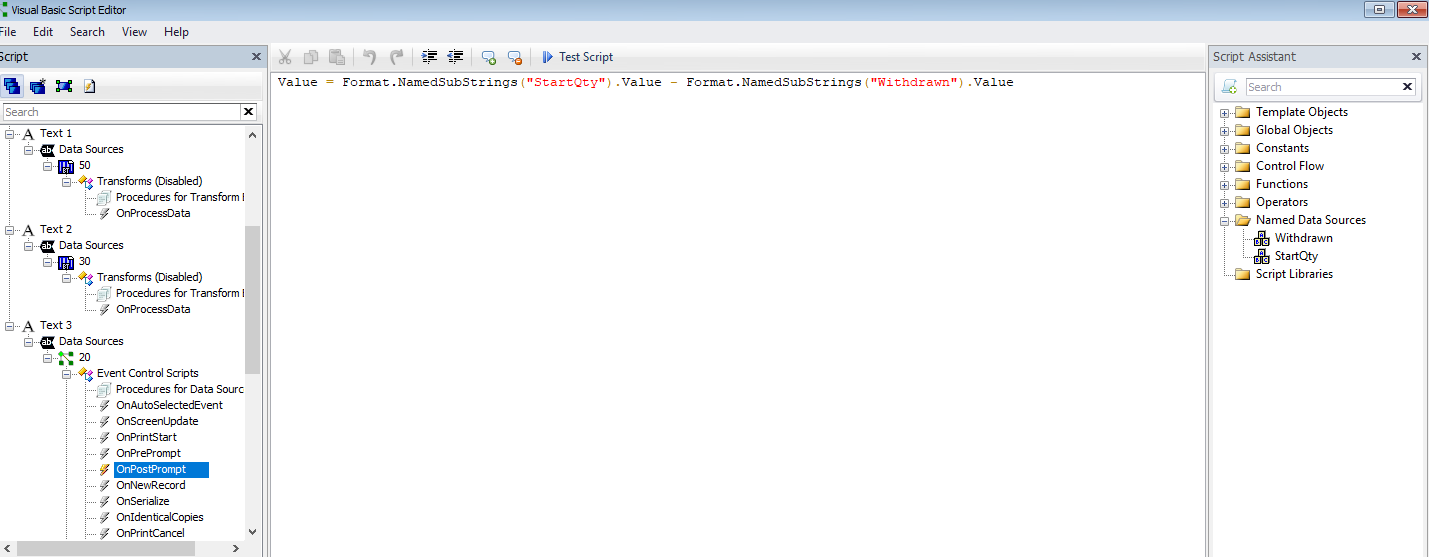
Then for your output/final field make these a Visual Basic Script > Event Controlled Script and in the OnPostPrompt option add the code
Value = <then click on the StartQty or whatever you called it> <SPACE> - <SPACE><then click on the Withdrawn field from the column on the right of named data sources>
then click Close and you are done.
The VB screen should look something like this
 0
0

Please sign in to leave a comment.
Comments
1 comment