Just select a number and print to number

Hi there!
I just want a form where the user can enter a number like "1200" in the first field and a second field is the "end number" like "1250".
And the label will be just the number.
1200
1201
1202
... to 1250
How can I make this?
-
Hi,
Looks like you will need to use some Visual Basic Script to perform the calculation for the number of serialised labels to print.
Add the number field to the label and give it a name on the Data Source tab, such as StartNo which should be set as a a serialised field via the Transforms tab
Add two other fields off the side of the label and name these EndNo and NoOfLabs
On your data entry form add two text input box that you link to the the StartNo and EndNo fields into which the operator will have to enter the starting and ending number of the sequence.
For the NoOfLabs field make this a Visual Basic Script > Event Controlled Script and then go in and edit the VB.
On the AutoSelectedEvent make the value in the box in the middle
Value = "1"
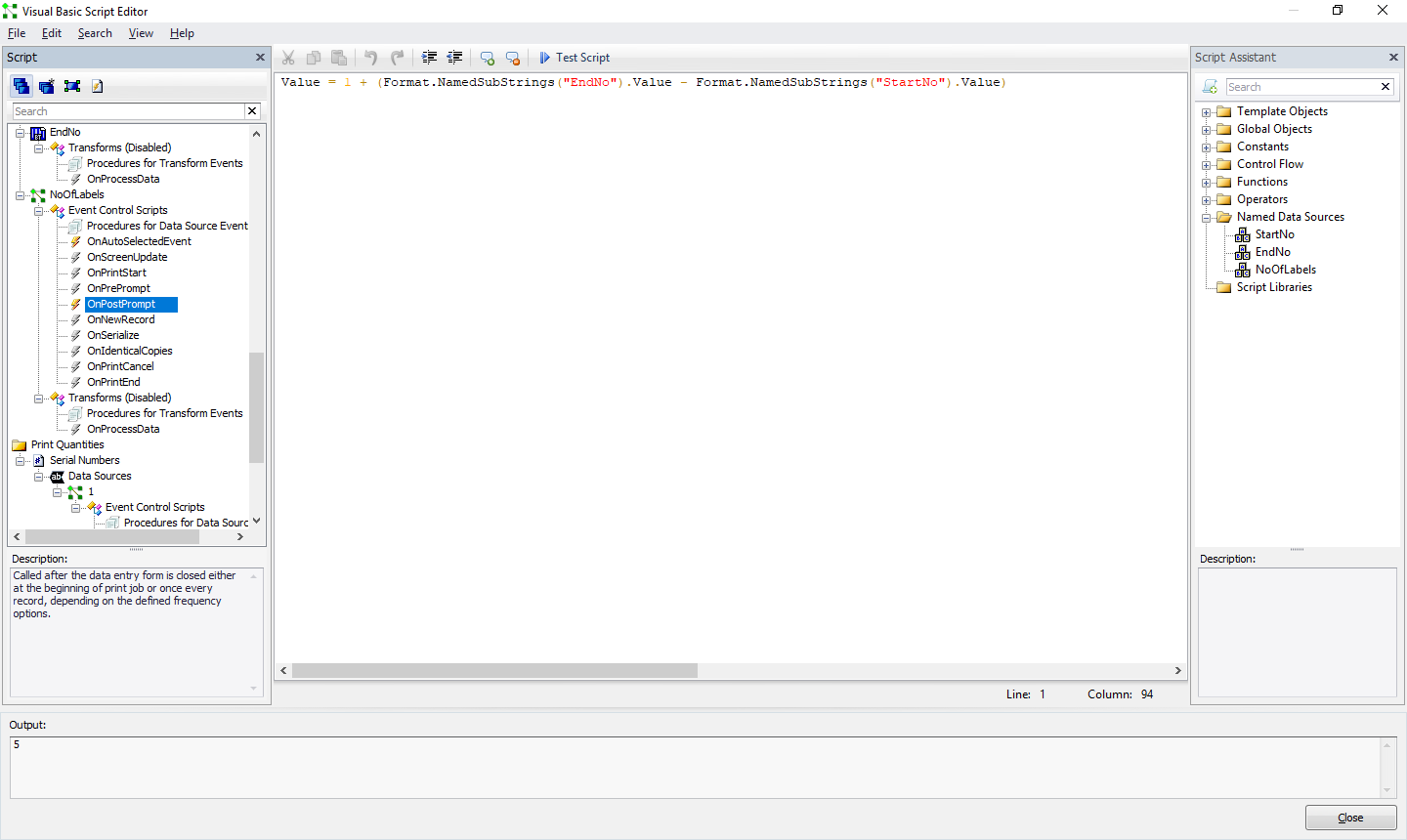
then select in the OnPostPrompt option (that can be found slightly further down in the column on the left) type into the box
Value = 1+ (Format.NamedSubStrings("EndNo").Value-Format.NamedSubStrings("StartNo").Value)
For the Format.Named...... parts dont type these in but double click on the names of the named substrings in the column on the right to add these values in.
Finally on the File>Print screen click on the button to the right of the number of serialised labels value and select Get Value from Data Source and then click on the work data Source in the left column and then click on the button to the right of the Name box and link this field to the NoOfLabs data source
Hopefully that should get you up and running
Pete
0 -
can you give me example or screnshoot or link video for the create function
because i am try failed again..thanks
0 -
Screenshot of OnProstPrompt VB set as the Data Source for the Number of Serialised Labels value on the File>Print Screen
Screenshot of the Data Entry From inc label preview. Note: the ending number does not need to be on the label for this to work but cant be dragged off to the side of the printhable area
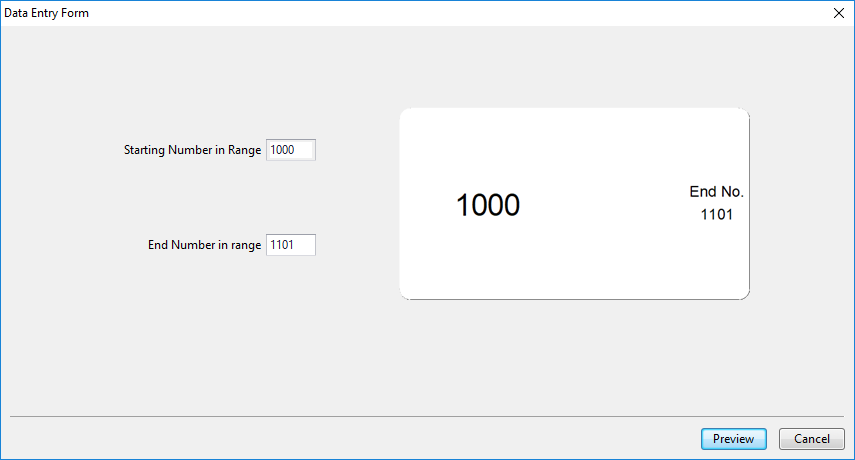
On the above form, the Data Entry box for the Starting number of range is linked to the "1000" field on the label template and this field has been called StartNo, whilst the Ending number is linked to the "1050" field that has been called EndNo.
0


Please sign in to leave a comment.
Comments
3 comments