Bartender and SharePoint

Anyone have any experience with accessing BarTender files in a SharePoint 2016 online document library? From a normal network drive, you can just click on the file and it opens it in BarTender. From a SharePoint document library, clicking on a BarTender file initiates a download.
I know there is a way to create a network place for a document library so it functions as a network drive, but want to avoid that. Many of the SharePoint features are lost going this route.
I'm wondering if Microsoft has a hidden feature that can be activated where SharePoint recognizes the file type and opens BT.
Any ideas?
I'm currently using v10.x of BT but will be installing v2016 in a few weeks. Not sure that makes a difference here, but just in case.
Thanks!!
-
At the moment with our latest BarTender 2016 R7 version, we unfortunately don't have this feature to natively access BarTender documents from a cloud storage location such as with Microsoft SharePoint.
It has been submitted as a feature request to our development team so hopefully we can get this feature added in a future release of BarTender.
-
Is there any progress on this matter? I have downloaded the 2019 version to see if there is any option to use a cloud storage but I don't see it in the new version either. This is still a big omission!
0 -
We are 2022, I am evaluating this to print labels trough powerapp using sharepoint list: is still possible to connect to sharepoint online now?
0 -
Alas, I believe it is still the case that BarTender (including BT2022) does not support connecting to Sharepoint stored data natively.
1 -
DOes the latest version of Bartender support connecting to cloud based librairies such as SharePoint? From the last answer ( 9months ago), it was still not possible.. but Sort of hoping it would be now?
0 -
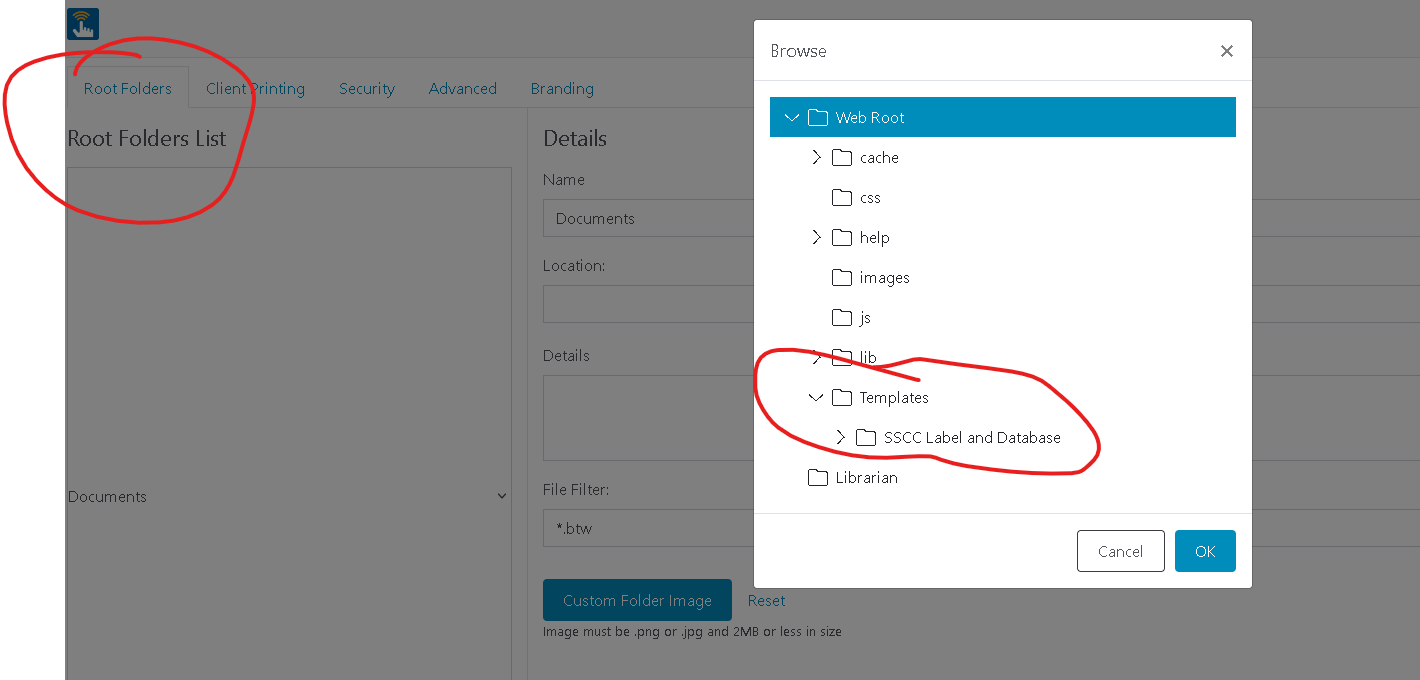
hi guys i having same issue with this print portal directing the folder from sharepoint instead from C:\inetpub\wwwroot\BarTender\wwwroot\Templates, i copy the shorcut from sharepoint to see if it will show up from the files location above, but when going to print portal it would not show. but some how print station works fine directing file locations from sharepoint. is there any way we can direct the print portal files to a sharepoint,? i have tried to delete the inetpub from Cdrive: and copy inet pub from the sharepoint, instead of the original inetpub file, i use the inetpub from sharepoint, but it didnt work, it kille the print portal.
 0
0


Please sign in to leave a comment.
Comments
6 comments