Conditionally formatting a database date

Say I have a date field from a database and I also have an integer field representing a some predetermined format for the date. How do I conditionally change the date format?
I think I want to use VB scripting to create a SubRoutine to format the date. I have a couple fields that I will need to do this for but I don't know how to accomplish that or how to pass parameters to a sub routine. 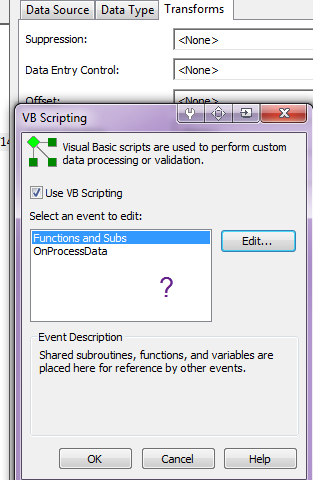
Here's what I have so far:
[code]
theFormat = Field("myFileName.LotCureFormat")
theDate = Field("myFileName.CureDate")
'format 1 = mm/dd/yy
if theFormat = "1" Then
Value = ""
'format 2 = mm/dd/yyyy
elseif theFormat = "2" Then
Value = ""
'format 3 = nQyy n = 1, 2, 3, 4 Q = quarter, yy = two digit year
elseif theFormat = "3" Then
Value = ""
'format 4 = nnyy nn = 03, 06, 09, 12 depending on quarter, yy = two digit year
elseif theFormat = "4" Then
Value = ""
'default = mm/dd/yyyy
else
Value = theDate
end if
[Code]
How do you set the value to be the date in a different format for each type?
And how would you call the sub routine so that other fields can use the same logic.
-
There maybe a simpler way to achieve this but this is how I would handle this. I thought it was simpler this way as I was able to use alot of the functionality of BarTender already without having to re-code it myself (such as the way the date is displayed etc.).
As the data is coming from a database you will need to use the VB Event Controlled Script option as the Data Sources rather than Transforms VB function, and either use the OnIndeticalCopies or PostPrompt option.
For my testing i added on two fields the date which I named as "inputdate" and a text field called "formatchoice".
I then added on 4 separate text fields each with Suppression "Suppress if formatchoice does not equal X" where x is 1 to 4. Once I was happy these were working, I just cut and paste each sub-string in turn into one of the fields to end up with one text object with 6 sub-strings in total. I then gave this whole text object an Object Name for ease of identification (for use later - see below)
For Format 1
Text Field set to VB Event Controlled Script (Post Prompt) but with the Data Type set to Date with the dd/MM/yy format chosen.
The VB Script in the Post Prompt was simply
Value = Format.NamedSubStrings("inputdate").Value
Format 2
Is identical to Format 1 but the date format chosen on the drop down list includes the 4 digit year
Format 3
This comprises of two substrings with the second being the same as Format 1 and 2 above but with the date format set to custom with a value yy (2 digit year).
The first substring was a VB Event Controlled as per the other but this time left as a Text data type.
The VB used was as follows:
Value = Format.NamedSubStrings("inputdate").Value
Value = Month(Value)
Value = Value/3
Value = Round(Value+0.5) & "/"
Format 4
Is almost identical to format 3 except the VB includes an if..then..else statement to handle the number of characters for the quarter:
Value = Format.NamedSubStrings("inputdate").Value
Value = Month(Value)
Value = Value/3
Value = Round(Value+0.5)
If Value < 10 then
Value = "0" & Value & "/"
else Value = Value & "/"
end if
Value = Value
-----
Any other fields/substrings that need this functionality can just be made "Object Value" data source items linked to the Object Name set for this field.
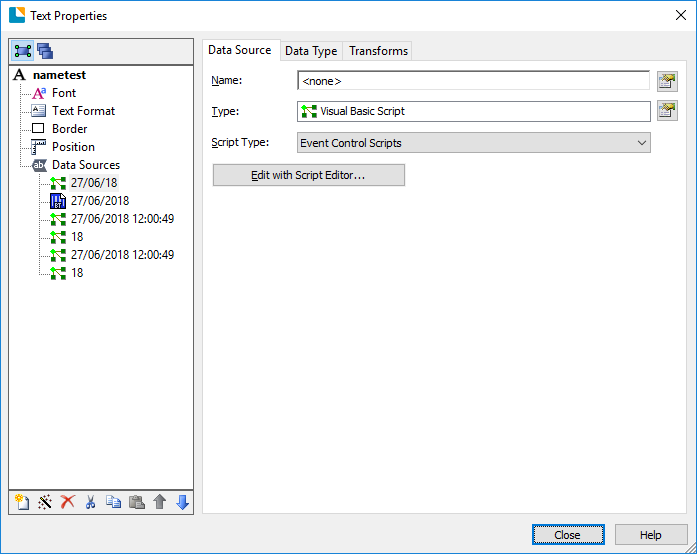
My text object field ended up looking like this
 0
0

Please sign in to leave a comment.
Comments
1 comment