How to print multiple labels with different serial numbers but the same content continuously?

Hi Bartender,
Can you tell me how to print multiple labels with different serial numbers (For instance: from 1 to 100) but the same content continuously?
Thanks.
0
-
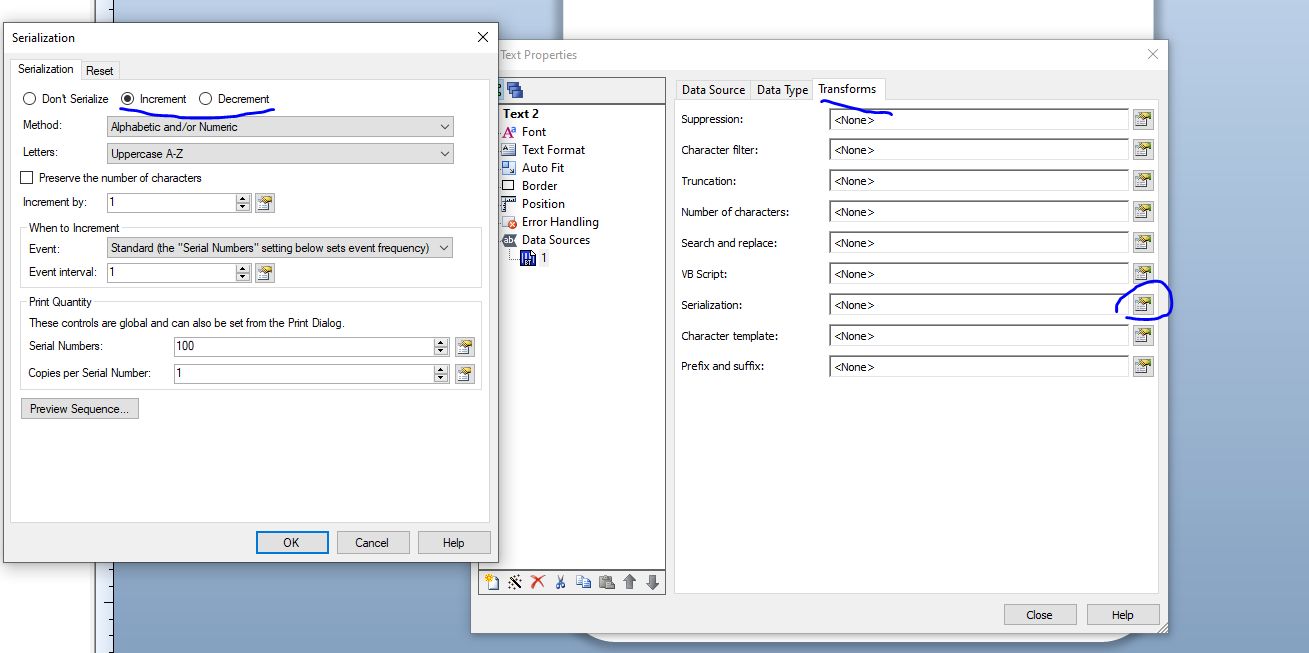
Add the field to the label that needs to be serialised and then on the Transforms tab click on the button to the right of serialisation and configure the screens in that sectioning accordingly.
Once configured, on the print screen you will now have two quantity boxes namely a Serial Numbers and a Copies per serial number. The top value controls how many serial number labels you require whilst the bottom will print X copies of each of those serial numbers.
 0
0

Please sign in to leave a comment.
Comments
1 comment