Sql query not updating in print station or portal

I would like to inquire if any on this forum have had experience with this.
i have this query:
SELECT
o.[OrderNumber] as 'Ref no.:',
oi.SequenceOrder as 'Item:',
oi.[Description] as 'Type:',
oi.[Quantity] as 'Qty.:'
FROM [Orders] o
INNER JOIN [OrderItems] oi
ON oi.OrderId = o.Id
WHERE oi.BCItemNo = 1
AND o.OrderNumber = ‘?ProjectNumber’
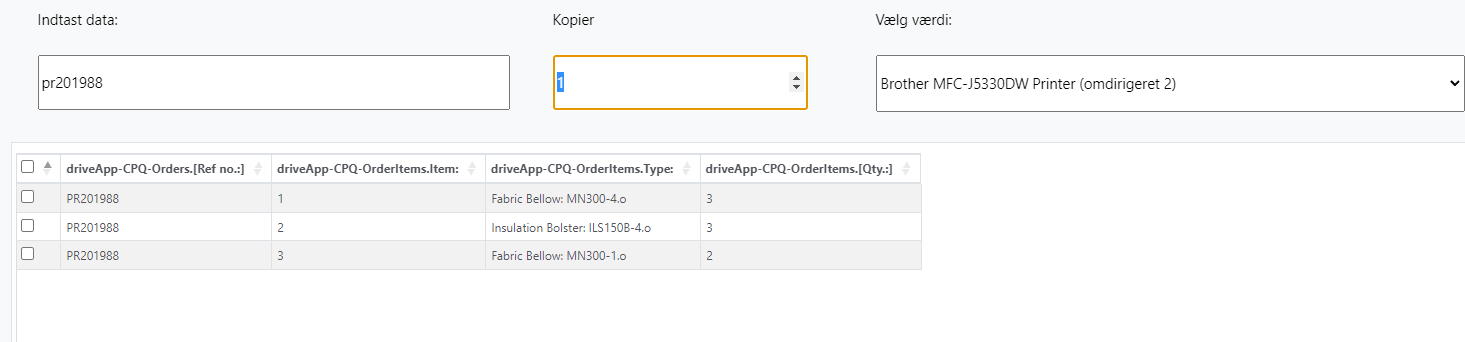
and the first entry after opening the label works fine and dandy:
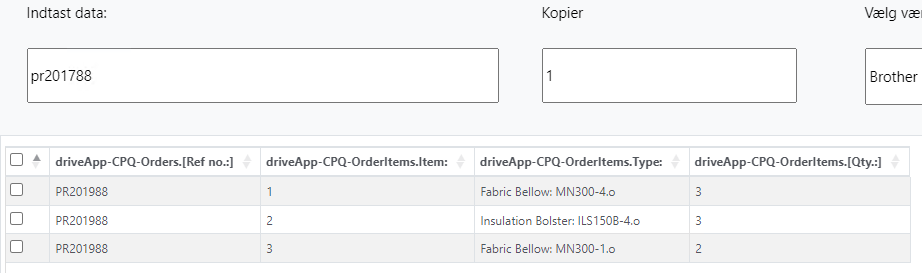
if a user then corrects it after it has finished loading:
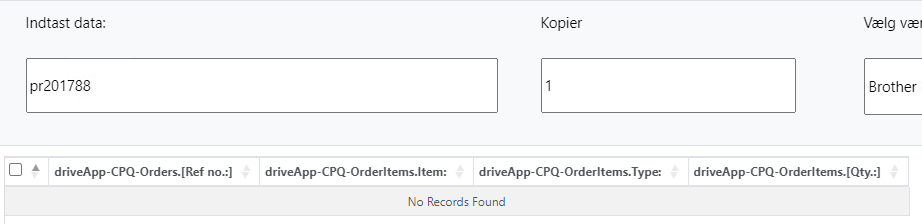
it seems like the first result is cached and stuck, if they then close the label and reopen it it doesnt retrieve anything:
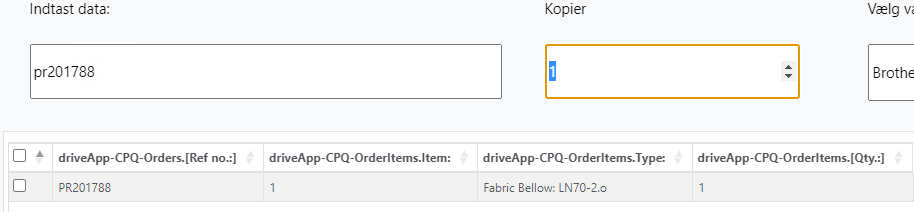
if the print station is closed and opened again it works fine for 1 record:
I have attempteted a local sql and external, both with sql-auth and ms-auth and both variations with the service account changed. attempted across 2 device installations. all with same result
-
Not sure but if you manually delete the ps201788 ehn you try to print again, can you then enter a new value?
A couple of things you could try:
- On the data entry field, make sure the Remember Value for Next Time is not ticked.
- Try enabling Use Legacy Forms in the Print Station > Advanced settings
- Make sure the account that is running the Windows Print Scheduler and the IIS_Webprint account (for Print Portal) has full permissions to access network devices and locations
0 -
Thank you for the suggestions,
I can enter a new value on the first start of the label, if the default value is stored i can enter another value and it retrieves it fine.
but locks after that.
i had remember value deactivated, activating didnt change the result, and deactivating it again didnt restore anything.
Enabling Legacy forms in print station allows it to fetch new data.
The accounts for Windows Print Scheduler and the IIS_Webprint is both the user account with admin privileges, so i assume it shouldnt inhibit any interaction.
0

Please sign in to leave a comment.
Comments
2 comments