VBScript from 10.0 SR4 to 11.5 - VBScript in Data Entry Form Using Named Substring

Since we also experience the VBScript Error Message (as described in other topics) due to Security Updates in Windows 11, we evaluate Version 11.5 Enterprise Edition.
We work with BarTender 10.0 SR4 Enterprise Edition since many years, and have one label with some more extensive VBScripting. All other labels work fine after some small adjustments, but this one drives me crazy.
I'm not sure where the error source is:
- if it is a BarTender 11.5 issue,
- a VBScript issue or
- a named substring handling issue.
Complete description: We use a MySQL Database for filling the labels with content.
Initially in the label is a query prompted to enter a specific value in combination with additional conditions, example with sample code:
SELECT `pn`, `name` FROM labels WHERE `pn` = ‘?pn-qery' AND `valid`=1 AND `invalid`=0The content of the pn field is used to fill a named substring in BarTender ('pn'). This works; the value is correctly printed on the label page.
On 10.0 SR4 Version, the specific label is designed this way: In the Data Entry Form is an additional VBScript that fills a dropdown (but the Dropdown itself is not the issue here).
It opens a table via common VBScript MySQL query using the ‘pn' named substring as WHERE condition, and splits the result to fill the values of the dropdown (not copied in the following code sample):
columnName = "columnname"
server = "server"
db = "db"
userId = "user"
password = "password"
dsn = "Driver={MySQL ODBC 9.3 UNICODE Driver};Server=" & server & ";Database=" & db & ";User=" & userId & ";Password=" & password & ";"

pn = Format.NamedSubStrings("pn").Value
'Debug:
'pn = "TESTPN"

Set objCon = CreateObject("ADODB.Connection")
objCon.ConnectionString = dsn
objCon.Open
strCon = "SELECT " + columnName + " FROM table WHERE pn = '" + pn + "' AND valid = '1'"
Set rs = CreateObject("ADODB.Recordset")
Set rs = objCon.Execute(strCon)
result = rs(columnName).value
Error Message in the editor:
Either BOF or EOF is True, or the current record has been deleted. The requested operation requires a current record (translated from German) (Caused in the result = rs(columnName).value line).
The “pn” value is the default named data source value, not the one that is entered in the query promt and as far as I see correctly stored in the named data source (since it is printed out correctly).
If I hardcode the pn, it works (commented line in source code above:
pn="TESTPN"Is the code wrong in 11.5? Does VBScript handling in the data entry form using named data sources not work as in the past? Or is the data transfer handling different ?
Summary: The named data source which is filled initially with the query prompt is correctly printed on the label but obviously not correctly handed over to the data entry form and its VBScript code.
All Community Support Topics I find are old (>10-12 years) and use exactly our old code that works with the old version.
Maybe anyone has an idea what could cause this issue? Is there something like an option to enable named substring forwarding to the data entry form in BarTender? The code itself seems to be ok …
Thanks a lot!
-
I have not had any issues with any VB going between the versions but then I have gone in stages and not in one big jump.
I am not sure what the problem could be but have you checked the ODBC driver details specified are correct and you could also try reconnecting to the Format.NamedSubStrings("pn").Value value from the column on the right in case something has messed up there?
0 -
Dear Peter,
thanks for your assistance!
I checked the ODBC driver details:
columnName = "columnname"
server = "server"
db = "db"
userId = "user"
password = "password"
dsn = "Driver={MySQL ODBC 9.3 UNICODE Driver};Server=" & server & ";Database=" & db & ";User=" & userId & ";Password=" & password & ";"

'pn = Format.NamedSubStrings("pn").Value
'Debug:
pn = "TESTPN"

Set objCon = CreateObject("ADODB.Connection")
objCon.ConnectionString = dsn
objCon.Open
strCon = "SELECT " + columnName + " FROM table WHERE pn = '" + pn + "' AND valid = '1'"
Set rs = CreateObject("ADODB.Recordset")
Set rs = objCon.Execute(strCon)
result = rs(columnName).value
msgbox (result)
=> I receive a correct database query result for “TESTPN”.
Same without hardcoded value for pn:
columnName = "columnname"
server = "server"
db = "db"
userId = "user"
password = "password"
dsn = "Driver={MySQL ODBC 9.3 UNICODE Driver};Server=" & server & ";Database=" & db & ";User=" & userId & ";Password=" & password & ";"

pn = Format.NamedSubStrings("pn").Value
'Debug:
'pn = "TESTPN"

Set objCon = CreateObject("ADODB.Connection")
objCon.ConnectionString = dsn
objCon.Open
strCon = "SELECT " + columnName + " FROM table WHERE pn = '" + pn + "' AND valid = '1'"
Set rs = CreateObject("ADODB.Recordset")
Set rs = objCon.Execute(strCon)
result = rs(columnName).value
msgbox (result)
=> Same result: “Either BOF or EOF is True, or the current record has been deleted. The requested operation requires a current record ”
No result is shown in the Data Entry Form; but the named source itself is correctly filled and printed on the label.
If I just add a text field with the same named data source in the Data Entry Form, the value is filled out correctly … So I have the following results:
- using the query prompt to fill a named data source works
- using the named data source as value for a text input field on the Data Entry Form works
- using a VBScript in the Data Entry Form for getting a additional database query result with hardcoded value instead of named data source value works
- using the same script in the Data Entry Form with the named data source value instead of a hardcoded value does not work.
Using this results, I tried the following:
Using the Named Data Source in the Data Entry Form as source for a new dropdown-list with the following list element code:
Source: Visual Basic Scripting; script:
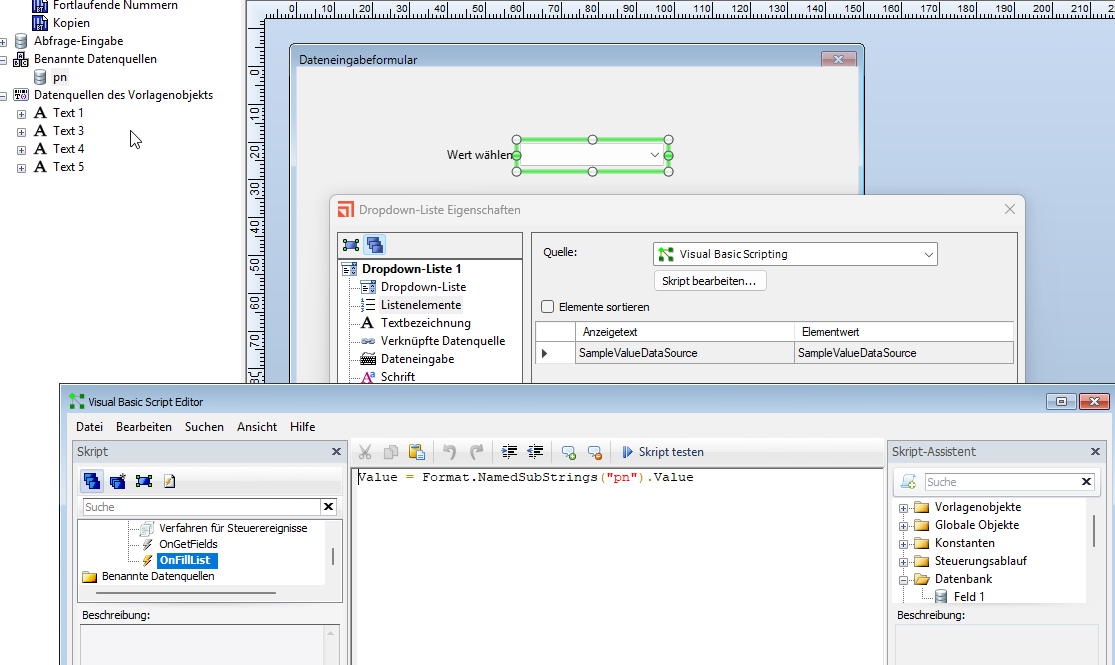
Value = Format.NamedSubStrings("pn").ValueResult: The value is only the default text for the Named Data Source, not the one entered in the query form.
As a demonstration, I made a new sample label with a sample text database.
Here is my description:
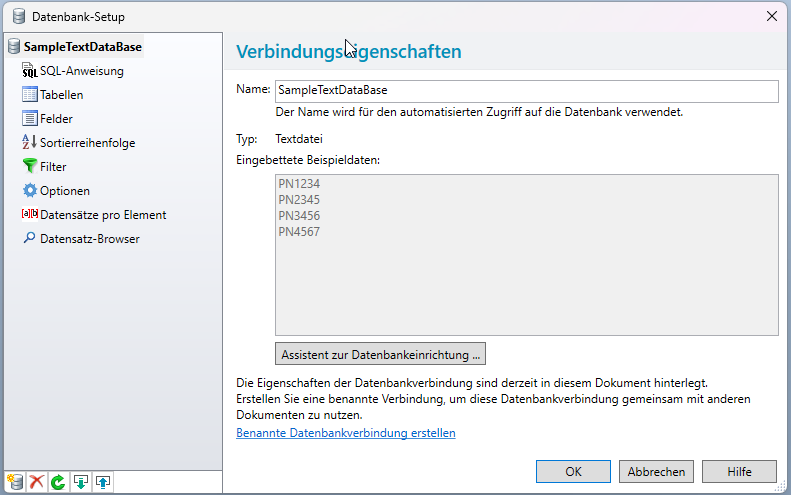
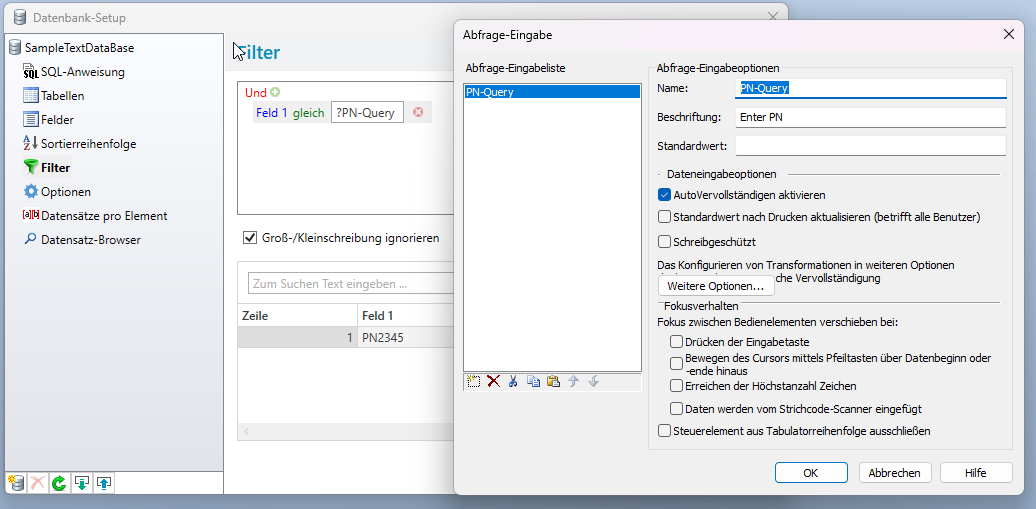
So I have a small text database with four values (PN1234, PN2345, PN3456 and PN4567).
On the label I add both the named data source and the database field 1:

On the Data Entry Form, I use a dropdown with the named data Source:
When I print or preview the first time:
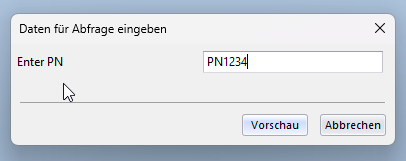
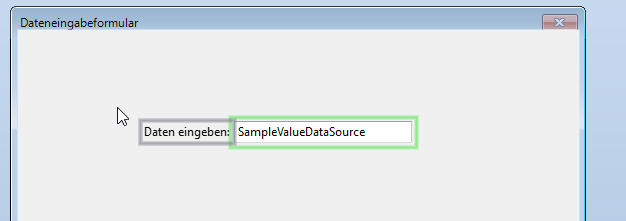
I receive this Data Entry Form:
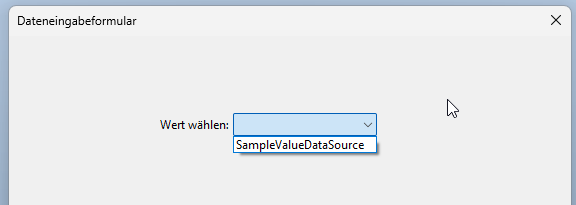
The PN from the promt is not used, but the sample text… Choosing the “SampleValueDataSource”, I receive the following label in the “printed” preview:
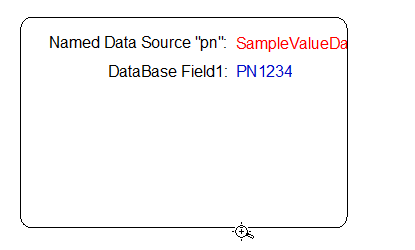
I don't know why the named data source value is not updated? The DataBase Field1 is correctly printed.
If I remove the dropdown on the Data Entry Form (without any further changes):

and repeat the described procedure:
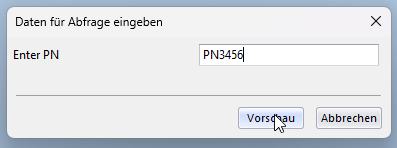
I receive - as I would expected in every case - as “printed” preview:
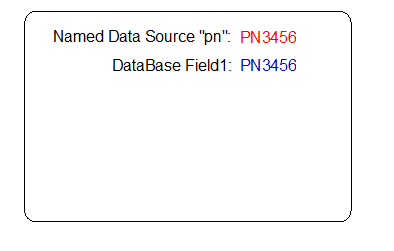
Same result if I use a “Text Field” instead of a dropdown. But: since it is not possible to fill a Text Field on the Data Entry Form with VBScript, it is no workaround for me:
Query for PN:
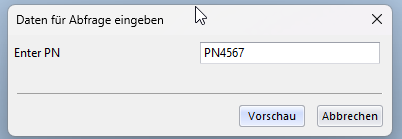
Data Entry Form after above query with correct “PN” value:

“Printed” label preview:
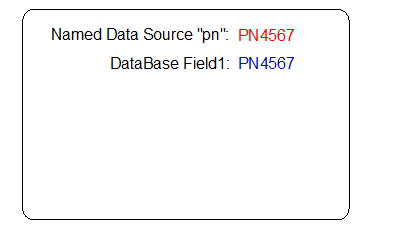
With a dropdown and VBScript filling its values using the named data source, the named data source value is handled from query to form, but not from form to label. Same result (not shown above in pictures) is when I use a “List field” instead of a dropdown, and use VBscript to fill in the
Format.NamedSubStrings("pn").Value.Both without a dropdown and with a text field (without using VBScript), the named data source value is handled from query to form to label.
So I assume it is a VBScript issue, when handling named Data Source Values in a Data Entry Form?
Is there any option to enable a handling of such data sources in the Data Entry Forms? Maybe something that was not neccessary in 10.0 SR4?
Sorry for the mass of pictures.
Here is the described sample label on our wetransfer-account for download: https://we.tl/t-VVqDIk14Hh
0 -
I found this post after searching for an answer to an error I get with Bartender Cloud, Print History, attempting to ‘reprint’ a label:
The print job failed due to an error.Reprinting job failed. An error occurred after the job was executed. Substring lengths error encountered. Details: 'The sum of the substring lengths '26' is '26'.
Preview of the label is shown without any issues. I haven't yet attempted to print to actual printer so I don't know if it will work or not.
I'm not really sure what is causing it, but I suspect it might be overlapping text fields within the label.0


Please sign in to leave a comment.
Comments
3 comments