Pull data from Excel rows by scanning one field

Hello,
I need to fill in fields on a label with information from an excel file.
I would like to scan one item, lets say tracking, then i would like to automatically fill in the persons name in one line, the address in another and the phone number in the last line. I dont want to print the tracking number i just want to use it to pull the other info into the label.
Another way to think about it would be i have a line in excel with multiple columns, i want to scan the info from one column to fill in the label without printing the scanned item.
I can pull this from the excel file no problem in order but i need to selectively print each label.
Thanks for any help in advance.
-
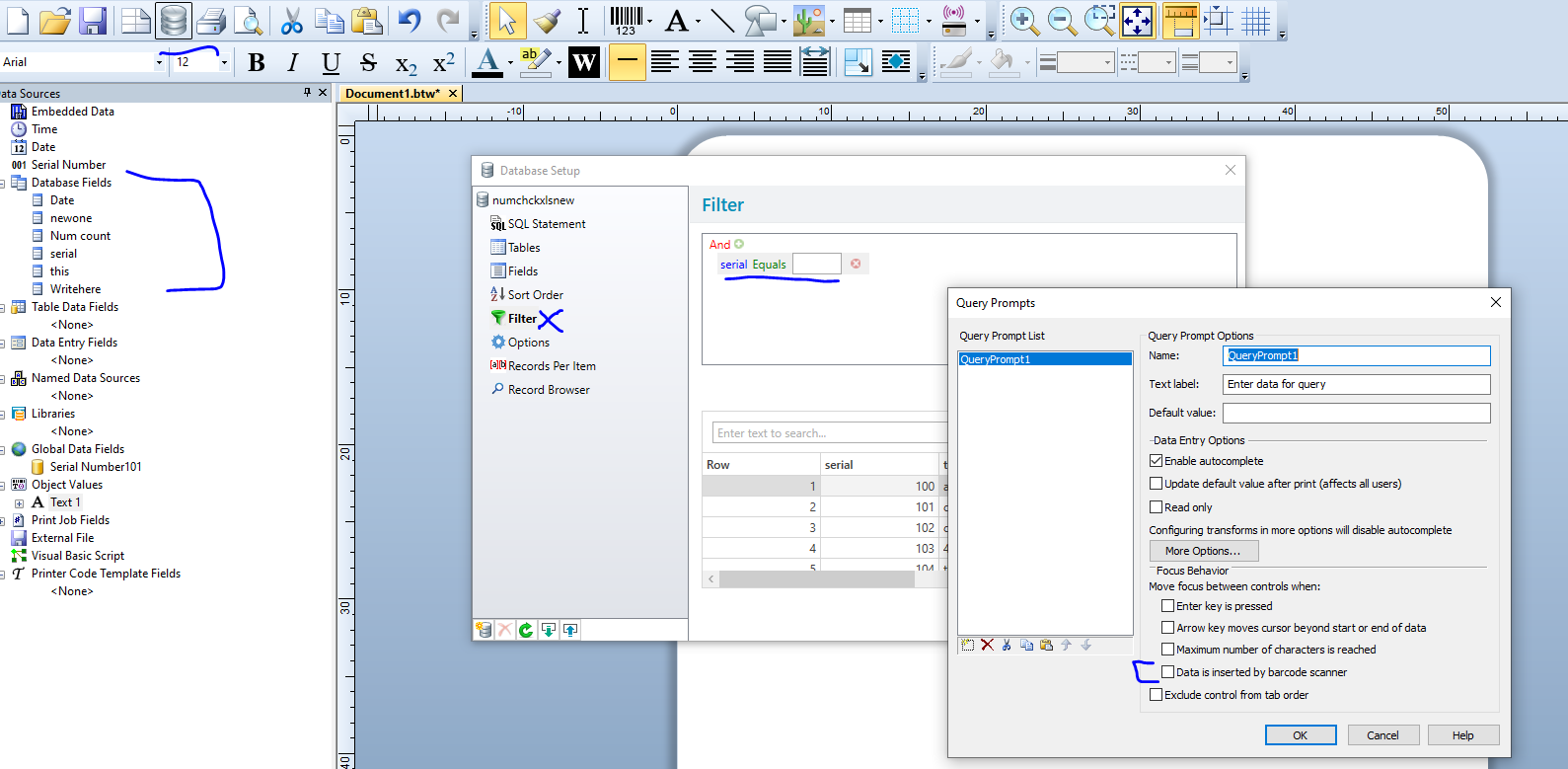
You need to use the Database Connection Setup to link your database to the label and once done you will be able to access the database fields and add them to your label. To be able to select, in your case the Tracking field, you would need to configure a Filter in the Database Setup so that BarTender prompts you for this information at print time.
 0
0

Please sign in to leave a comment.
Comments
1 comment