Export image - BarTender Designer 2022

Hi everyone
I have encountered a little problem while exporting the file.
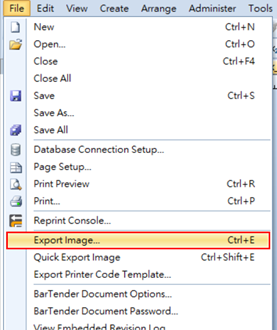
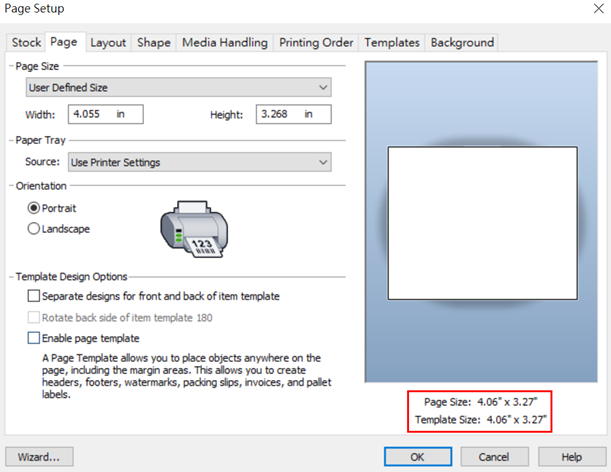
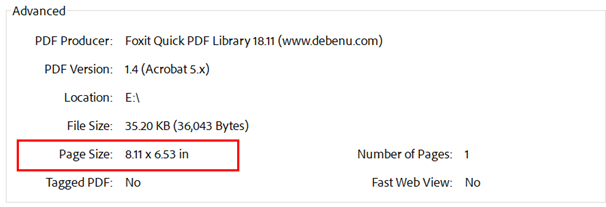
The page size of the PDF file that I used “Export Image” is not the same as the template. It seems the page size is always double. Does anyone know how to solve this?
0
-
Make sure you view the label at 100% and then Export the image. If I do this and save and open it in an image viewer program then the picture is the correct size
0 -
Hi Peter
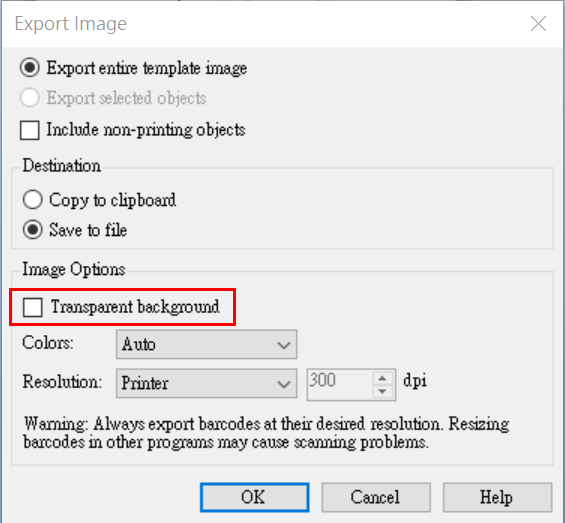
I finally found the reason. "Transparent background" causes the page size to double. When I unclick it, the page size is the same as the template.
Thank you so much for replying.
 0
0

Please sign in to leave a comment.
Comments
2 comments