Print Labels For User Defined Start And End Range

Hi All
I have a simple label (5 fields) but I need to serialize them based on user-defined start and end nos. For example if user enters 5 in start no field and 10 in end no field it will print 6 labels numbered 5,6,7,8,9 & 10
How can I do this, so that the user doesn't have to do the math (e.g. I don't want the user to have to enter start at 5 and print 6 copies for above example)
Any other suggestions on how to do this?
-
Through the use of data entry prompts at print time and a bit of VB script. Here's an example we made a long while ago for you to take a look at. Find attached.
1 -
Through the use of data entry prompts at print time and a bit of VB script. Here's an example we made a long while ago for you to take a look at. Find attached.
Thanks Ian
That seems to work, but I can't find the VbScript anywhere. Everything seems to be an embedded datasource
0 -
On the data sourced print quantity that's set via the "Print" dialog.
0 -
Hello, I know this is an old thread, I've been trying to follow some examples using VBScript that have not worked for me. I do not see the example attached to this thread any longer. Anyone can provide some guidance or share an example I can follow?
Just a little feedback, I currently have a form with two input fields for users to enter the starting and ending range they want to print. I also created two named data sources, one called StartValue and the other EndValue and linked them to the input fields. Then I created an object on my label, made it Embedded Data and enabled serialization. Then a created a VBscript under the Print Quantity Serial Number section to calculate the range and enter a value for it a print time. Somethng like:
value = CInt(Format.NamedSubStrings("EndValue").Value) - CInt(Format.NamedSubStrings("StartValue").Value) + 1
All objects are a numeric data type. For some reason I keep getting the message: "Serial Numbers must be a number greater than or equal to 1". Basically, in my opinion, it is not getting the values entered for the range and think it is a zero.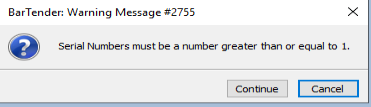
What am I missing? Any thoughts?
Forgot to add that I am running BarTender 2022 R8 (Soon to be upgraded to 11.8)
0 -
Are you using an Event Based VB Script? Be sure to do that and pick the appropriate event where the values will be set when the VBS evaluates them. You might need to experiment a little. If I were to guess, the script is running before the values from the data entry form set the named data sources. Therefore, the script executes on the default values you have. Test this by using different default values to see if you get a different result.
FYI: In early 2026 we will be launching our next generation of Intelligent Forms that will make the implementation of such forms based functionality a whole lot easier, more flexible, powerful, and performant. To begin the feature set will be limited, but we plan on iterating quickly to build that up. The legacy forms capability will remain in place for existing documents.
0 -
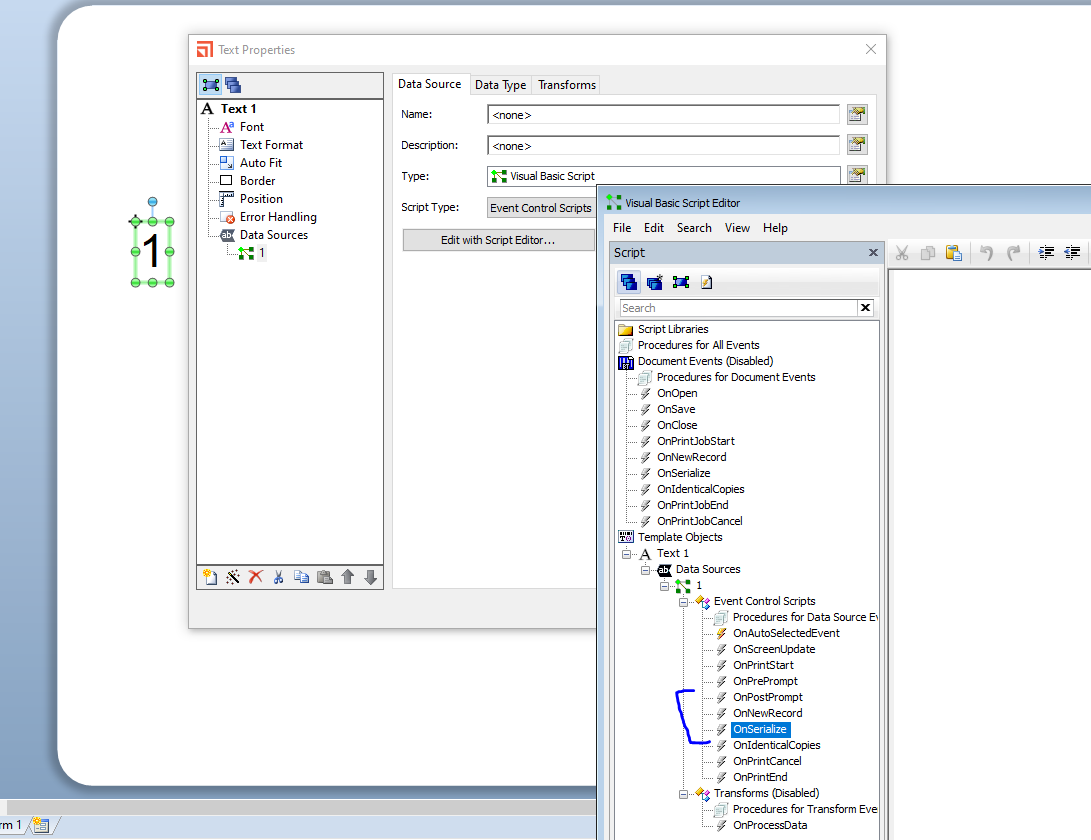
Have you tried making the VB and Event Controlled Script that runs on or before the OnSerialise event but after the OnPrePrompt as it could be the VB is being applied before the data has been entered
 0
0


Please sign in to leave a comment.
Comments
6 comments