Serialized 20 Barcode And Text In Single Label

Hi,
I would like to insert serialized into 20 barcode and text, eg: 000001,000002,000003,000004,000005,...but the problem is all the 20 bar code are in only one single label (attach picture), could you mind help advice the way to insert the serialized into 20 bar code to one single label
One more question is the serialized is 1st row finish, and continue to next row as you can see in the picture, how do i set the setting to let bartender understand after the 1st row finish, and continue the serialize number in another row?
I'm appreciated your fast reply.
Thanks,
I would like to insert serialized into 20 barcode and text, eg: 000001,000002,000003,000004,000005,...but the problem is all the 20 bar code are in only one single label (attach picture), could you mind help advice the way to insert the serialized into 20 bar code to one single label
One more question is the serialized is 1st row finish, and continue to next row as you can see in the picture, how do i set the setting to let bartender understand after the 1st row finish, and continue the serialize number in another row?
I'm appreciated your fast reply.
Thanks,
0
-
I would make the first bar code (Top Left) serialize by 20 every one label. Then in turn, script each of the other 19 barcodes to add to that one. For example, the second barcode would be "Barcode + 1" and the next "Barcode + 2" etc. 0 -
Is there any particular reason why you wouldn't configure your label with just the one barcode and X number of labels on the page with the label order running vertically instead of horizontally? See the attached graphic. 0 -
Hi Lan C,
Ya, i have configure the label design according to your lesson. It's work well, thank you.0 -
I'm sorry for bringing this post back to “life” per se, but how is this done? What lesson was provided?
0 -
You could probably achieve this more simply now.
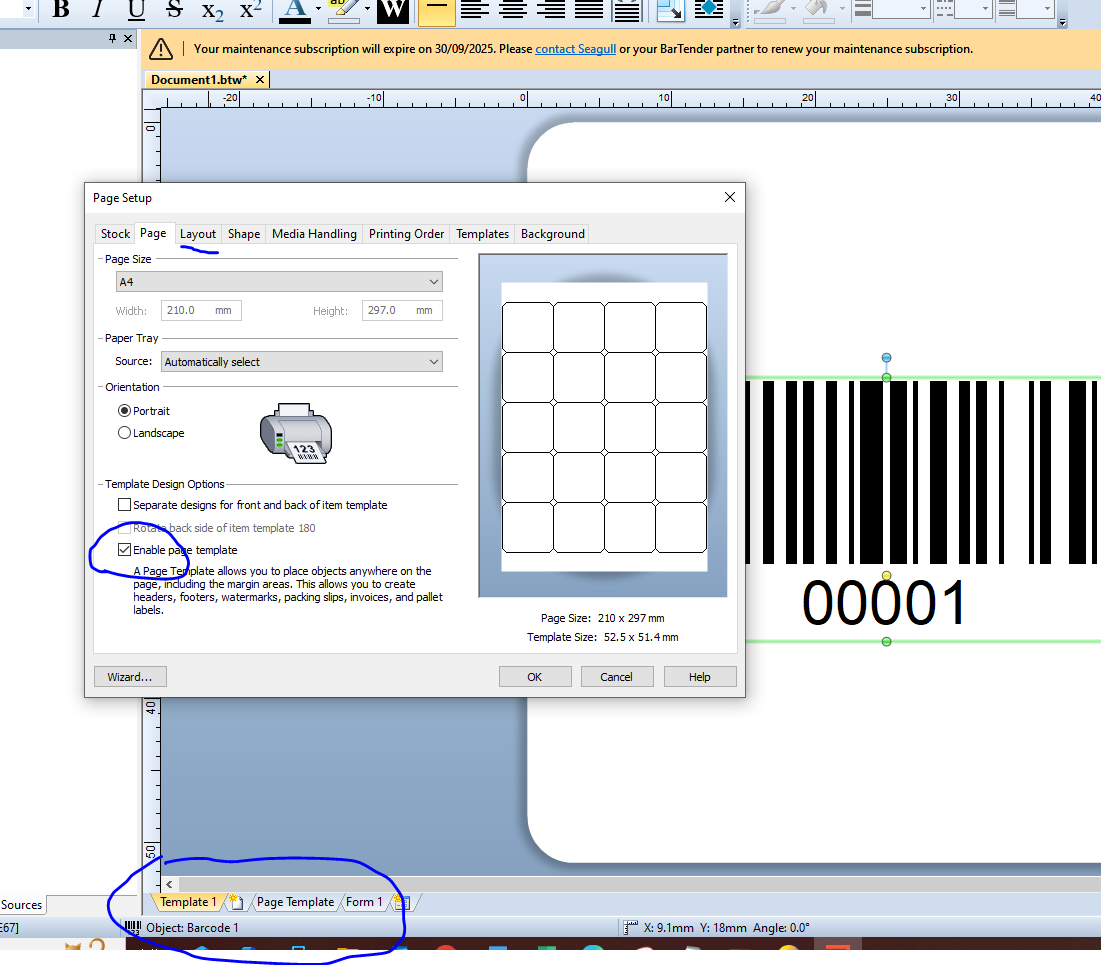
In your Page Setup enable the Page template option and on the layout configure your individual label sizes. Add your barcode field set to increment on to Template 1 and, if required, add any information you require to the top and bottom of the Page Template.
With 24 labels set to print your labels would look like this
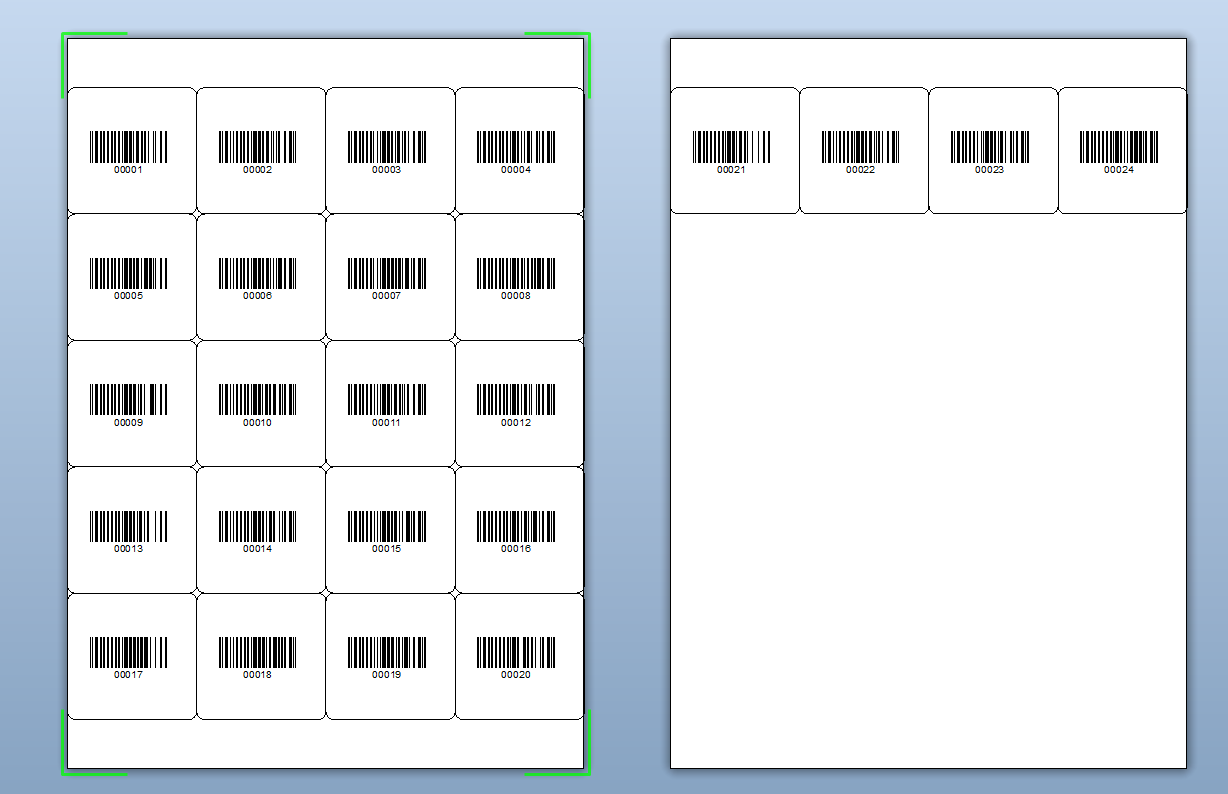 0
0


Please sign in to leave a comment.
Comments
5 comments