Brady IP300/600 Driver Discrepancies

Comparing the Seagull drivers for the Brady IP300 and 600 printers, somehow BarTender is able to determine that these are thermal printers, and that the minimum X Dimension should be 3.33/1.67 mils. However, using Brady's print drivers for the same printers, these printers are assumed to be inkjet, and the dot spread compensation is added, making the minimum X Dimension 5.0/2.5 mils. Even going into the BarTender Administration Console and overriding the default settings for the Brady printers, and setting them to Thermal, the Dot Size X and Y can only be set to tenths (3.3/1.7 mils) and we're losing the hundredths place.
How is the Seagull driver setting and communicating this default information? How can I improve the Brady drivers so that the defaults are more correct? Specifically, I'm implementing some new Brady print drivers, for printers that do not have Seagull driver equivalents, and our drivers work great in many apps, but have bad default behavior in BarTender.
-
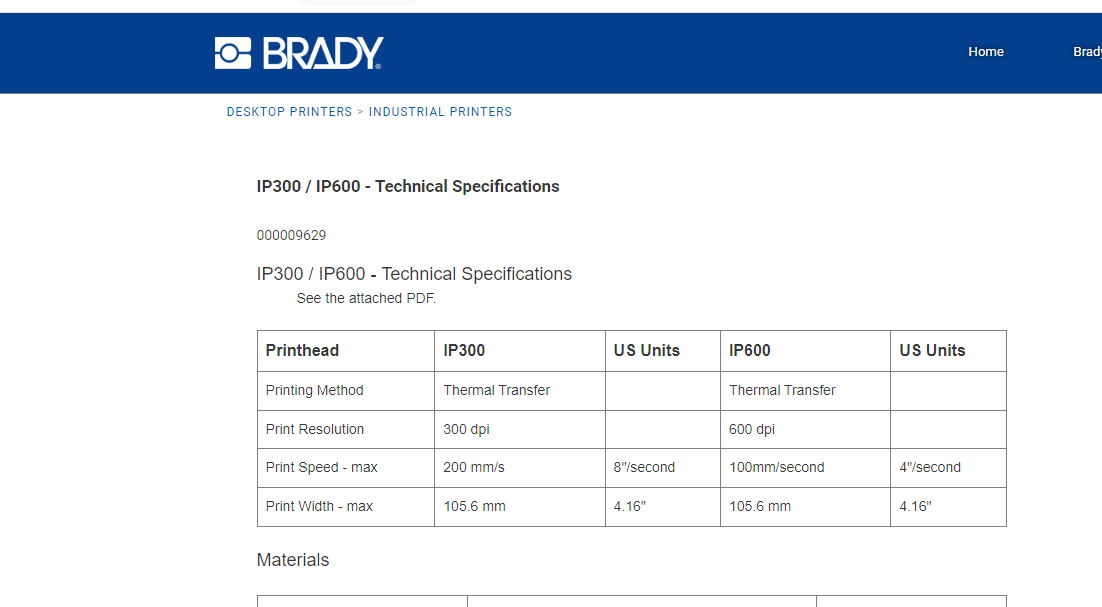
Confused according to Brady's website they are thermal transfer printers:
 0
0 -
Peter Thane That's precisely it. They are thermal printers. But Bartender isn't aware of them being thermal printers unless you use the Seagull drivers. They default to inkjet printers otherwise, which unfortunately results in dot spread compensation being applied incorrectly.
How are the Seagull drivers communicating this? The Windows V3 printer driver interfaces (DrvDeviceCapabilities, DrvConvertDevMode) don't seem to have any mechanism for communicating printer technology. Does Seagull include custom configs with their drivers that Bartender knows to go read outside of the Windows interaction layer? Can I make configs like that to ship with the Brady drivers? Or is Seagull using V4 drivers that maybe provide more capabilities?0 -
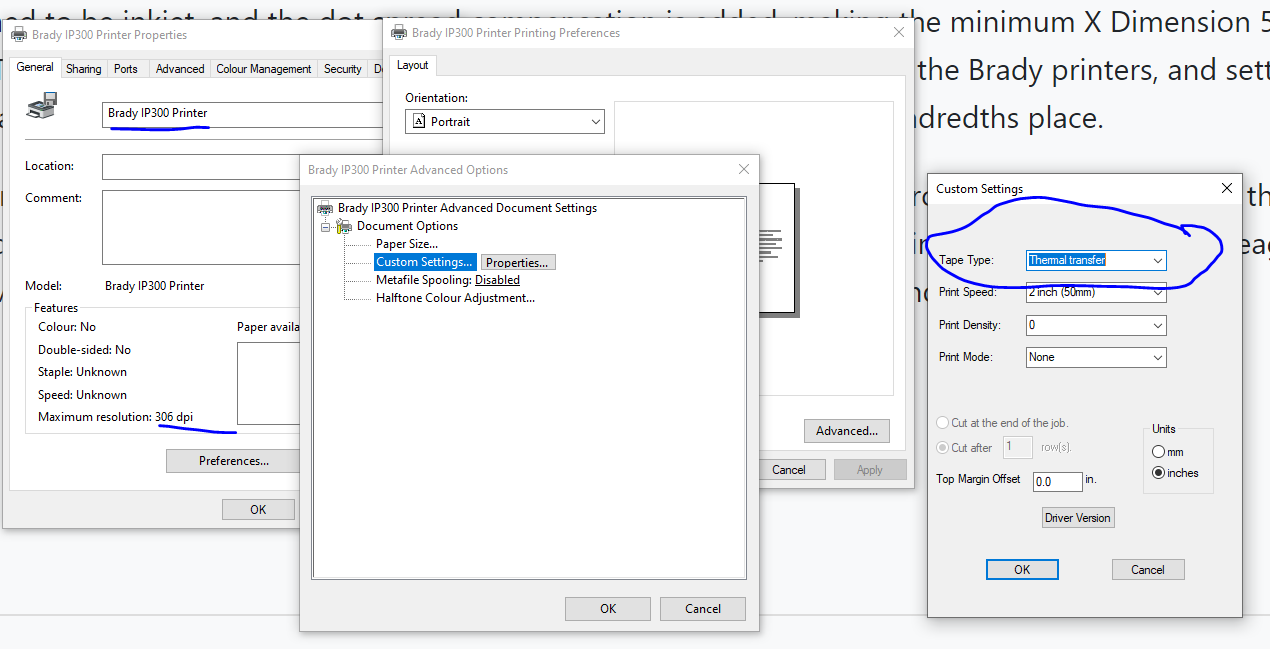
So what you are saying is the Brady drivers assume they are inkjet but the Seagull drivers think they are thermal transfer, which according to the printed spec is correct? Saying that I have just downloaded and installed the latest 3.1 Brady drivers and they are Thermal Transfer, so I am guessing there is something on your system that is causing the issue
 0
0 -
Thanks for the reply Peter Thane.
That's the paper type, not how Bartender views the print technology. Observe these screenshots from the BarTender Administration Console:
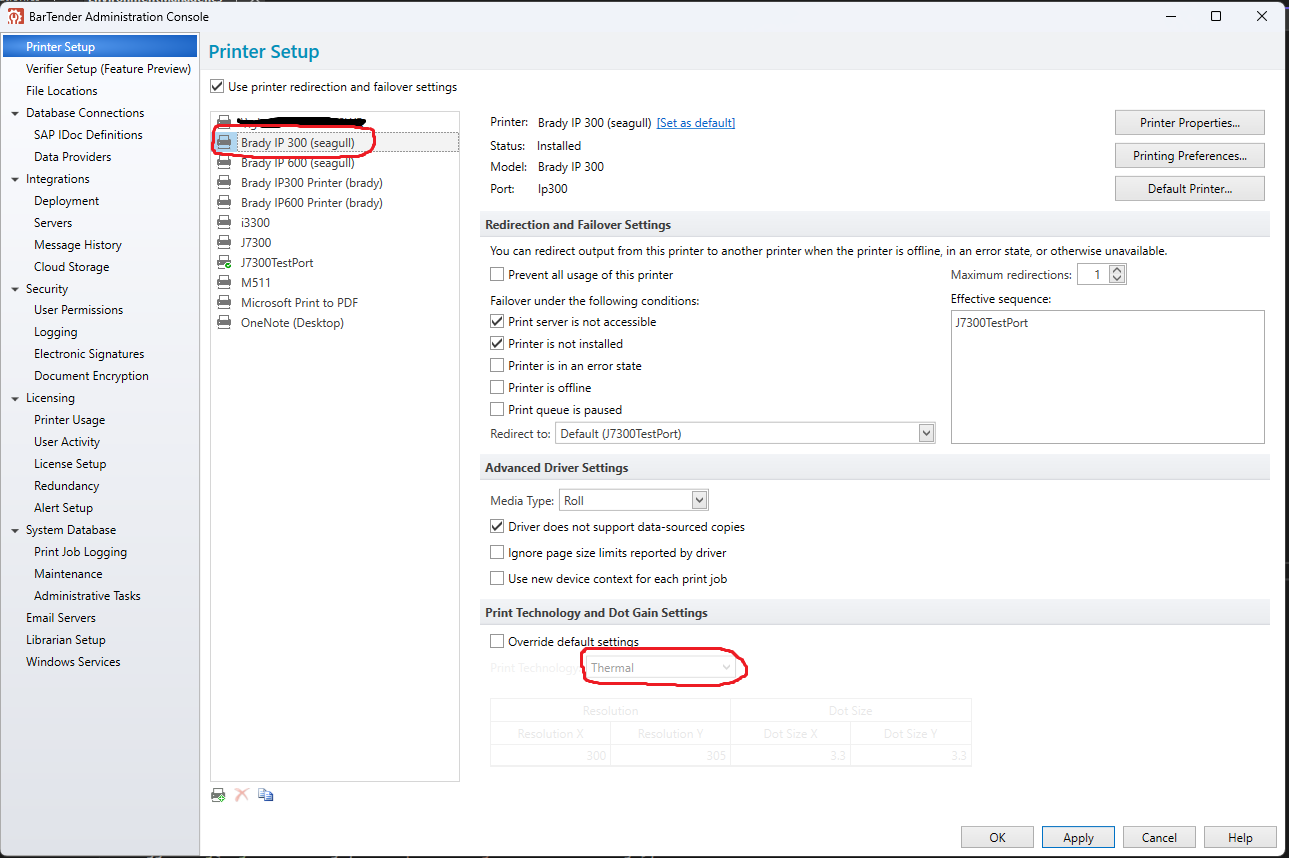
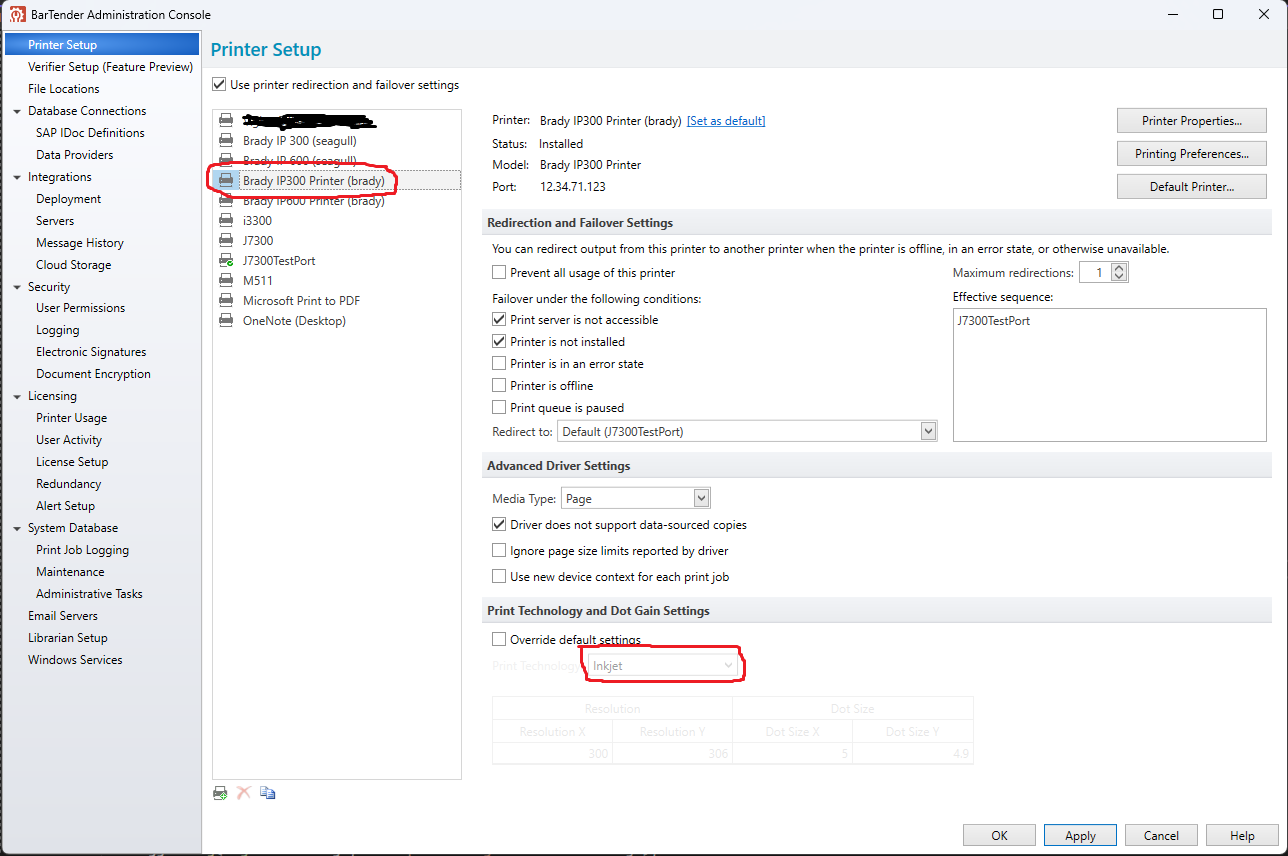
In the latter image, because the default print technology is set to inkjet, dot spread compensation is incorrectly applied. This results in a minimum Dot Size X of 5 mils (should be 3.33 mils). But because the Seagull driver for the same printer correctly assigns the default Print Technology to Thermal, dot spread compensation is not applied, and the minimum dot size is correct.
Now, I have two options for getting the printer to print good barcodes. First, I can override the default settings in the admin console, or second, I can use the Seagull drivers for this printer. But I chose the IP300/600 printers as an example where Brady and Seagull drivers are both available for the same printer. This problem exists in other printers as well, including printers that don't have a Seagull driver available. So the second option doesn't work in many cases.
Overriding the default settings is still an option, but it has its own drawbacks. Not only is it less than ideal to have to communicate to customers that they should go into the Bartender Admin Console and override the defaults for every Brady Printer they want to install on every machine they want to install it on, it also only provides resolution to the tenths place. With the Seagull drivers not applying dot spread compensation in the first place, they have more accurate (hundredths place) resolution in Bartender.0 -
It looks to me like this is an issue you need to raise with Brady as I doubt BarTender arbitrarily decides this setting itself and so there most be a setting somewhere that governs this in the driver.
To me the simple answer is, if one driver is sending incorrect information then use the correct driver. I always recommend to my customers to use, where one is available, the Seagull driver rather than someone else's as that allows BarTender to access advanced printer settings etc that are not available otherwise.
0 -
Thanks Peter,
I suppose I should mention that I'm a software engineer working for Brady. One of our customers is having issues using BarTender with one of our printers. This printer does not have an equivalent Seagull driver. I've been tasked with improving our drivers so that they work better with BarTender. But none of us here on the driver team are aware of any way, through the Windows printer driver V3 specification that our drivers implement, of communicating print technology information to Windows apps. So we don't know how BarTender is querying this information or how the Seagull drivers are providing it. If we can learn more about how BarTender works, we might be able provide these expected responses.
0 -
It sounds like you probably need to raise this directly with Seagull themselves, rather than via this user forum and maybe try and speak to their driver team.
I haven't used a lot of your printers and I appreciate the inkjet/thermal transfer issue may mess this up, but often with other manufacturers you can often get away with using a different printer driver from the same range, with matching dpi, to print to new devices where no driver is currently available etc although sometimes you may need to tweak the start of print position settings or similar to allow for any physical differences.
0

Please sign in to leave a comment.
Comments
7 comments