Template Printing

I have two templates in my label. One template I want to print all of the time except when the field vendor ID is not equal to V1532 or V1615. My other template prints only if the field vendor ID equals either of these values. I used conditionally, based on expression and it looks like this [PRP_VendorID] <> 'V1532' Or [PRP_VendorID] <> 'V1615'. This template prints all of the time. The second template my conditional expression is the same but with equal signs. It prints appropriately. So if V1532 or V1615 is encountered both templates print.
-
Sorry I think I misstated the issue. Template 1 I want to print all of the time except when vendor ID equals V1532 or V1615. The other template I want to print only if vendor ID equals one of these two vendors. I can prevent template 1 from not printing if I use conditionally based on data source. This only allows me to select one of the vendors.
0 -
I encountered something like this a while back where if I had a couple of parameters to check against I could not get the conditional printing to work correctly for some reason and rather than try work out why the logic was not working I just added an VB Script>Event Controlled Script routine (OnNewRecord in your instance) that contained an If...Then...else routine to look for the codes and give one of two values and then used these for the conditional printing.
To do this I added a field onto template 1 (can be offside the label of the label so it doesn't print) and then added the VB into a Named Data Source (CustCheck) in there
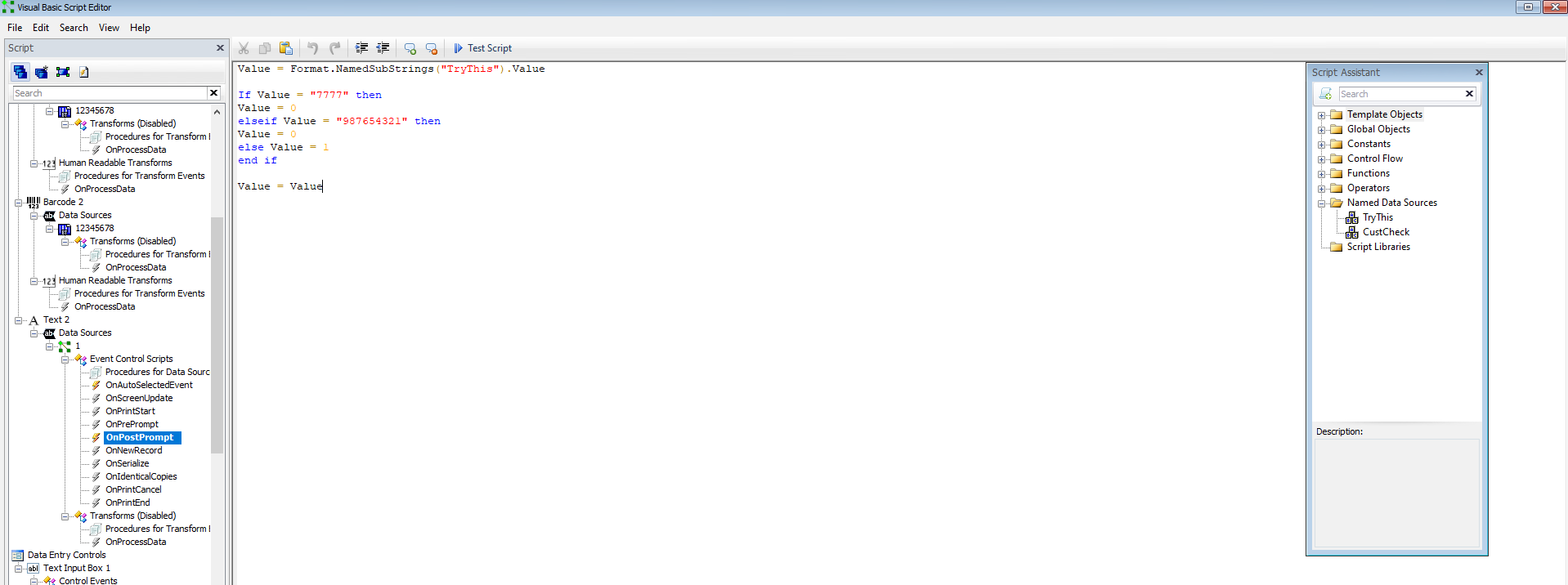
In my example I was looking for a value I typed into a named field ("TryThis") at print time and so had configured it as Post Prompt and for line 1 of the VB had linked upto this Named Data Source in the Value =... field. For you label, you will need to use the OnNewRecord parameter and link up to the Database field that contains the value that will appear in the column on right when you link upto a database.
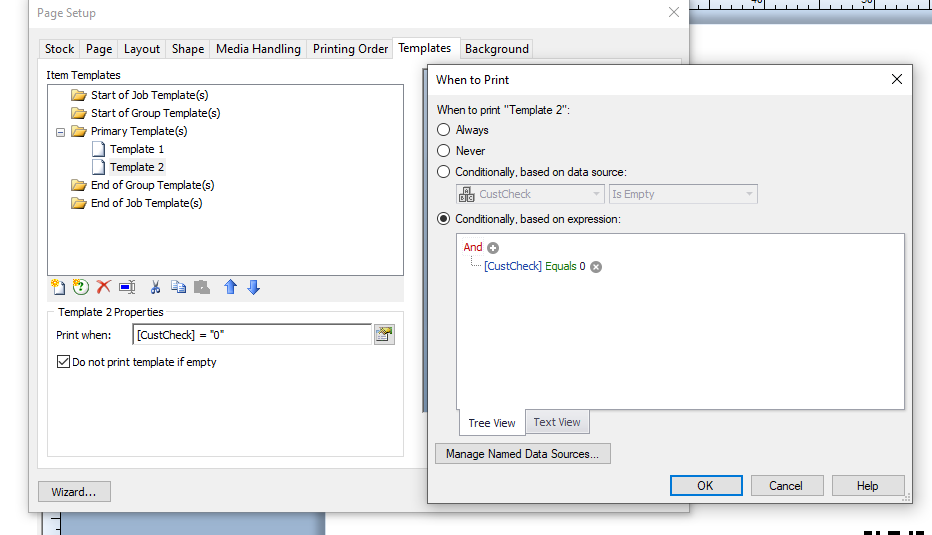
For the conditional printing itself each template uses "Equals" either 0 or 1 as shown below as the control value.
 0
0

Please sign in to leave a comment.
Comments
2 comments