IMAGE IN DATA ENTRY FORM NOT SHOWS THE CORRECT INFORMATION

The image of the template preview does not match the record information.
the price from my template is not correct for the specific record.
it shows 2/4.00 when it 2/7.00 it prints correctly but shows something different
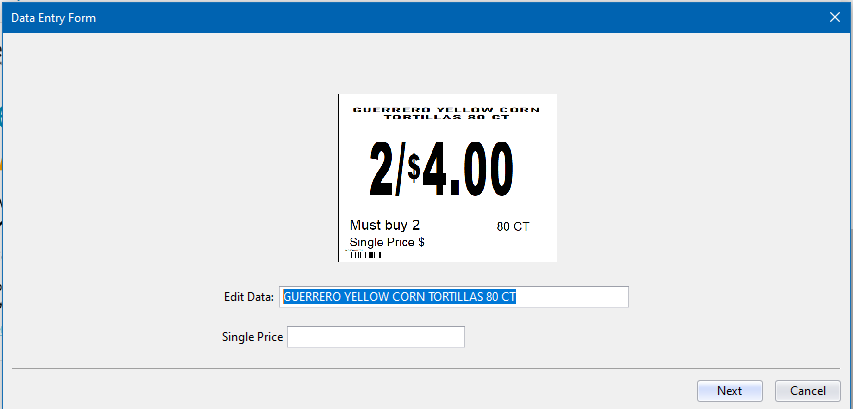
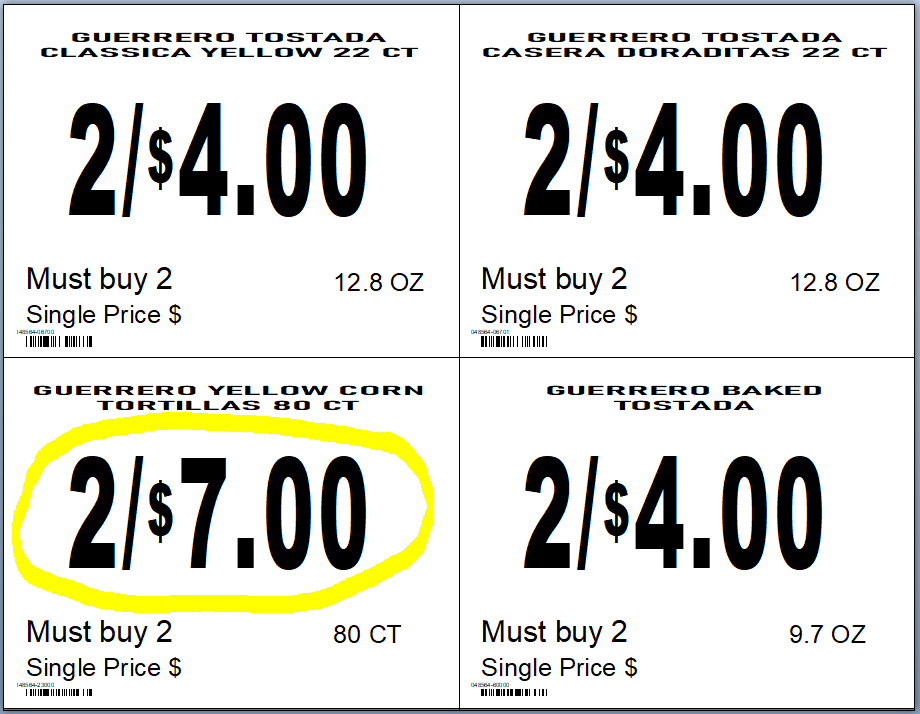
-
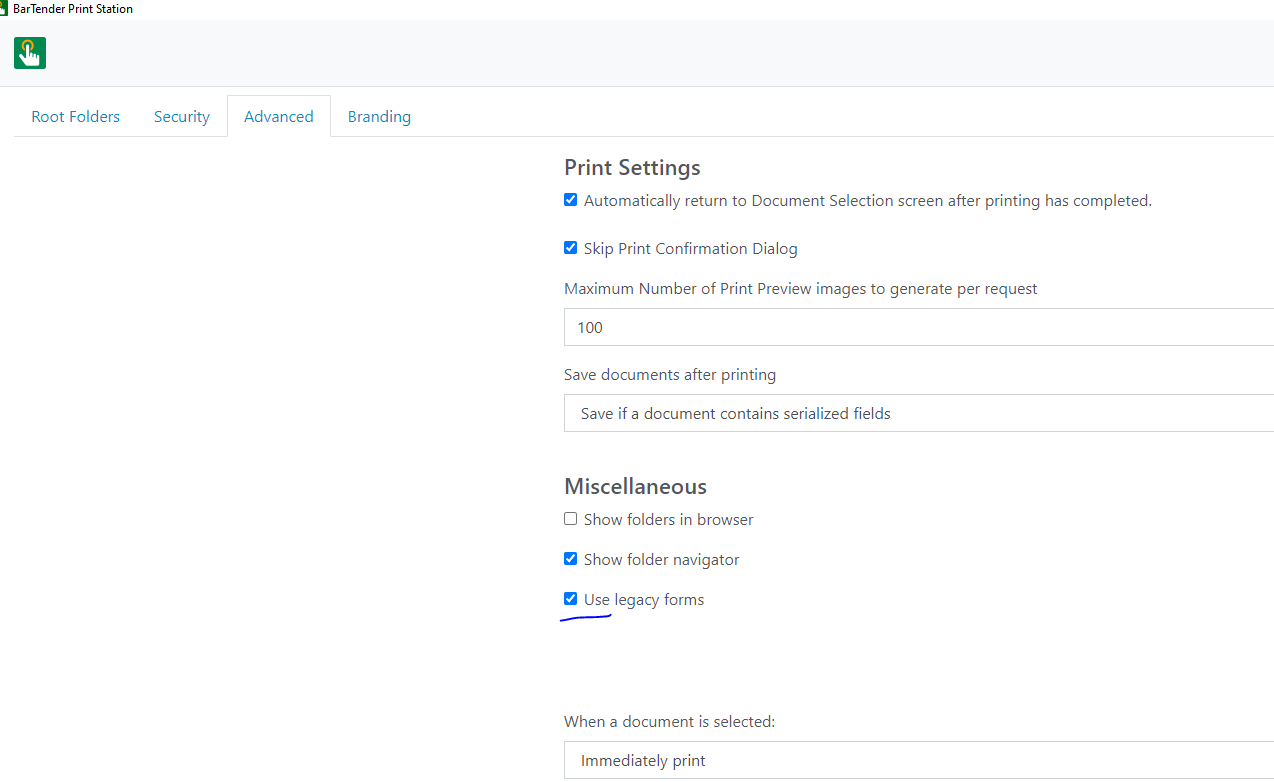
Is that with Print Station in BarTender 2022? If so make sure you have R5 installed and go into the Print Station Admin Settings and the Print Settings and enable Use Legacy Forms and see what that does.
I see to remember coming across this previously, but may be mistaken
Make sure you press Save before exiting the screen
0 -
Is not with Print Station in BarTender 2022 is directly in the label designer.
and this solution you provide does not work on my issue.
Thanks
0 -
Is you picture source set as Preview of Template? Does it only show fixed fields when you open it. ie
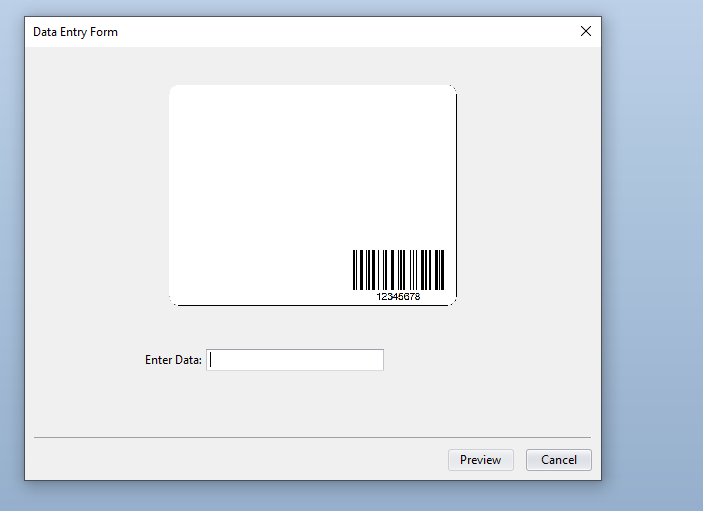
With the database fields showing only when you have entered the query prompt/filter value?
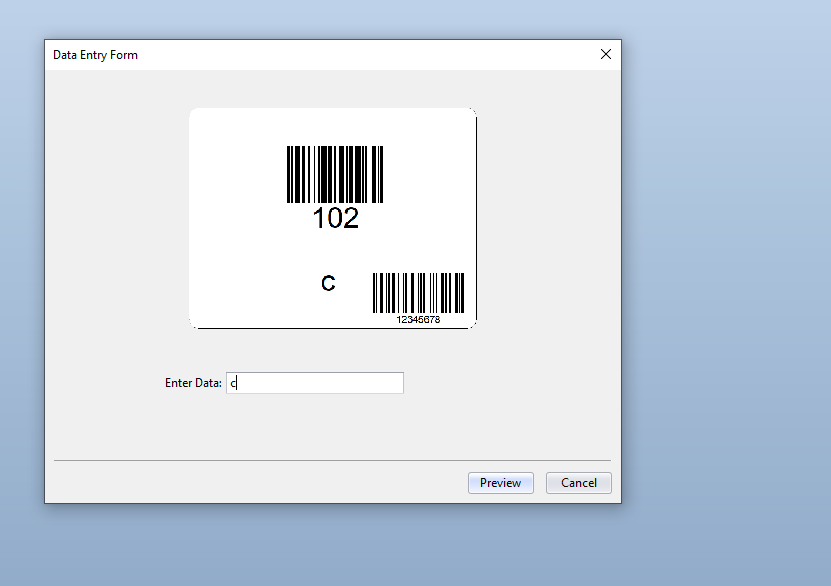 0
0 -
Hi, thanks for the reply,
It has nothing to do with the field at the data entry,
This shows the wrong prices on records 3 and 4 from the database.
I have only 4 records on the database file for testing.
Thanks
0 -
That hasn't answered the question about what you see when you try to print on the Data Entry screen
0

Please sign in to leave a comment.
Comments
5 comments