Write file action unable to update connected database

I'm using a csv file as a connected database. After filing in a form, I've assigned a write file action to a button to append the data the database. However, this doesn't work unless I set a different file as a destination or create a new file name (eg with a time stamp).
Is there a way to get this to work with another action to update the same database file that's connected to my document?
-
I have literally just been working on a project that requires something similar!
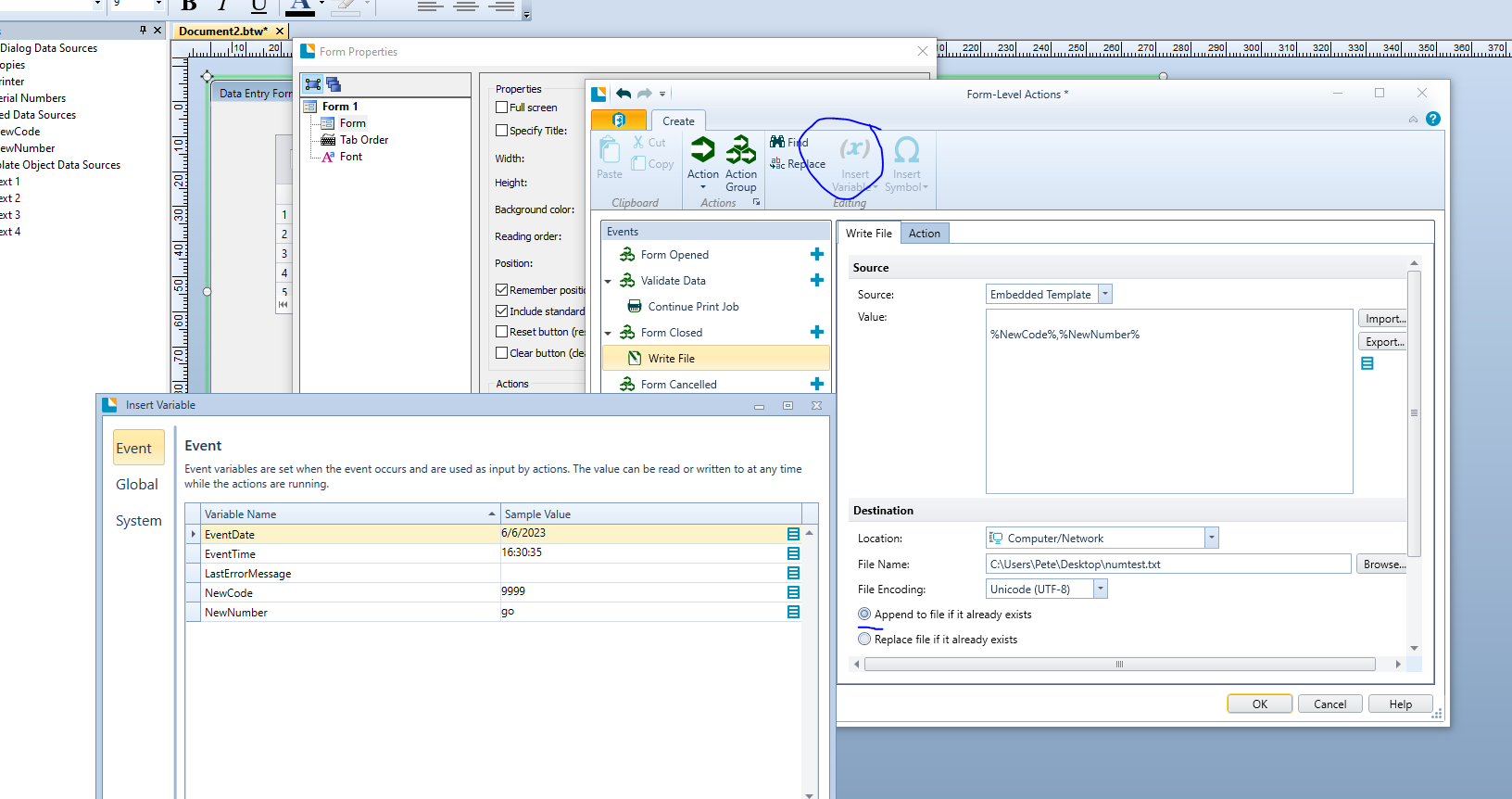
I didn't use a button but add the Write File command at Form Close.
To get this to work I made the new input fields Named Data Sources, NewCode and NewNumber in my case, so that I could then add these via the Variables>Events option.
I changed the Source to Embedded Template and in the Value added a Carriage Return (to make the data appear on a new line) and then add the two variables with a comma between them using the Insert Variable > More Variables and then double clicking on the Variable in the Events table.
At print time this is what I now get:
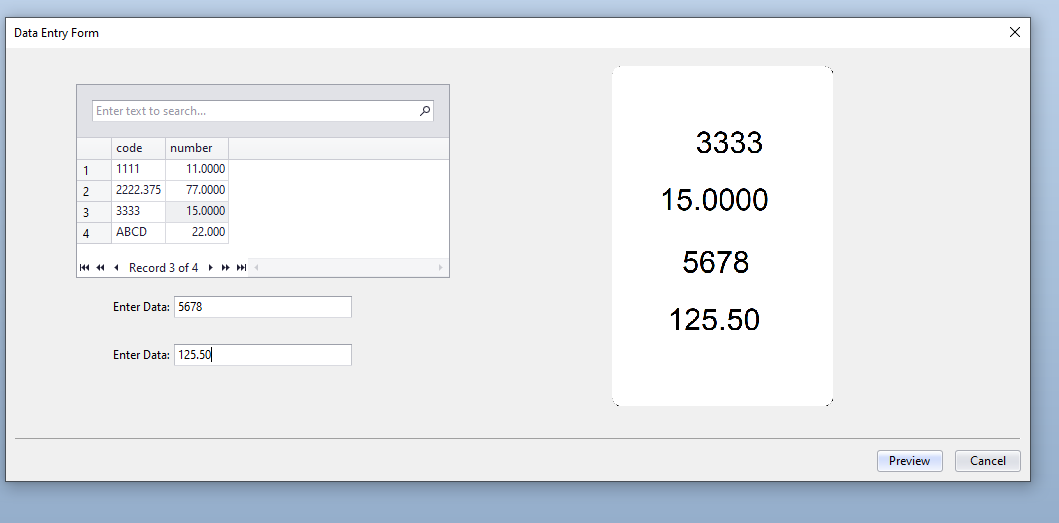
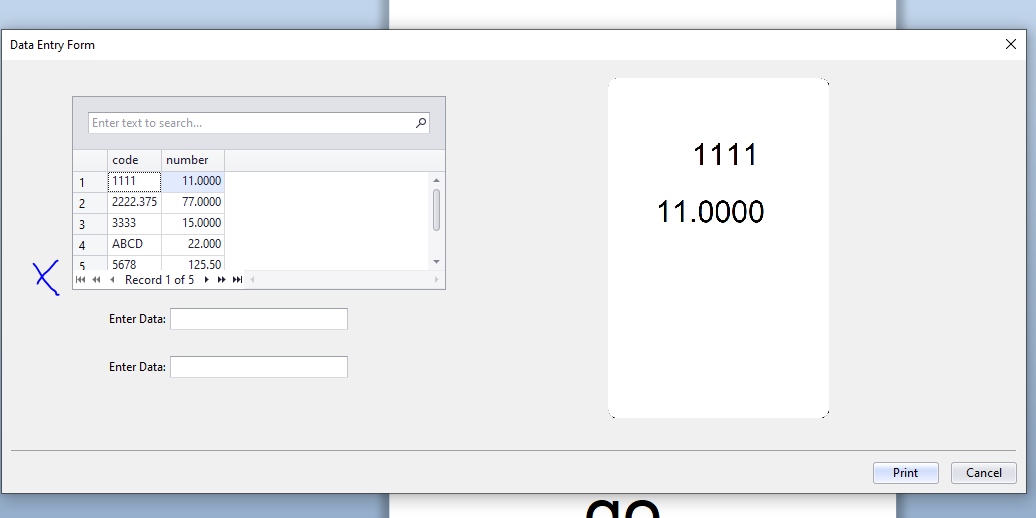
Data Entry form with new record.
 0
0 -
Thanks, this works for me too now. However column 2 for me is a text field that can also contain commas.
Normally I'd use double quotes to keep the commas in one column.
How can you do this in Bartender?
0 -
I have only played a little bit with this action so dont know everything you can do but I know this one!
You just use the speech marks/double quotes in the string around the variable and so you could have something like this
%Variable1%,"%Variable2%"
as you command string
0 -
Perfect. That did it thanks.
0

Please sign in to leave a comment.
Comments
4 comments