IF function on data field

Hi,
Is there any way to have BarTender recognise if a field is a date format and then convert it to the one we want e.g. DD-MMM-YY, else, if it is not a date format continue on to use the text.
E.g. of our data in a xls DB:
Expiry Date
TBA
TBA
1/6/23
20/6/23
If i set the field to convert to date and put the format (DD-MMM-YY) all the TBA fields are blank on the labels. But if i set the field to text i get the exploded date-time in a format we don't want.
Really appreciate any advice
-
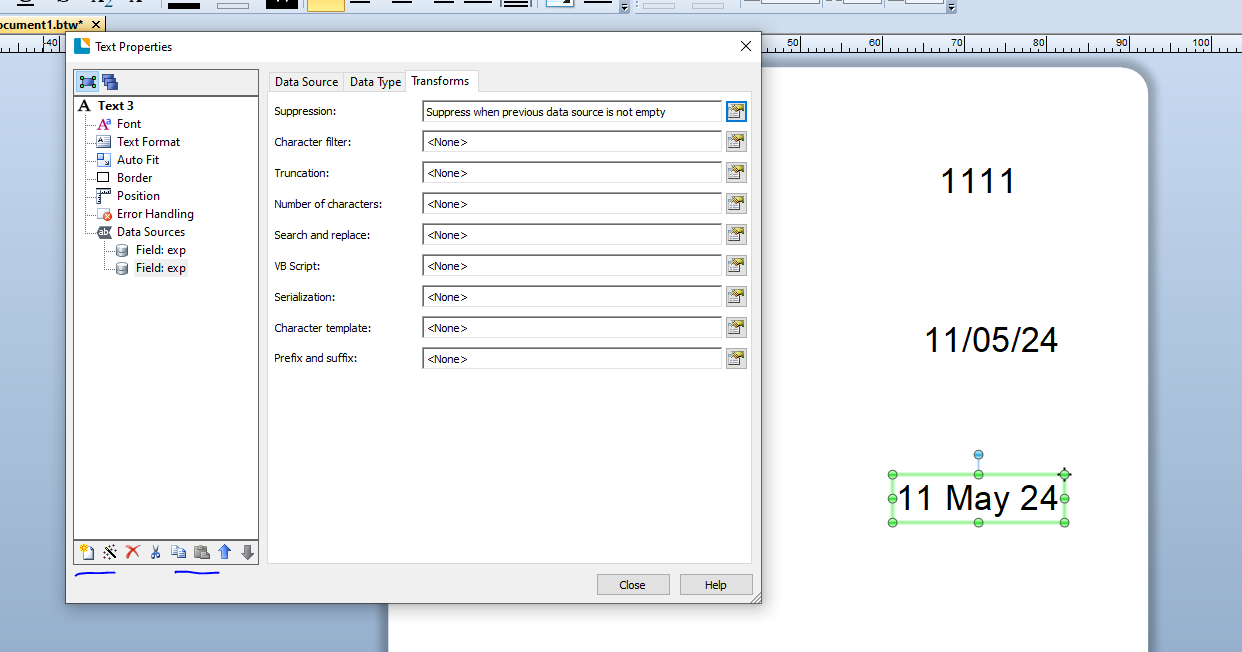
You could create a VB script routine to do this but the simplest way would probably be to add a second substring to your text field both linked to the expiry field in your database.
String 1 should have a Date set as the Type using the Custom format to set it to dd MMM yy
Sting 2 can be left as the default but with the Transform set to suppress the string if the Previous string is not empty.
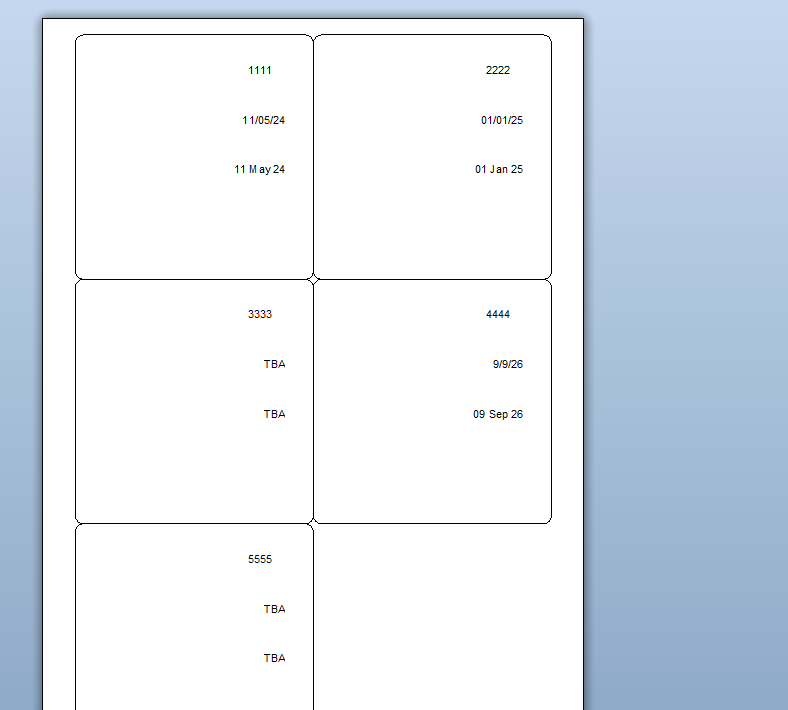
At print time this will result in this (bottom field on the label previews):
 0
0 -
Thank you Pete, what a great idea! that worked perfectly. So much you can do with this software, we don't give it the love it deserves...
Cheers
Dee
0

Please sign in to leave a comment.
Comments
2 comments