Custom number sequence

First, I want to apologize if I'm in the wrong section or if the my problem has already been posted elsewhere.
I have to print (and repeat many times) a sequence of numbers that is not continous. Which is the best way to create this ONLY numeric sequence? In detail:
from 001001 to 001200
from 002001 to 002200
from 003001 to 003200
from 004001 to 004200
from 005001 to 005200
from 006001 to 006200
from 007001 to 007200
from 008001 to 008200
from 009001 to 009200
from 010001 to 010200
from 011001 to 011200
from 012001 to 012200
from 013001 to 013200
from 014001 to 014200
from 015001 to 015200
from 016001 to 016200
from 017001 to 017200
from 018001 to 018200
from 019001 to 019200
from 020001 to 020200
Thanks
Brando
-

Gene Henson
★ BarTender Hero ★
You will probably have to use VBScript for this. Code like this will probably get you started:
Dim currentValue
currentValue = CInt(Format.NamedSubStrings("CurrentValue").Value)

If currentValue = 1201 Then
 Format.NamedSubStrings("CurrentValue").Value = 2001
ElseIf currentValue = 2201 Then
 Format.NamedSubStrings("CurrentValue").Value = 3001
ElseIf currentValue = 3201 Then
 Format.NamedSubStrings("CurrentValue").Value = 4001
ElseIf currentValue = 4201 Then
 Format.NamedSubStrings("CurrentValue").Value = 5001
ElseIf currentValue = 5201 Then
 Format.NamedSubStrings("CurrentValue").Value = 6001
ElseIf currentValue = 6201 Then
 Format.NamedSubStrings("CurrentValue").Value = 7001
ElseIf currentValue = 7201 Then
 Format.NamedSubStrings("CurrentValue").Value = 8001
ElseIf currentValue = 8201 Then
 Format.NamedSubStrings("CurrentValue").Value = 9001
ElseIf currentValue = 9201 Then
 Format.NamedSubStrings("CurrentValue").Value = 10001
ElseIf currentValue = 10201 Then
 Format.NamedSubStrings("CurrentValue").Value = 11001
ElseIf currentValue = 11201 Then
 Format.NamedSubStrings("CurrentValue").Value = 12001
ElseIf currentValue = 12201 Then
 Format.NamedSubStrings("CurrentValue").Value = 13001
ElseIf currentValue = 13201 Then
 Format.NamedSubStrings("CurrentValue").Value = 14001
ElseIf currentValue = 14201 Then
 Format.NamedSubStrings("CurrentValue").Value = 15001
ElseIf currentValue = 15201 Then
 Format.NamedSubStrings("CurrentValue").Value = 16001
ElseIf currentValue = 16201 Then
 Format.NamedSubStrings("CurrentValue").Value = 17001
ElseIf currentValue = 17201 Then
 Format.NamedSubStrings("CurrentValue").Value = 18001
ElseIf currentValue = 18201 Then
 Format.NamedSubStrings("CurrentValue").Value = 19001
ElseIf currentValue = 19201 Then
 Format.NamedSubStrings("CurrentValue").Value = 20001
ElseIf currentValue = 20201 Then
 Format.NamedSubStrings("CurrentValue").Value = 1001
Else
 Format.NamedSubStrings("CurrentValue").Value = currentValue
End If
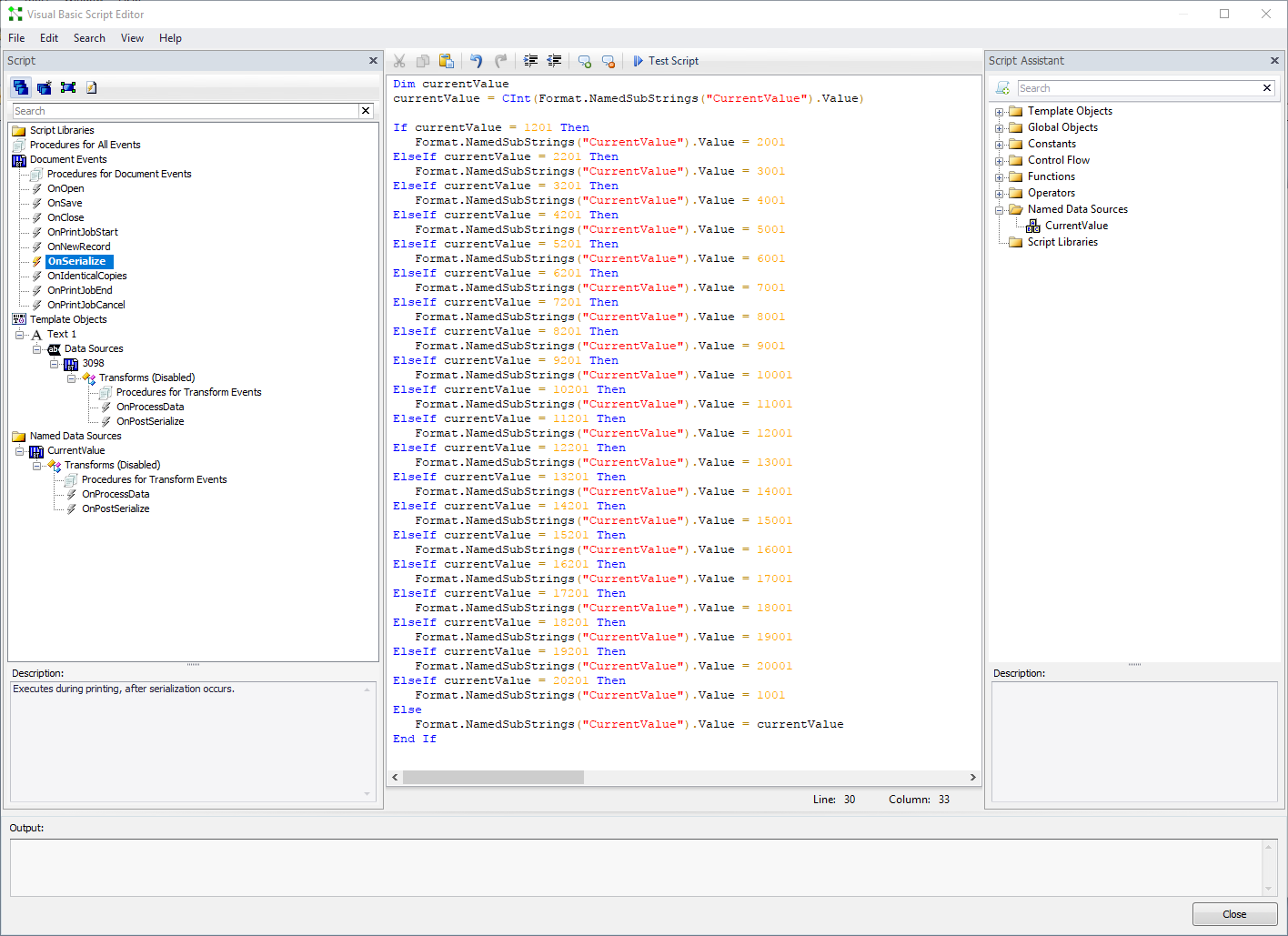
In the template, I have an object set to serialize and have given it a share name of "CurrentValue". At the beginning of the script I create a variable called currentValue and set it to the value of the Named Substring.
I am running the script in the "OnSerialize" event, which causes BarTender to check the data each time it generates a new serialized number.
If the number matches any of the end values (1201, 2001, ....), then it sets the number to the next group.
Here's how it looks in the BarTender Script Editor:
It's not the prettiest solution, and it definitely slows the print job because BarTender executes this script for each serialized number.
I believe you could take this and further refine the script to improve performance.
Writing custom scrips isn't something that we handle through our normal support channels. If you're not comfortable with VBScript, and you like someone to do the work for you, feel free to reach out to us and we can see about getting you some professional services.
0 -
Thanks Gene,
as soon as I'll get back to Rome I'll try it and let you know.
Thanks again
Brando0
Please sign in to leave a comment.
Comments
2 comments