custom sequence

I need to create a bar code sequence in the bartender as shown below. How do I do that? It's possible?
608-01-20, 608-02-20, 608-03-20, 608-04-20...
0
-
Hello Gesiel,
Thank you for reaching us via our Community BarTender Forums!
By creating multiple data sources, you should be able to serialize just one of them so it fits your needs. Here is an example of how it could look:- First, we will need to create three different "Embedded Data" data sources on a text-wrapped object:
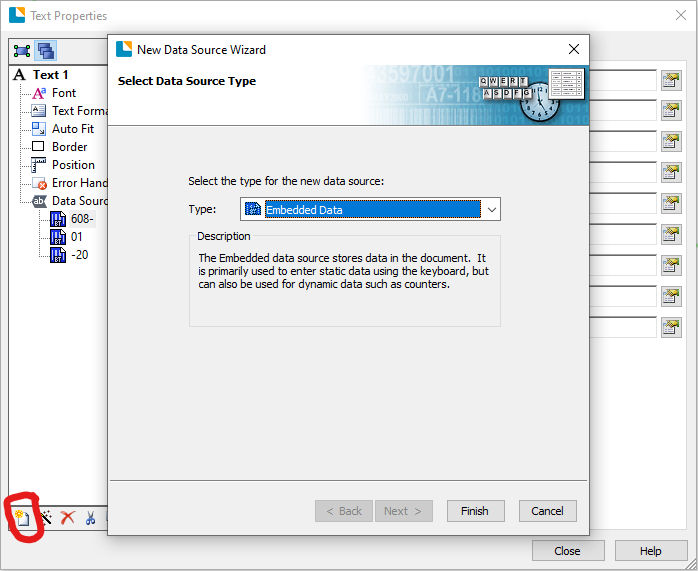
- Once these have been created, we can select the one which needs to be serialized (in this case the middle "01") and by navigating to the "Transforms" tab and selecting "Serialization", we should be able to "Increment" this data source by one:
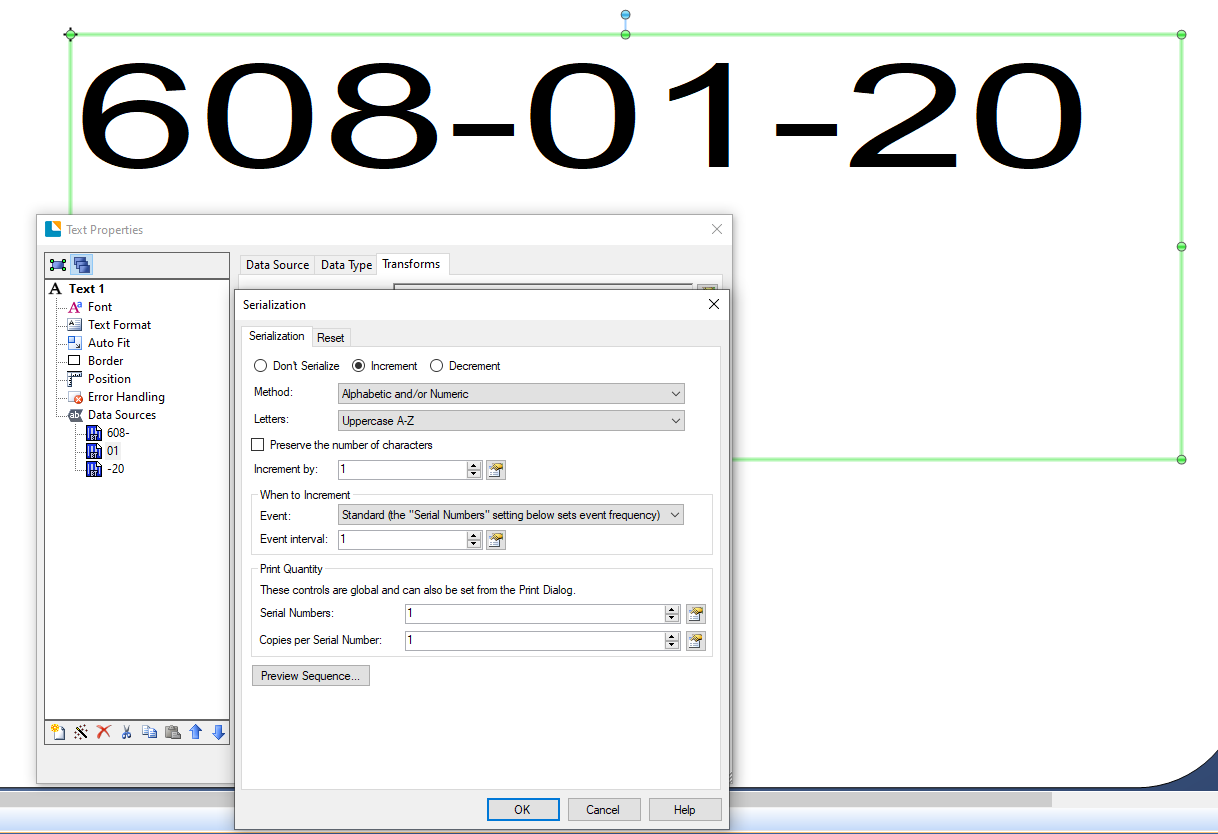
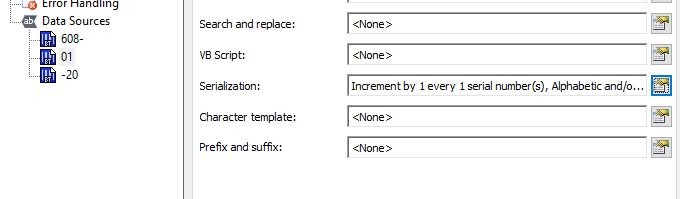
- Now that we have a serialized data source in our label, we can select the number of serial numbers we want to print in the Print menu:

And that should be it. We would also recommend going through our article on Serialization.
Let us know if there is anything else we can help you with.0 -
Perfect thank you!!!!
0 -
You are welcome! :)
0

Bitte melden Sie sich an, um einen Kommentar zu hinterlassen.
Kommentare
3 Kommentare