Pull Data From another file / database when select an item in the Listbox

Hello all,
I'm trying to achieve a label printing workflow using bartender form. I’m struggling in one last step.
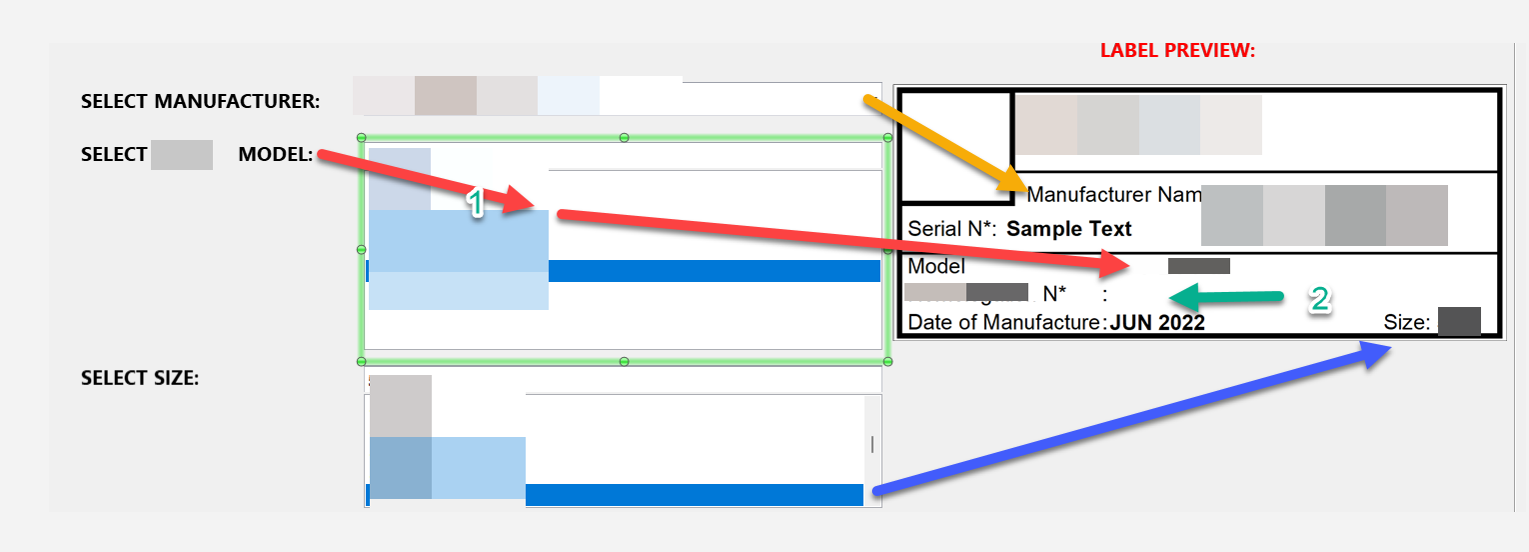
I have multiple list-boxes which adds text on the label based on the user selection as showing in the blow screenshot. I’m struggling in one step, where, when "Select *** Model" is selected it shows that model in the Model: XXXX as shown in the label preview, this is correct.
Now the hard part is, I want to a Model Number to be listed in the below text label (The one marked in GREEN) based on what I selected from the first step.
If the model I select = TESLA then Model: TESLA, the same time I need Model N*: "TESLAXX0011" should appear in the below text box.
Is there any easy way to achieve this?
Thanks, a lot.
-
Hi NCS,
Welcome to the BarTender Community!
If I understand correctly then, this Model N* field on the label would be composed of a database field you've selected in a form at print time (which in this example would be "TESLA"), and an ID number of sorts (in this case "XX0011").
I believe we should be able to achieve this by having multiple data sources in the Text Properties screen in the template: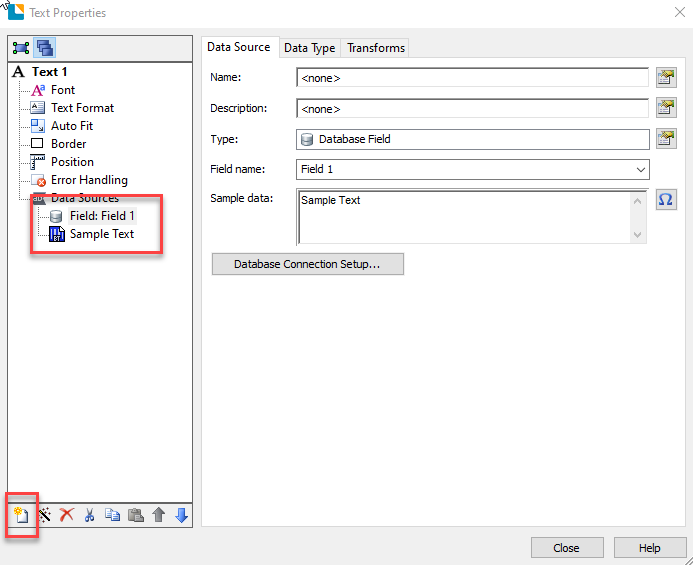
This way we should be able to create a wrapped text object comprised of multiple data sources. We have a video on the subject that we would recommend reviewing.
Hopefully, this information will be of help, if not, please feel free to reach us again!0

Bitte melden Sie sich an, um einen Kommentar zu hinterlassen.
Kommentare
1 Kommentar