Print labels from an Order

Hello,
Id like to Print specific Labels from an Order.
I used to be close, but now I've got a knot in my head. I've been practicing for 4+ hours.
I have 2 tables.
Once a table with the article data such as barcode etc.
Once a table with the order data.
Unfortunately, I can't manage to select the order in a data entry form and print the items in it (they would then have to be filtered)
I want a Data Entry Form where I first select the company and then the order number.
After that, Bartender should print the items according to the quantity in the order.
It seems I can't correctly link the tables, set...
Any Idea or help?
-
Well i got really far since the last Post.
I now have another problem: All templates etc. are ready and if I enter the quantity per label, it works wonderfully.
I would now like to print the quantity from the order per label, but Bartender always tells me that the quantity is zero.
Why is that?
For the number I used a database field or a named data source. Both don't go.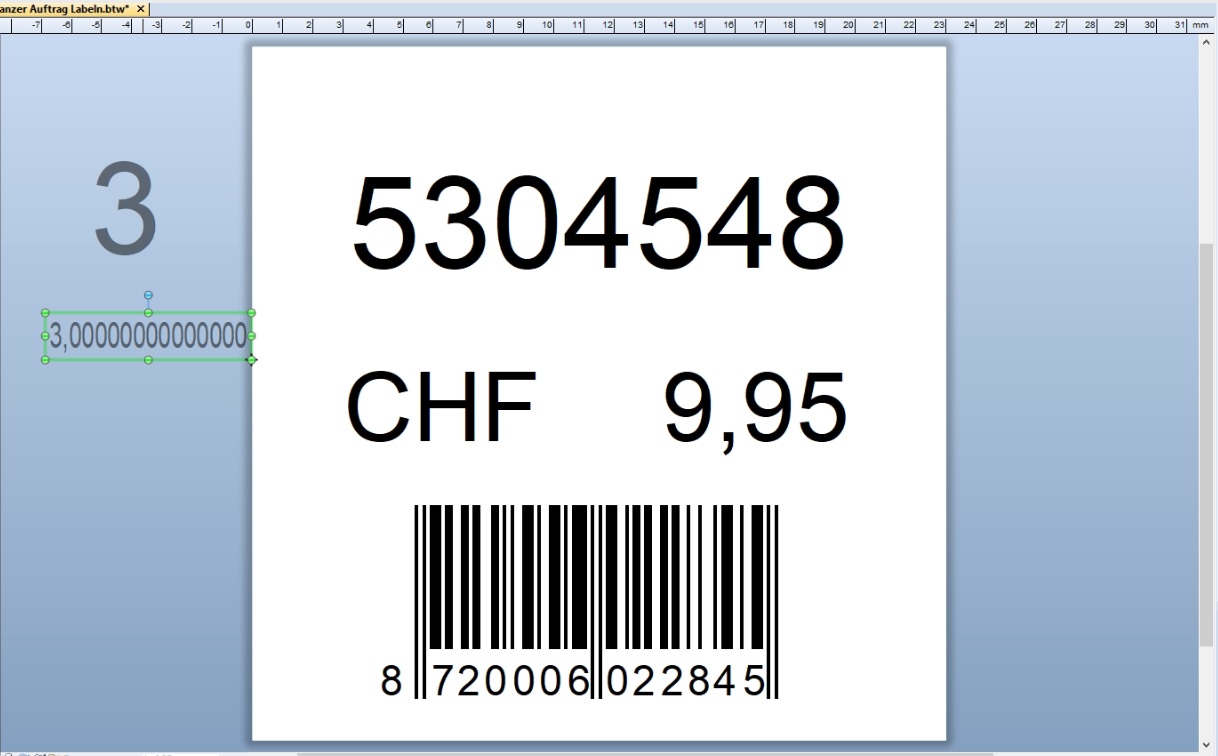
In this picture you can see the number once as a raw dataset and once as a named data source (left 3)

Printing is "Always" (Immer)
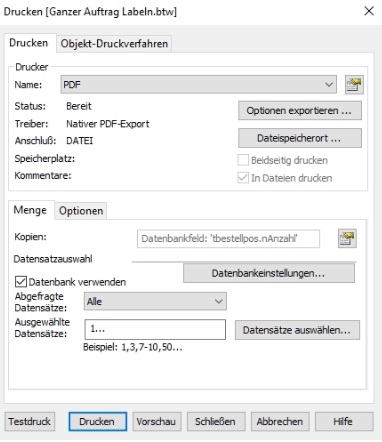
In copies the database field is selected
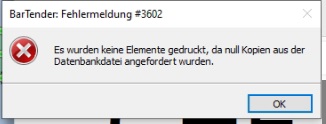
Error #3602 error message always comes when I select a database field in copies
(no items were printed because zero copies were requested from the database file.)
What im missing?
Thank You0 -
Hello Erwin,
Thank you for reaching us via the Community Forum!This error message might be a bit misleading as it has nothing to do with the print quantity or number of copies per serial number. Instead, this error message has to do with a conditional print statement on the template itself.
Go to File > Page Setup and click on the Templates tab.
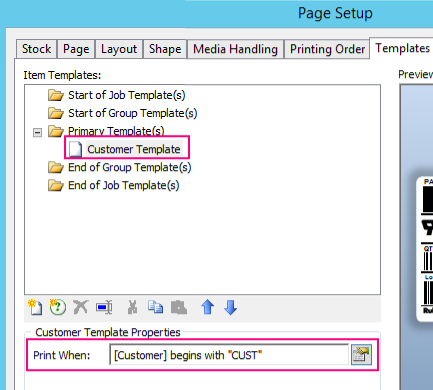
Take a look at the conditional statement set here. For this example, the Customer field must begin with CUST.
What causes this error is that no records in the connected database meet this condition to print. So for the example, there are no rows in this database that have a Customer field that begins with CUST. This means that there is nothing for BarTender to print.
Consider removing or changing the conditional statement or adding a row in the database that matches the conditional statement. Once that is done, the error message should go away.
I hope this information is of use to you; if not, please, feel free to reach us again! We are always happy to help :)0

Bitte melden Sie sich an, um einen Kommentar zu hinterlassen.
Kommentare
2 Kommentare