Printer Usage Details - bartender 2021

Am over on license counts from people selecting the wrong printers. Now there are printers that are denied that I need licensed. In previous versions we could check the box for licensed and another to remove licensed (in printer usage details). I'm assuming now it has to wait out the 7 days?
-
Hello David,
Welcome to the BarTender Community!
You are correct, as long as these unwanted printers remain unused, their allocated licenses will eventually return back to the pool after 7 days. As a safety measure, BarTender will license extra licenses for a 30 day grace period; however, once the grace period ends, you might experience error 1401 when printing with other printers. If this is the first time you are experiencing this error, we would recommend opening a new ticket with us and discussing your setup with one of our Support Engineers, as they might be able to provide you with some insights so you don't experience this issue in the future.
We would also suggest reviewing our white paper on Printer-Based Licensing as well our article describing Error 1401.
I hope this helps!0 -
... as a tip, you can block users from printing to specific printers by blocking them in the licence, via the main Admin Console > licencing section, or else in the Printer Setup page on the individual computers
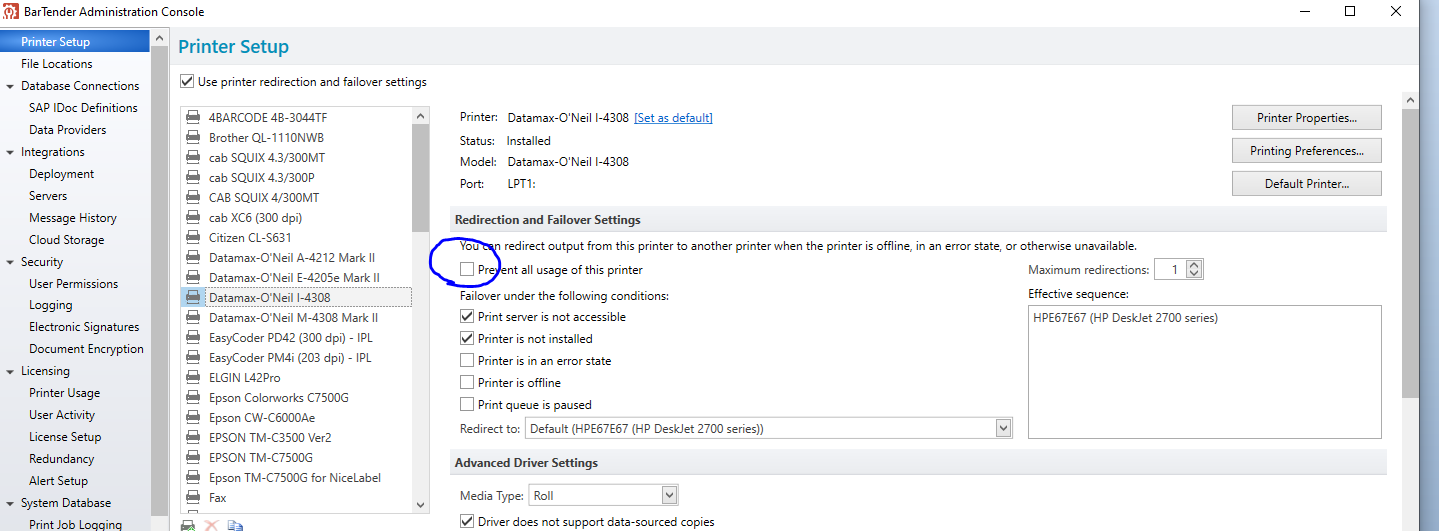
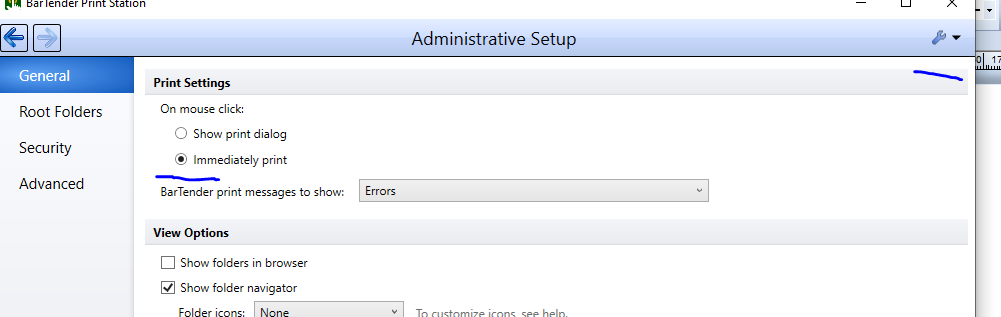
If you are using Print Station, if you add the Number of Labels entry as an input on a Data Entry Form and set Print Station to Immediately Print, then the printer selection screen will not appear and BarTender will use either the printer used to design the label or else the default printer on the PC. Note: In the Admin Console > Printer Setup shown above, you can specify the default BarTender printer, which can be different to the Windows default device.
 0
0


Bitte melden Sie sich an, um einen Kommentar zu hinterlassen.
Kommentare
2 Kommentare