DB Field, Search total number of Characters (or will fit in Specified space) if not replace with Text

Is there an easy with to say if the length of the DB field to go into a designated space is too long, replace the entire contents or part of contents past x Characters with Specified Text ?
it looks like Search and replace should do this however I cannot find anything in it to say too large for area or past x characters, VB Script is not my forti else this looks like the backup option?
-
I think you would need to use VB to be honest.
This should do the job, I hope, although as the data is coming from a data base you would need to set the VB to an Event Controlled Script routine, set to OnNewRecord:
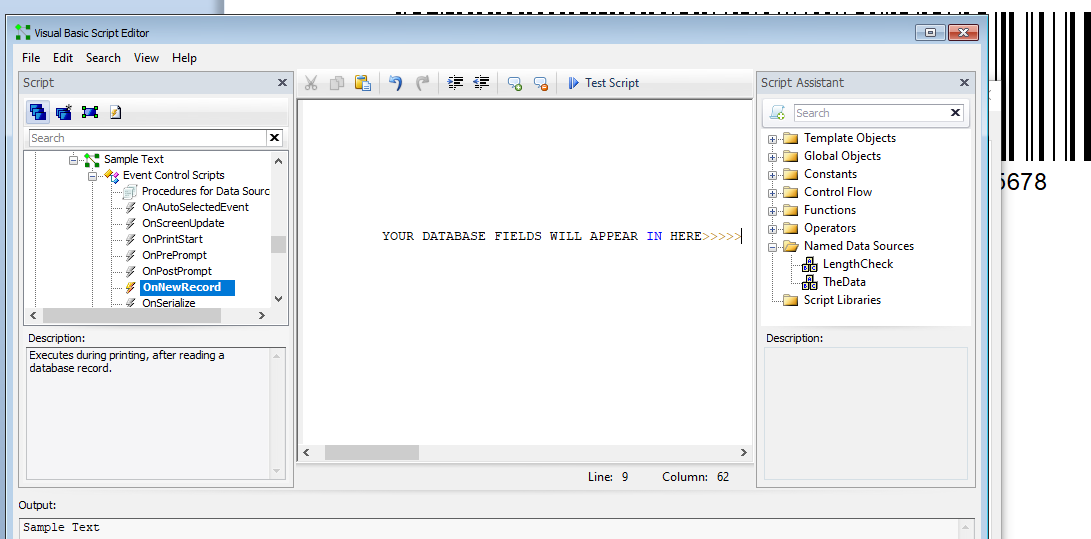
(My test label is not linked to a database but I have added a Named Data Source, "TheData" instead.)
To Replace the full contents then you could use a VB routine like this:
Value = Format.NamedSubStrings("TheData").Value
Value1 = Len(Format.NamedSubStrings("TheData").Value)
If Value1 > 15 then
Value = "Too Long Matey"
else
Value = Valueend if
Note: This is set to replace a string that is 15 characters long. To connect the commands to your Database field for the 1st two lines type in the Value = or the Value1 = Len( and then from the column on the right double click on your database field name to add that to the script. For the Len command make sure to add a ) closing bracket afterwards.
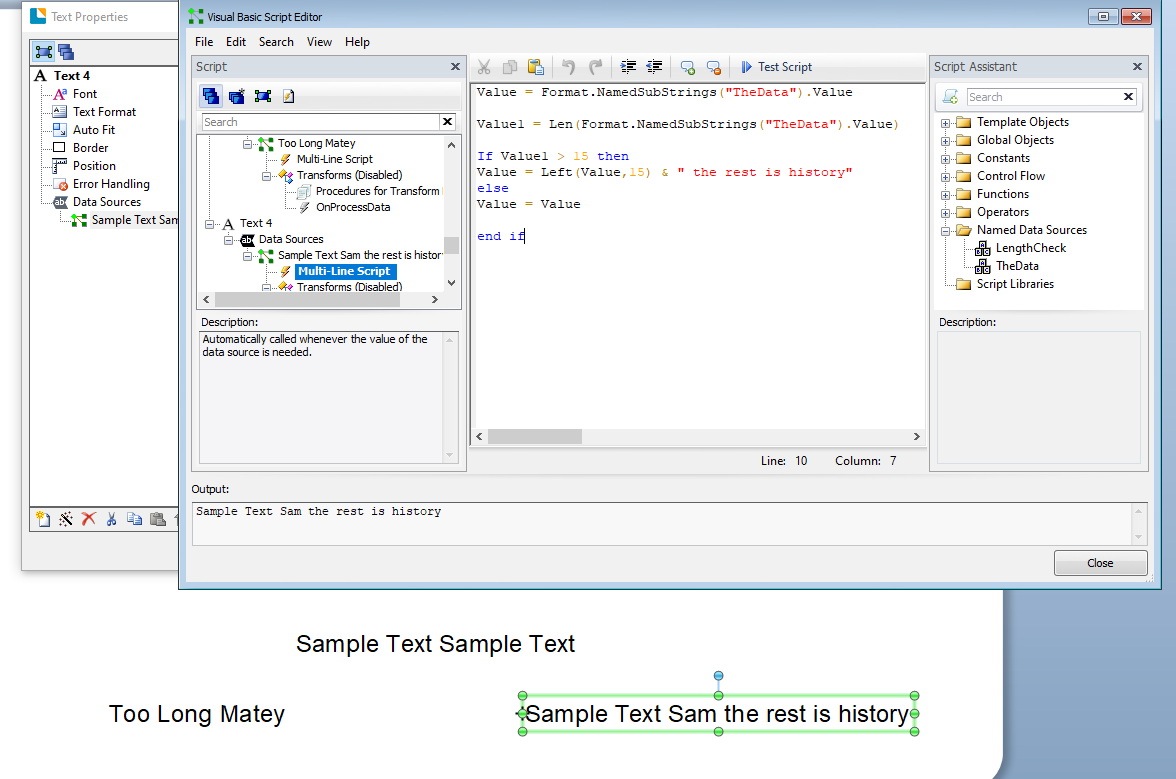
To restrict the length and then append a comment then you could use this code
Value = Format.NamedSubStrings("TheData").Value
Value1 = Len(Format.NamedSubStrings("TheData").Value)
If Value1 > 15 then
Value = Left(Value,15) & " the rest is history"
else
Value = Valueend if
 0
0 -
You Sir, are worth more money thankyou!
0

Bitte melden Sie sich an, um einen Kommentar zu hinterlassen.
Kommentare
2 Kommentare