EPSON 7520G black dot on non-printing area

The printer always print mirco black dot on non-printing area when I using seagull driver
but it never happen for EPSON factory driver. Any clue?
0
-
Hello Keith,
Thank you for reaching us in our Community Forums.
Could you tell us what Drivers by Seagull™ version of the EPSON driver are you using?
You can find this information by opening BarTender Designer and clicking on the Print menu: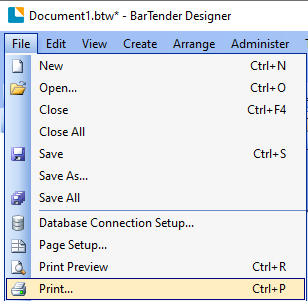
Then selecting the Printer Properties menu tab and clicking on "Version...":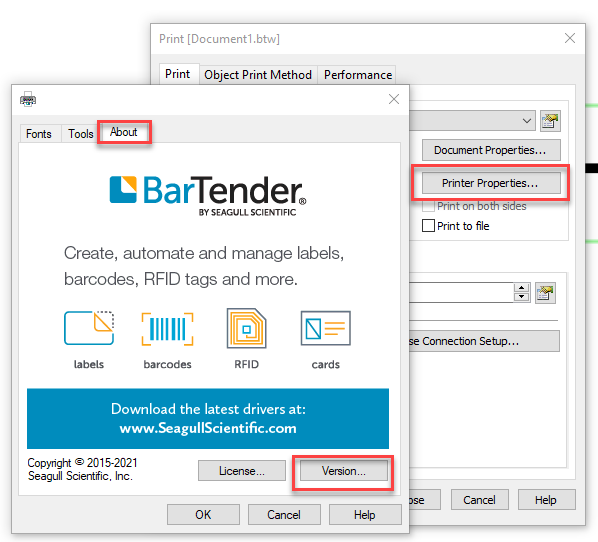
In the meantime, I would recommend reviewing our article on Troubleshooting Printing Issues.
Thank you in advance.0

Bitte melden Sie sich an, um einen Kommentar zu hinterlassen.
Kommentare
1 Kommentar