Data entry form advice

I would like to ask for advice for printing price labels.
The goal is to be able to select product from a database or enter data manually when nothing is selected (or edit/manually override data/text of entry which was selected).
The label is simple:
- product name (connected to database SHOPITEM/PRODUCT)
- barcode (SHOPITEM/EAN)
- price (manual entry)

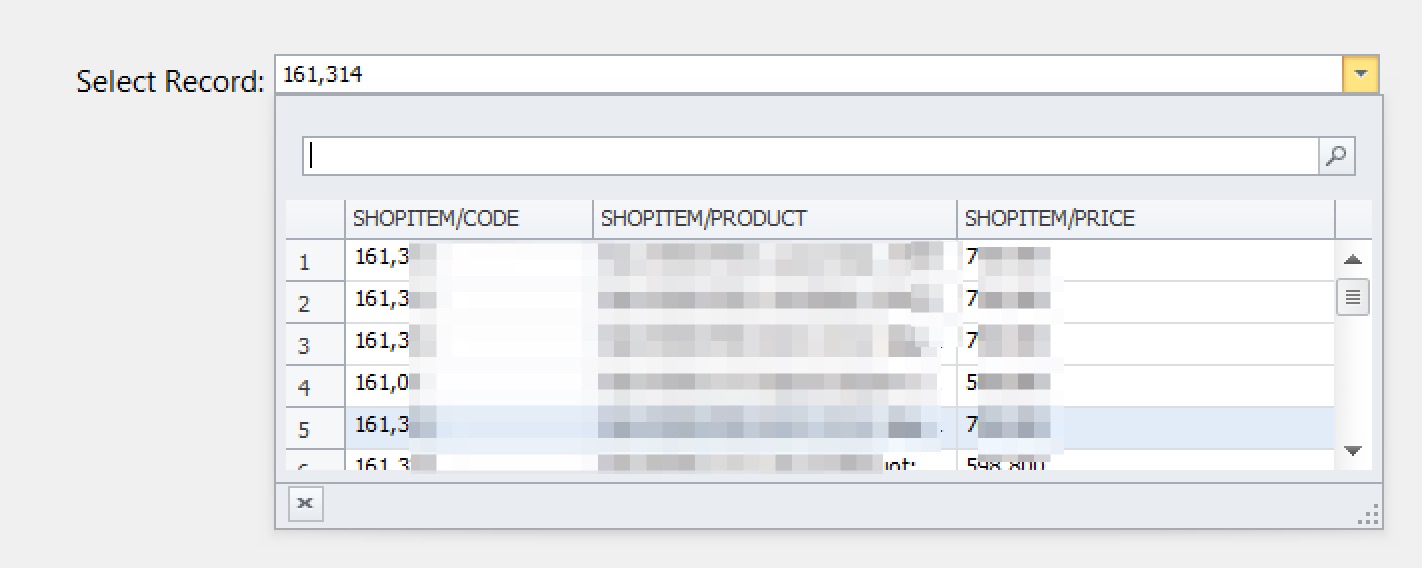
Database looks like this:
Data Entry Form:

As you can see there is a Record Selector,
Name input field underneath is connected to product name field on the label.
Price input field is connected to the price field on the label.
This is working pretty well. I select a record, then I see Name input field is getting updated on the form. If I need to change the name I can do that.
I have 2 problems here:
1, When I launch data entry form first entry is always selected. It is possible to not select anything after launch? I added a Clear button to the form, which fixes the issue, but I always need to press it.
2, For some reason If I modify the text in the Name field and I try to select entry from data selector the Name field doesn't get updated.
-
1. Amend the default Data Entry options for your Record Picker to No records and that should sort this

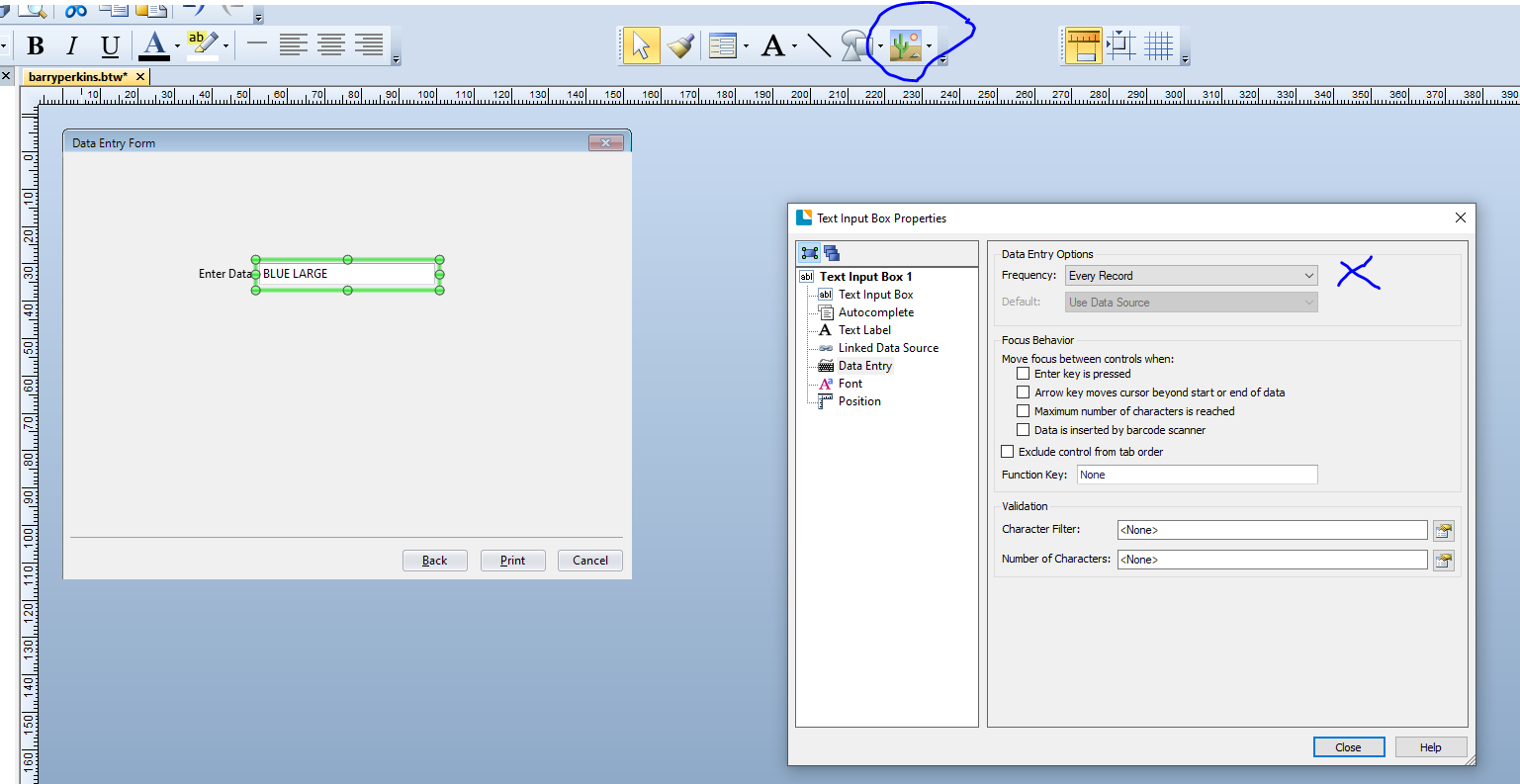
2. It must be something in your config I think. I would suggest leaving off the select records area from your 2nd Data Entry Form and configure this form to open for Each Record. You may want to add a Preview of Template onto the form from the image dropdown as that maybe useful for the operators
 0
0 -
Thanks Pete, question 1 is resolved.
For question 2, may I more describe the problem?
I created a screen record where you can see what is my problem:
Setup look like this:
On the label template, product name text field is linked to database source:

On the form, the manual override text input box is linked to the product name text field on the label.

It gets updated correctly when I choose any record from the record selector, but after I enter something manually, it doesn't get updated anymore (when I decide to select something from record selector again). Sorry for the complicated description, from the video it is easier to understand.
0 -
As soon as you change the record selection for a 2nd time you cause to BarTender to perform a lookup into the database and pull out the values for the linked fields.
As I mentioned above, once you have selected your records and proceed to the 2nd Data Entry why do you need to reselect them again? I assume this is to override the entries for each of those individually and if that is the case you do not use the record selector a second time. As per my second screenshot give the 2nd Entry Form a Frequency of Each Record and so it will then open multiple times one for each record chosen.
0 -
Thanks Pete.
One more question about Record picker:
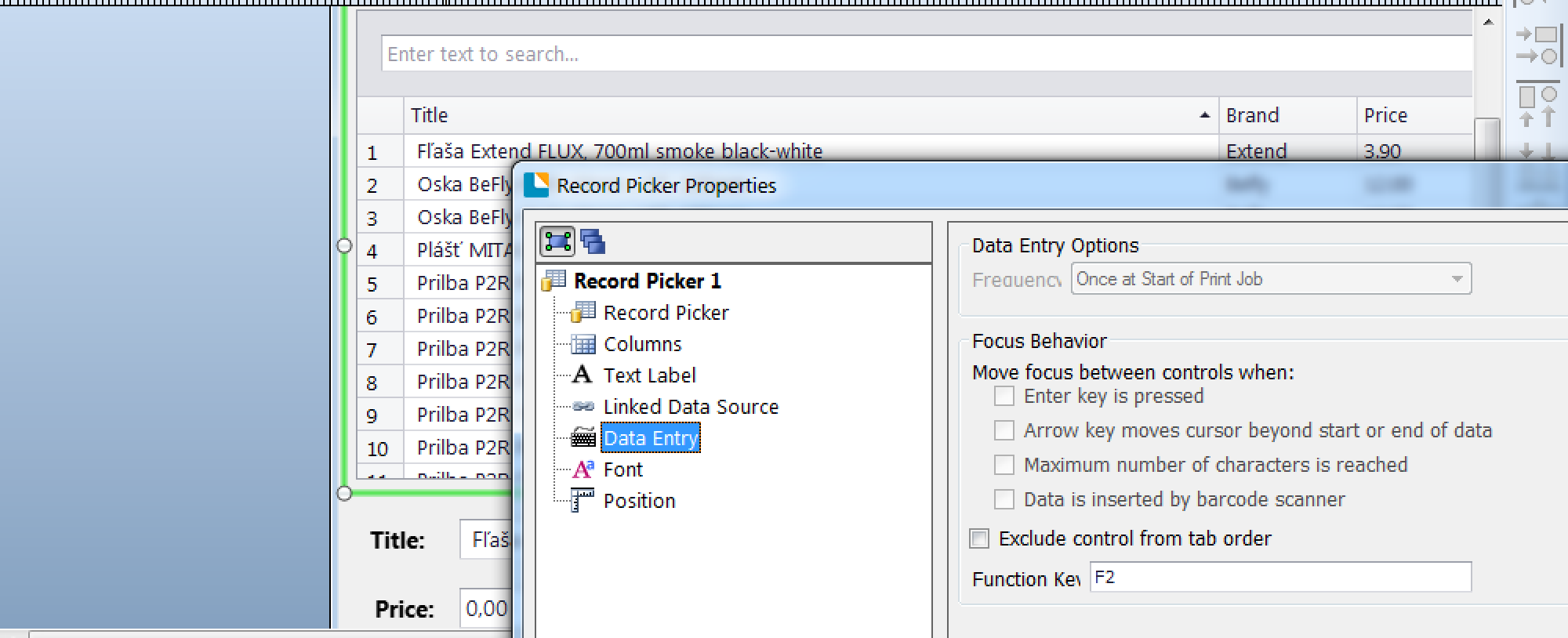
- It is possible to start with nothing selected? At this moment every time I launch the last selected record is selected.
- It would be great to start with Search input focused and press Tab to jump to record select ENTER to select, then press Tab again to jump to the next Input box /Title in my case/, Tab again to switch to Price Input box.
0 -
1. I believe this should sort it
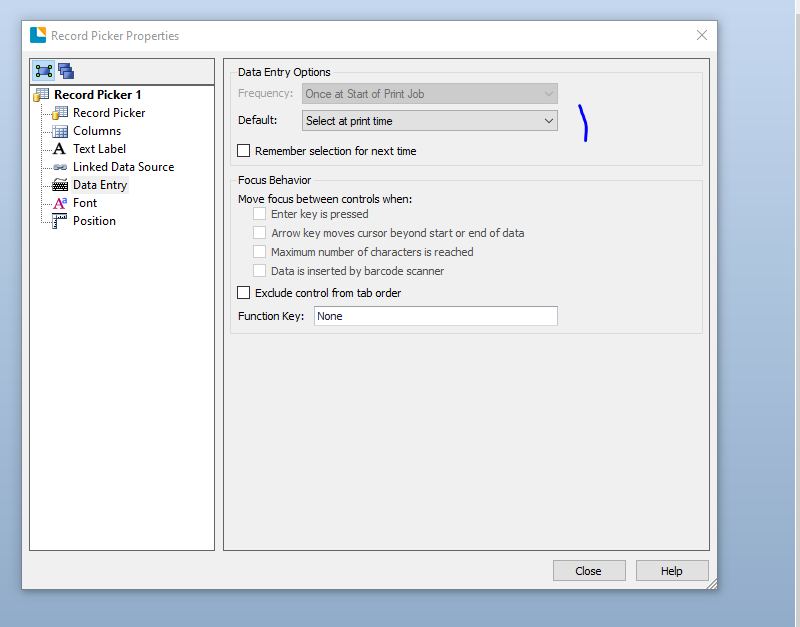
2. I am not sure if that is possible, however there is a potential workaround. Add a second data entry form and move your two text entry boxes to there. In you record picker properties enable the Enter Key is pressed option that is now available:

At print time the operator would select the record and then press Enter which then then move onto the 2nd entry screen to enter the data in the manual boxes. Not exactly what you want but close I would suggest.
On your 2nd form you could add a Preview of Template image on to this form (ringed) so the users will be able to see an image of the label with the database information populated and this will also update as they type into the Data Entry boxes,
(Note: you can also add the number of labels entry option onto the Data Entry Form too if required)
0

Bitte melden Sie sich an, um einen Kommentar zu hinterlassen.
Kommentare
5 Kommentare