Cant select multiple records to Print on Bartender

Hi Im trying to select a record by looking it in the search bar, i select it but if i want to select another one to print, the first one dissapears and if i search it again the second one dissapears too, what could i be doing wrong? or the software doesnt allow to search more than 1 record to print?
-
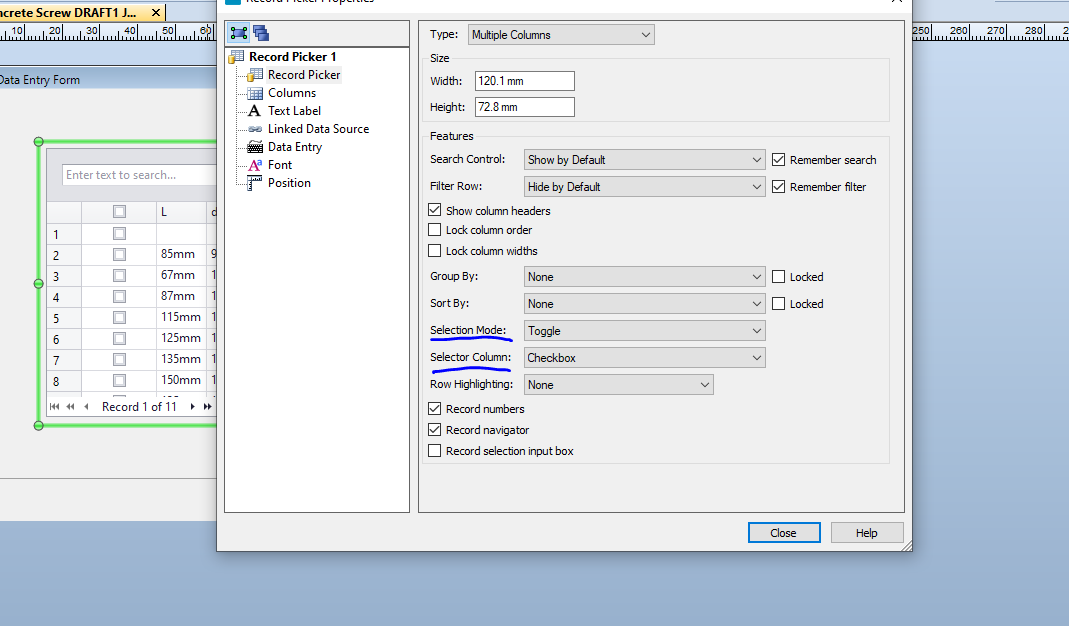
Have you tried adjusting these settings?
 0
0 -
Hello ASD dsa!
Unfortunately, what you've encountered is a limitation of the Record Picker - you will only be able to select one record at a time if you're using the search bar to find records.
We do have an open case with our development team to introduce this feature in future versions of BarTender suite. If you're interested, you can open a new ticket with Tech Support regarding this request, we can link you (internally) to it, and notify you once the feature is in.
Thank you for reaching out!
0 -
OH, it would be awesome if you can link me to the other request!! i hope you can "fix" this limitation soon cause when we work with 5000+ records it is a nightmare to select records that are not close to each other.
Thnx!
0 -
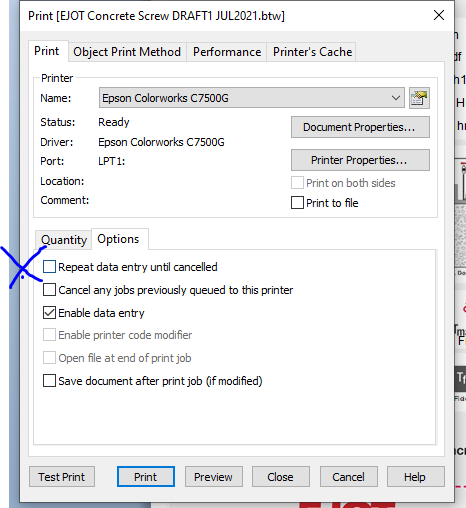
Not exactly what you want but if you enable this option then after you select and send the 1st print command the operator will be returned to the record selection screen to select and print the next one.
 0
0 -
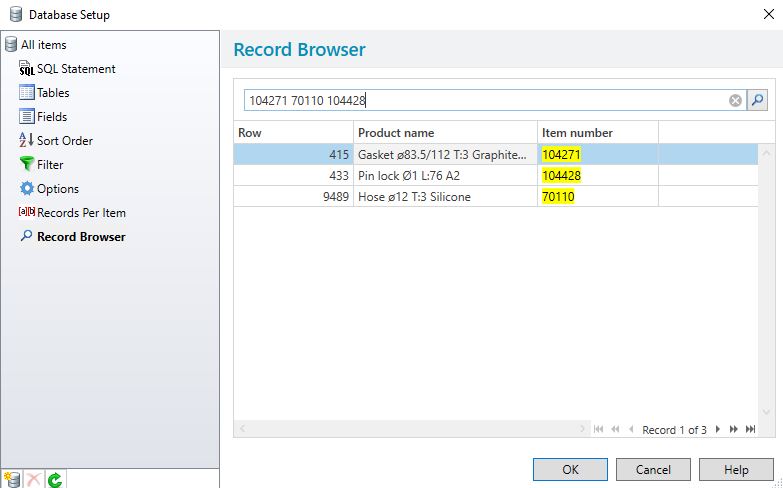
I would also very much appreciate this feature to be reintroduced, it disappeared when I upgrade to 2021. Like ASD dsa we also use an Excel database with some 11000 items were we select a small amount at print time. But now we have to print each label individually. It seems odd to remove this feature since it works elsewhere in Bartender ?
Like here in the Database setup.
I hope this will be reintroduced swiftly.
 0
0 -
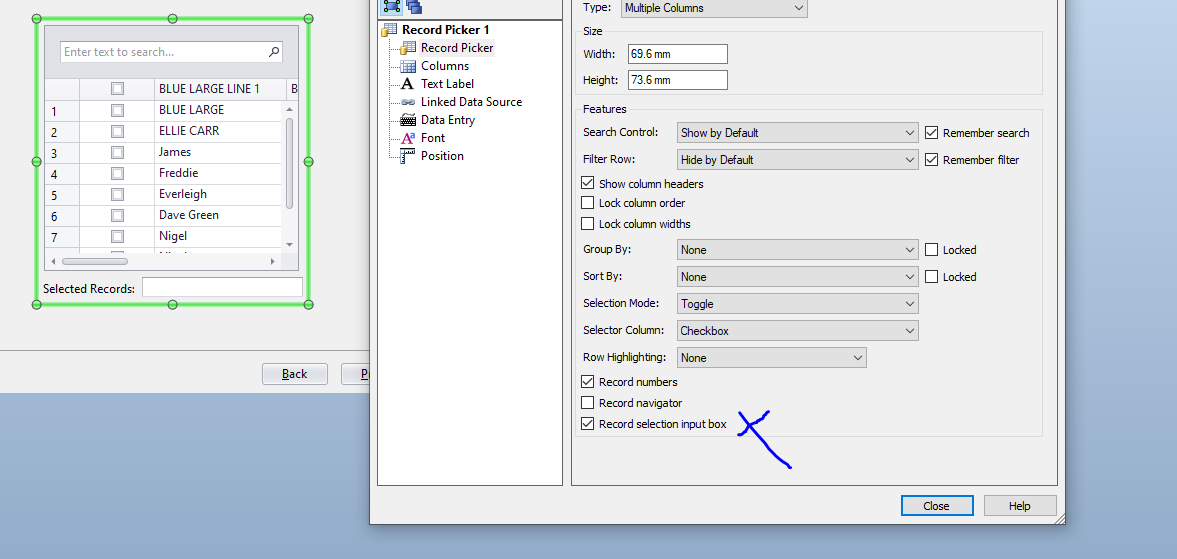
The select by record number option is still there in 2021 but you have to enable it :
 0
0 -
Al Perez This is still an issue in BarTender 2022 R5. Is there any update on a fix for this? This is a pretty big limitation in the record picker, especially when working with large datasets.
0


Bitte melden Sie sich an, um einen Kommentar zu hinterlassen.
Kommentare
7 Kommentare